
Source & license
Upstream license: MIT
License TL;DR
You can use it, change it, self-host it and sell it. Keep the original copyright and license notice with copies of the code. You don’t have to publish your changes. The authors don’t promise it will work.
Explain MIT in plain English →Summary of the main license. Separate packages and assets can have different terms.
Inspect repository ↗Read this project’s actual license ↗Repository owner
See the upstream repository for the original creator and contributors.
Maintain this project? Maintainer verification →Cloudflare hosting
Free tier eligible within limits
The reviewed Cloudflare deployment is eligible for Free-plan allowances for the stated small workload and feature scope. Usage limits, CPU, required account setup and separate services apply.
Hosting requirements
- Activate R2 with a payment method and deploy the Pages application against your own BUCKET, credentials and resource names.
- Keep total Standard R2 storage within 10 GB-month, Class A operations within 1 million/month and Class B operations within 10 million/month.
- Keep dynamic Pages Functions traffic and CPU within Workers Free limits; large ZIP creation and large-file workloads may need a paid plan.
- The default recycle-bin retention is 30 days and still consumes storage; custom domains are optional and may cost separately.
- Dynamic Pages Functions requests share the Workers account allowance; only requests that do not invoke Functions count as free unlimited static asset requests.
- R2 Standard allowance: 10 GB-month storage, 1 million Class A and 10 million Class B operations/month; account activation may require billing setup, and other storage classes are excluded.
Sources checked 01/10/2026
Repository snapshot: 77ef481. Hosting eligibility reflects the deployment documentation and listed assumptions.
- dropbox ↗
ip, and a zero-JS landing page - Recycle bin with configurable retention (`TRASH_RETENTION_DAYS`) - WebDAV Class 1/2 at `/webdav` (toggleable without affecting the web UI) - API keys for scripted upload / download / sync, plus remote MCP at `/mcp` (25 tools) - Static sites and image host on a separate hostname (`SITES_HOST`), plus a GitHub Action to deploy from CI - Owner Settings with five persistent feature switches - `davflare-cli`, optional Chrome MV3 extension, and agent layouts on R2 - Chinese / English UI ## Quick start 1. Open [Workers & Pages → Create](
- pages ↗
name = "davflare" pages_build_output_dir = "build" compatibility_date = "2024-06-20" [vars] WEBDAV_PUBLIC_READ = "0" # SITES_HOST is set as a Cloudflare Pages environment variable in the dashboard # (production/preview), NOT hard-coded here, so a deploy cannot override it. # Empty/missing SITES_HOST = static sites stay off. [[r2_buckets]] binding = "BUCKET" bucket_name = "webdav"
- r2 ↗
cannot override it. # Empty/missing SITES_HOST = static sites stay off. [[r2_buckets]] binding = "BUCKET" bucket_name = "webdav"
- free-tier-eligible ↗
name = "davflare" pages_build_output_dir = "build" compatibility_date = "2024-06-20" [vars] WEBDAV_PUBLIC_READ = "0" # SITES_HOST is set as a Cloudflare Pages environment variable in the dashboard # (production/preview), NOT hard-coded here, so a deploy cannot override it. # Empty/missing SITES_HOST = static sites stay off. [[r2_buckets]] binding = "BUCKET" bucket_name = "webdav"
- free-tier-eligible ↗
s.cloudflare.com/workers/platform/pricing/#how-to-switch-usage-models). ### Static asset requests On both free and paid plans, requests to static assets are free and unlimited. A request is considered static when it does not invoke Functions. Refer to [Functions invocation routes](https://developers.cloudflare.com/pages/functions/routing/#functions-invocation-routes) to learn more about when Functions are invoked. ## Free Plan Requests to your Pages Functions count towards your quota for the Workers Free plan. For example, you could use 50,000 Functions reques
- free-tier-eligible ↗
f you have retrieved data (for infrequent access storage) for 1.1 GB, you will be billed for 2 GB. ### Free tier You can use the following amount of storage and operations each month for free. | | Free | | --- | --- | | Storage | 10 GB-month / month | | Class A Operations | 1 million requests / month | | Class B Operations | 10 million requests / month | | Egress (data transfer to Internet) | Free <sup>[1](#user-content-fn-1)</sup> | Caution The free tier only applies to Standard storage, and does not apply to Infrequent Access storage. ### Storage usage S
- MIT ↗
MIT License Copyright (c) 2026 Siyu Long Permission is hereby granted, free of charge, to any person obtaining a copy of this software and associated documentation files (the "Software"), to deal in the Software without restriction, including without limitation the rights to use, copy, modify, merge, publish, distribute, sublicense, and/or sell copies of the Software, and to permit persons to whom the Software is furnished to do so, subject to the following conditions: The above copyright notice and this
- architecture ↗
name = "davflare" pages_build_output_dir = "build" compatibility_date = "2024-06-20" [vars] WEBDAV_PUBLIC_READ = "0" # SITES_HOST is set as a Cloudflare Pages environment variable in the dashboard # (production/preview), NOT hard-coded here, so a deploy cannot override it. # Empty/missing SITES_HOST = static sites stay off. [[r2_buckets]] binding = "BUCKET" bucket_name = "webdav"
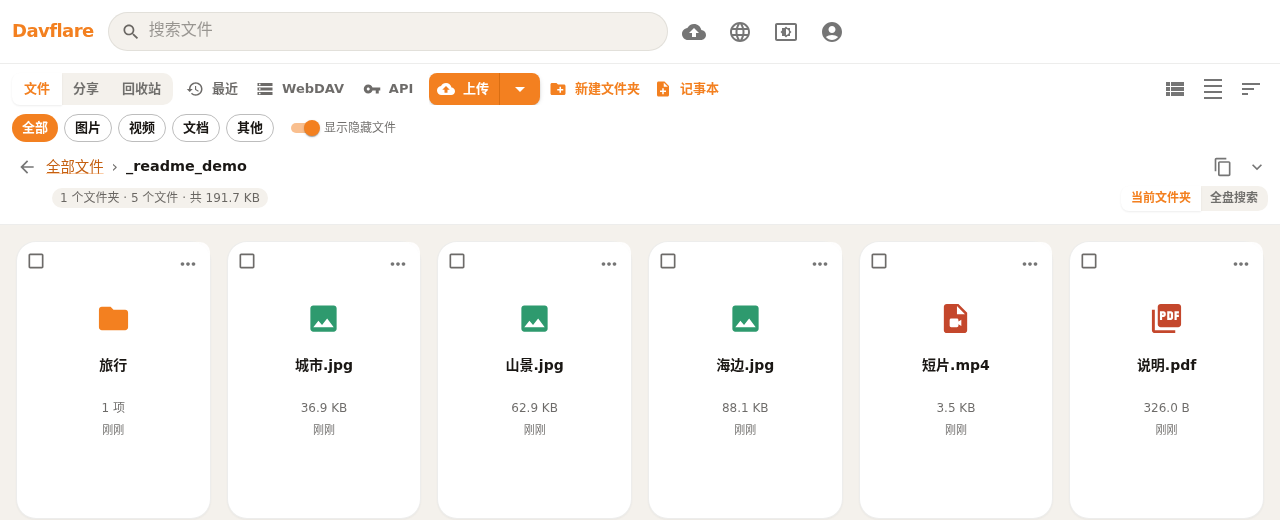
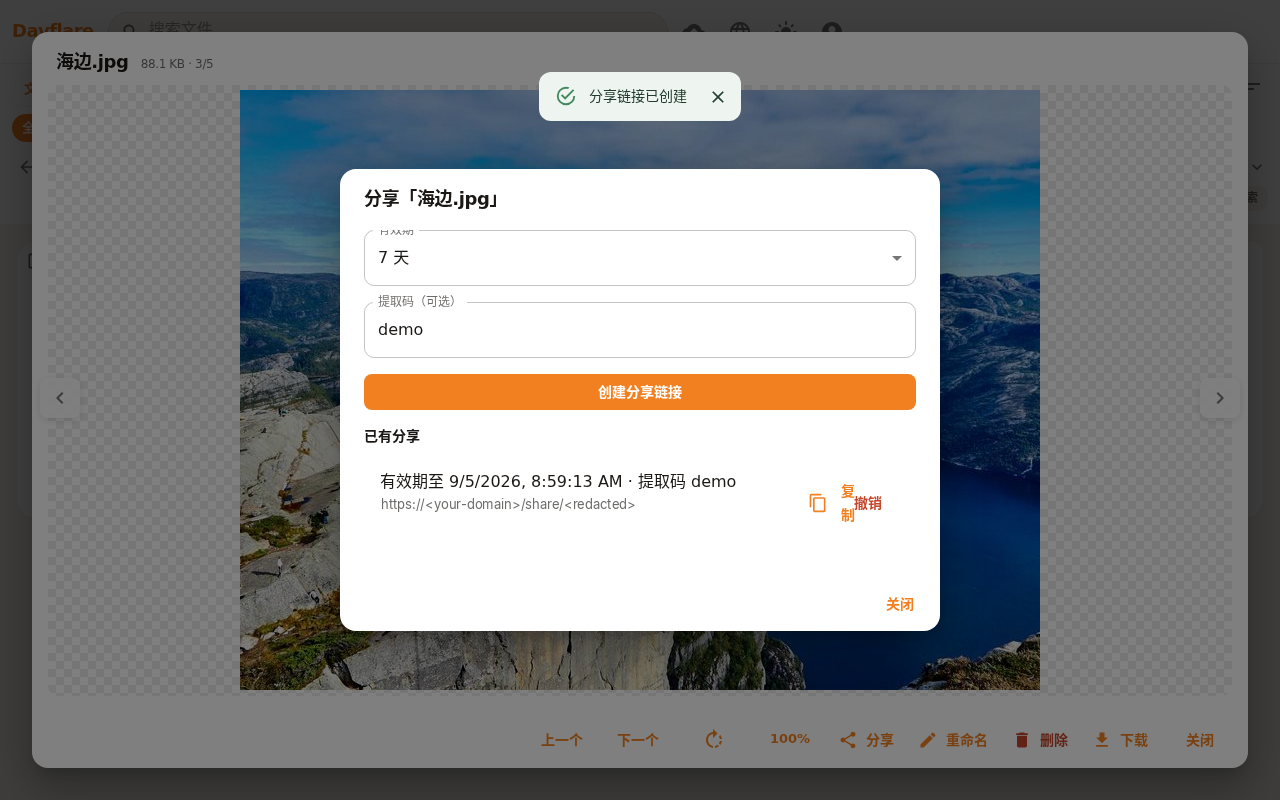
Upstream screenshot · fanchenggang/Davflare repository contributors ↗. Depicts the upstream project. We have not deployed and tested a fresh installation here.
What it can replace
Compare the workflow you need. These mappings describe overlap; full feature parity requires a separate comparison.
 Dropbox ↗
Editorial workflow alternative: Browser file storage, folder management and protected sharing; no claim of native device sync or enterprise collaboration parity.
See supporting source ↗How it works
The shape of Davflare on Cloudflare, and how it stacks up against the rented tools it replaces.
Architecture
Diagram of deployment declarations at the reviewed commit. Each app has its own entrypoint; declared resources do not prove runtime calls. Follow file and line sources below.
View upstream source ↗Configuration and workflow sources
Reviewed commit 77ef48128670. Files were read as data; upstream applications and CI jobs were not executed.
Deployment configuration · 1 files
Named environments are separate deployments. Bindings are shown only where declared. Configured routes are URL patterns, not verified application endpoints.
Runtime source · handlers, binding usage and workflow steps
Observed TypeScript/JavaScript declarations from Worker entrypoints and resolved relative imports. Calls and workflow steps may run conditionally; their listed order is not a proven end-to-end request flow. Router declarations may be mounted under a prefix or may not be registered. This shows code wiring, not a successful deployment or runtime test. Dynamic wiring, aliases and generated code may not resolve.
No direct runtime declarations resolved from this snapshot. Generated framework bundles or dynamic entrypoints need manual tracing.
Build and deployment pipeline · 2 GitHub Actions workflows
Repository CI declarations, separate from runtime request processing. Job dependencies and conditions are shown as written; long commands are shortened with an ellipsis; a workflow file does not prove a recent successful run.
Triggers: push, pull_request
Frontend (typecheck / test / build) · no job dependencies declared
- actions/checkout@v4
actions/checkout@v4 - actions/setup-node@v4
actions/setup-node@v4 - Install dependencies
npm ci - Typecheck
npm run typecheck - Unit tests
npm run test:ci - Coverage thresholds
npm run test:coverage - Build
npm run build
CLI (vitest) · no job dependencies declared
Working directory: cli
- actions/checkout@v4
actions/checkout@v4 - actions/setup-node@v4
actions/setup-node@v4 - Install dependencies
npm ci - Test
npm test
E2E (wrangler pages dev + api-e2e) · no job dependencies declared
- actions/checkout@v4
actions/checkout@v4 - actions/setup-node@v4
actions/setup-node@v4 - Install dependencies
npm ci - Install pinned wrangler
npm install --no-save wrangler@4 - Build + run e2e suite
npm run test:e2e
Triggers: push, workflow_dispatch
package · no job dependencies declared
- Checkout
actions/checkout@v4 - Setup Node
actions/setup-node@v4 - Install dependencies
npm ci - Zip the extension package
bash scripts/package-extension.sh . - Attach zips to GitHub Release
softprops/action-gh-release@v2
build: tsc --noEmit && vite buildbuild:extension: vite build --config vite.extension.config.ts
build: tsc -p tsconfig.jsonprepublishOnly: npm run build && npm test
Repository README
View original on GitHub ↗Full upstream document by @fanchenggang · README.md · snapshot 77ef481
Davflare

Cloudflare R2 file manager on Cloudflare Pages (API via Pages Functions) — free 10 GB storage and 100,000 invocations per day. R2 pricing
Pages, not Workers. This repo sets
pages_build_output_dirinwrangler.tomland has no Workermain. Do not use the Workers Deploy to Cloudflare button orwrangler deploy— that looks for a Worker entry point and fails with «entry point not configured».
Screenshots
Grid light:
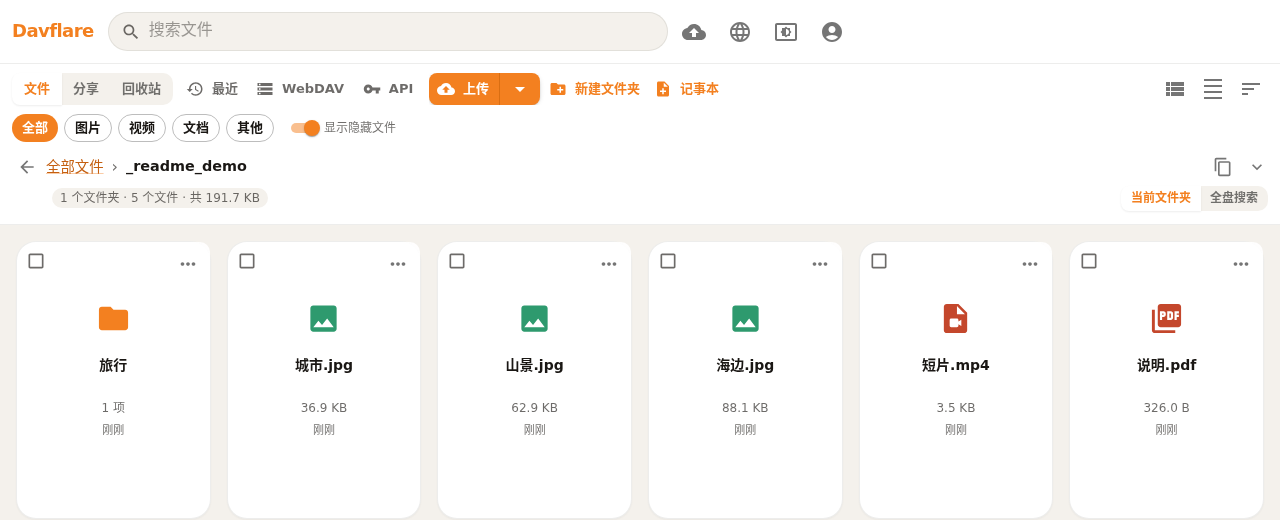
Grid dark:
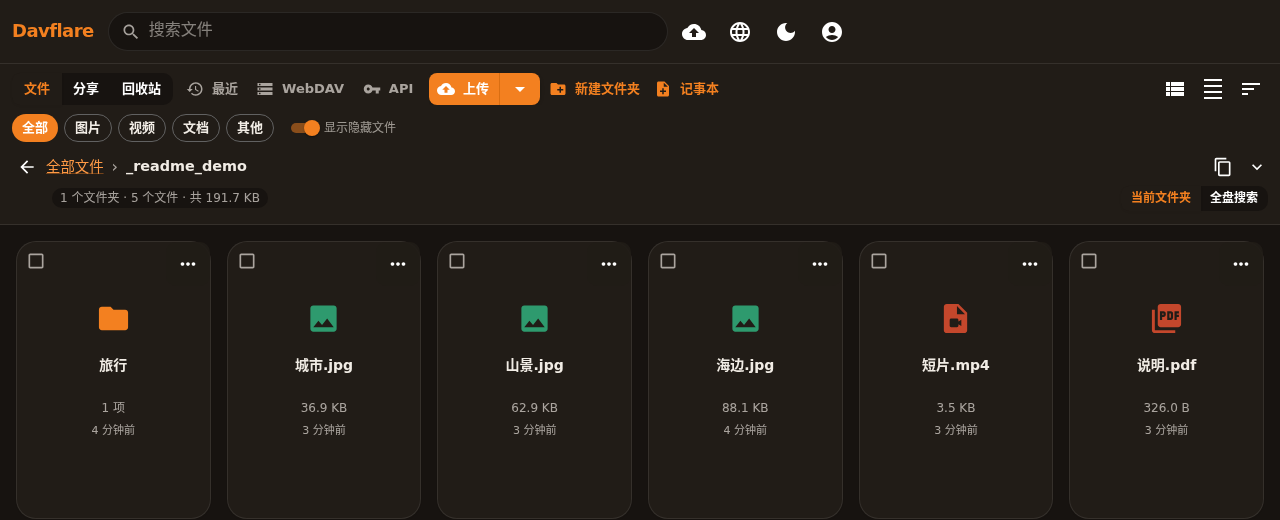
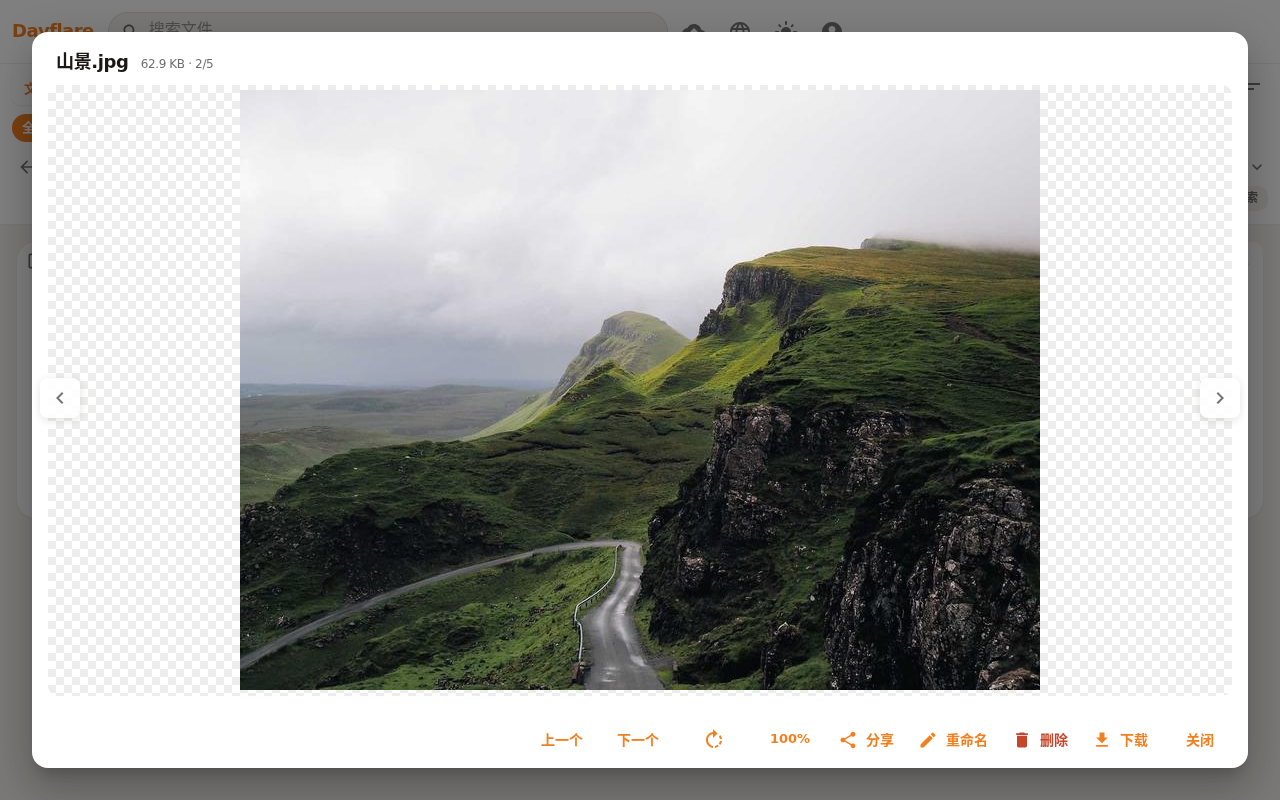
Image preview:
Share (expiry + extract code):
Features
- Chunked web uploads, folders, search, drag-and-drop, image/video/PDF thumbnails
- Share links with expiry or forever, extract code, folder zip, and a zero-JS landing page
- Recycle bin with configurable retention (
TRASH_RETENTION_DAYS) - WebDAV Class 1/2 at
/webdav(toggleable without affecting the web UI) - API keys for scripted upload / download / sync, plus remote MCP at
/mcp(25 tools) - Static sites and image host on a separate hostname (
SITES_HOST), plus a GitHub Action to deploy from CI - Owner Settings with five persistent feature switches
davflare-cli, optional Chrome MV3 extension, and agent layouts on R2- Chinese / English UI
Quick start
- Open Workers & Pages → Create → Pages → Connect to Git, pick this repo (needs a Cloudflare account with R2 activated and a payment method on file).
- Framework preset None, build
npm run build, output directorybuild(or rely onwrangler.toml'spages_build_output_dir). - Bind your R2 bucket to
BUCKET, setWEBDAV_USERNAMEandWEBDAV_PASSWORD, then retry deploy. - Optional:
WEBDAV_PUBLIC_READ=1,TRASH_RETENTION_DAYS(default30,-1disables), and for public sites/images bindsites.<your-domain>and setSITES_HOST=sites.<your-domain>. - Optional: add a custom domain for the drive UI.
Full Pages / Wrangler steps and the five feature switches: docs/deploy.md.
Documentation
| Topic | Link |
|---|---|
Deploy, env vars, feature switches, post-deploy #/setup checklist; MCP playground #/mcp |
docs/deploy.md · docs/API.md |
| WebDAV clients & limits | docs/webdav.md |
| Open API & MCP (incl. chat share / zip folder examples) | docs/API.md |
| Static sites & image host | docs/sites.md |
GitHub Action — deploy a build dir to a site (uses: fanchenggang/Davflare@main) |
docs/sites.md#github-action-deploy-to-davflare-site |
Agent layouts (pull / push) |
docs/agents.md |
CLI (davflare-cli) |
cli/README.md |
| Chrome extension (install + bookmarks) | extension/README.md |
| Bookmark portability | docs/bookmarks-portability.md |
| Testing | TESTING.md · TEST_CASES.md |
Acknowledgments
- longern/FlareDrive by longern — original fork; this project has been fully rewritten since. Internal object prefix is still
_$flaredrive$/. - r2-webdav by abersheeran — WebDAV implementation.
- HamHome by bingoYB — bookmark library UX was inspired by this open-source reference.
License
Frequently asked about Davflare
What is Davflare?+
Davflare is a self-hosted Dropbox alternative built on the Cloudflare developer platform. An R2 file library with WebDAV, protected sharing and browser uploads.
What does Davflare replace?+
Davflare is listed as an alternative to Dropbox. Compare the features and tradeoffs before migrating.
What Cloudflare primitives does Davflare use?+
Davflare is built on Pages, R2.
How much does Davflare cost to run?+
The reviewed Cloudflare deployment is eligible for Free-plan allowances for the stated small workload and feature scope. Usage limits, CPU, required account setup and separate services apply. Activate R2 with a payment method and deploy the Pages application against your own BUCKET, credentials and resource names. Keep total Standard R2 storage within 10 GB-month, Class A operations within 1 million/month and Class B operations within 10 million/month. Keep dynamic Pages Functions traffic and CPU within Workers Free limits; large ZIP creation and large-file workloads may need a paid plan. The default recycle-bin retention is 30 days and still consumes storage; custom domains are optional and may cost separately. Dynamic Pages Functions requests share the Workers account allowance; only requests that do not invoke Functions count as free unlimited static asset requests. R2 Standard allowance: 10 GB-month storage, 1 million Class A and 10 million Class B operations/month; account activation may require billing setup, and other storage classes are excluded. Check current Cloudflare pricing before deploying.
Is Davflare open source?+
The upstream repository declares the MIT license. Read its terms at https://raw.githubusercontent.com/fanchenggang/Davflare/77ef48128670b7293c090e905c92a88992ee3adc/LICENSE. Source code and contributor credit are available at https://github.com/fanchenggang/Davflare.
Discussion · 0
sign in to comment →