
Heyo Docs
Themeable MDX documentation with navigation, search and OpenAPI pages
Heyo Docs is a self-hosted Mintlify/ReadMe alternative built on Cloudflare (Workers). Free tier eligible within limits. Inspect the source and license in the linked repository.
Source & license
Upstream license: MIT
License TL;DR
You can use it, change it, self-host it and sell it. Keep the original copyright and license notice with copies of the code. You don’t have to publish your changes. The authors don’t promise it will work.
Explain MIT in plain English →Summary of the main license. Separate packages and assets can have different terms.
Inspect repository ↗Read this project’s actual license ↗Repository owner
See the upstream repository for the original creator and contributors.
Maintain this project? Maintainer verification →Cloudflare hosting
Free tier eligible within limits
A small Cloudflare documentation deployment can fit static-asset and Worker Free allowances. Use the creator Cloudflare target and its generated framework adapter; dynamic routes must remain below the Free CPU/request ceilings. Optional AI chat/provider services are excluded.
Hosting requirements
- Choose one framework deployment, rather than deploying all three template configurations. The diagram describes the documented Astro/Cloudflare path.
- No D1, KV or R2 binding is needed by the captured documentation templates. Any custom server logic or enabled AI chat must be priced separately.
- Source and configuration review establishes a deployment path and conditional costs; this candidate was not executed or load-tested.
Sources checked 01/10/2026
Repository snapshot: 55eab9c. Hosting eligibility reflects the deployment documentation and listed assumptions.
- mintlify ↗
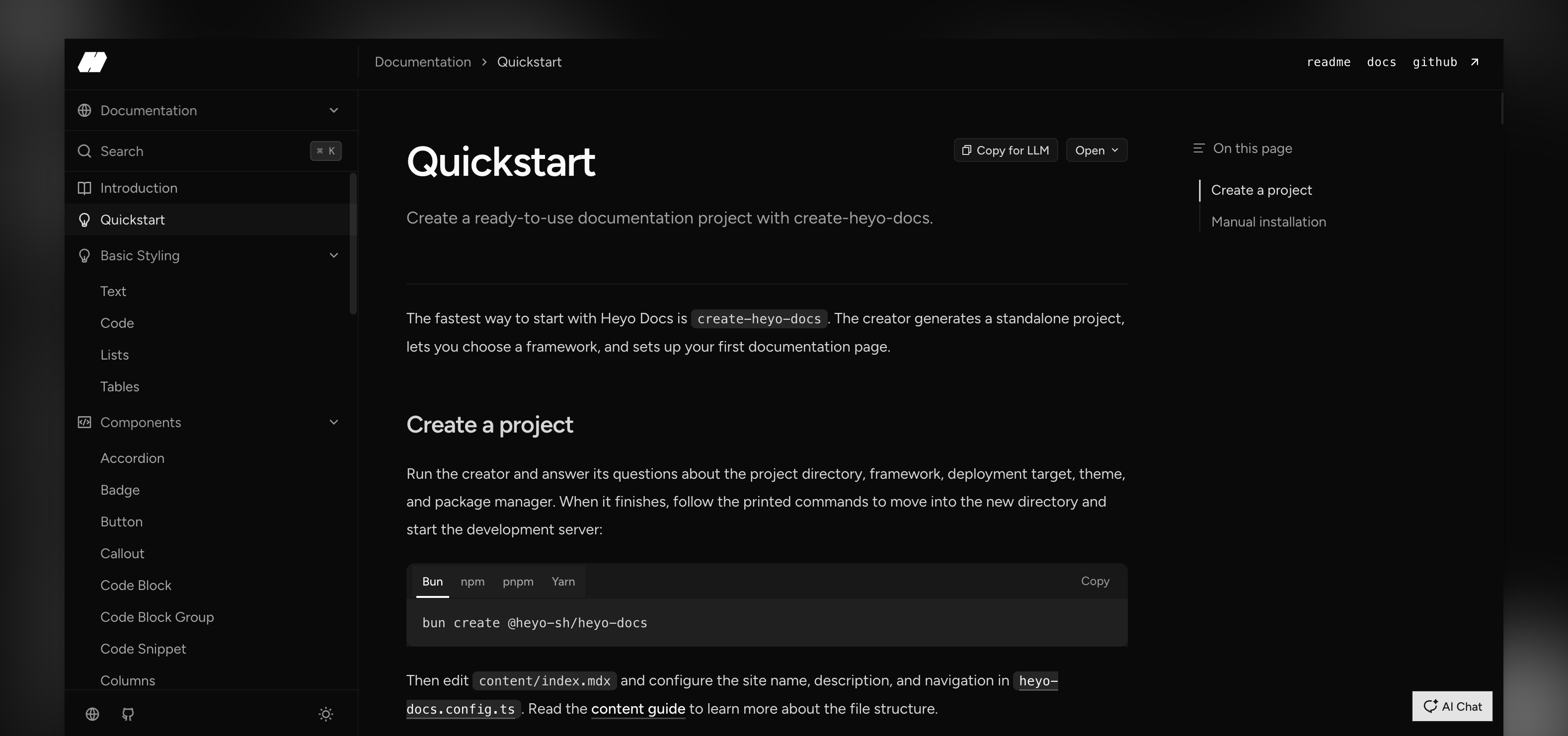
Start the creator and answer its questions about the project directory, framework, deployment target, theme, and package manager. When it finishes, it prints the exact commands for starting the development server.
- readme ↗
Start the creator and answer its questions about the project directory, framework, deployment target, theme, and package manager. When it finishes, it prints the exact commands for starting the development server.
- workers ↗
{ "$schema": "node_modules/wrangler/config-schema.json", "name": "{{PROJECT_NAME}}", "compatibility_date": "2026-08-21", "compatibility_flags": ["nodejs_compat"], }
- free-tier-eligible ↗
{ "$schema": "node_modules/wrangler/config-schema.json", "name": "{{PROJECT_NAME}}", "compatibility_date": "2026-08-21", "compatibility_flags": ["nodejs_compat"], }
- free-tier-eligible ↗
| **Free** | 100,000 per day | No charge for duration | 10 milliseconds of CPU time per invocation |
- MIT ↗
MIT License Copyright (c) 2026 Heyo.sh Permission is hereby granted, free of charge, to any person obtaining a copy of this software and associated documentation files (the "Software"), to deal in the Software without restriction, including without limitation the rights to use, copy, modify, merge, publish, distribute, sublicense, and/or sell copies of the Software, and to permit persons to whom the Software is furnished to do so, subject to the following conditions: The above copyright notice and this permission notice shall be included in all copies or substantial portions of the Software. THE SOFTWARE IS PROVIDED "AS IS", WITHOUT WARRANTY OF ANY KIND, EXPRESS OR IMPLIED, INCLUDING BUT NOT LIMITED TO THE WARRANTIES OF MERCHANTABILITY, FITNESS FOR A PARTICULAR PURPOSE AND NONINFRINGEMENT. IN NO EVENT SHALL THE AUTHORS OR COPYRIGHT HOLDERS BE LIABLE FOR ANY CLAIM, DAMAGES OR OTHER LIABILITY, WHETHER IN AN ACTION OF CONTRACT, TORT OR OTHERWISE, ARISING FROM, OUT OF OR IN CONNECTION
- architecture ↗
{ "$schema": "node_modules/wrangler/config-schema.json", "name": "{{PROJECT_NAME}}", "compatibility_date": "2026-08-21", "compatibility_flags": ["nodejs_compat"], }
- architecture ↗
r React Router, Next.js, and Astro. Create a standalone documentation site with MDX content, navigation, search, OpenAPI reference pages, and built-in SEO. ## Get started Start the creator and answer its questions about the project directory, framework, deployment target, theme, and package manager. When it finishes, it prints the exact commands for starting the development server. ```bash # pnpm pnpm create @heyo-sh/heyo-docs # npm npm create @heyo-sh/heyo-docs@latest # Yarn yarn dlx @heyo-sh/create-heyo-docs # Bun bun create @heyo-sh/heyo-docs ``` The creator works with pnpm, npm, Yarn, and Bun. It lets you choose React Router, Next.js, or Astro, plus a theme and deployment target. For an existing application, follow the framework-specific guides for [React Ro
- architecture ↗
{ "$schema": "node_modules/wrangler/config-schema.json", "name": "{{PROJECT_NAME}}", "compatibility_date": "2026-08-21", "compatibility_flags": ["nodejs_compat"], }
Upstream screenshot · heyo-sh/heyo-docs repository contributors ↗. Depicts the upstream project. We have not deployed and tested a fresh installation here.
What it can replace
Compare the workflow you need. These mappings describe overlap; full feature parity requires a separate comparison.
 Mintlify ↗
Self-managed MDX documentation, navigation, search and OpenAPI reference pages; no claim of hosted-team administration or complete proprietary documentation-service parity.
See supporting source ↗ ReadMe ↗
Self-managed MDX documentation, navigation, search and OpenAPI reference pages; no claim of hosted-team administration or complete proprietary documentation-service parity.
See supporting source ↗How it works
The shape of Heyo Docs on Cloudflare, and how it stacks up against the rented tools it replaces.
Architecture
Diagram of deployment declarations at the reviewed commit. Each app has its own entrypoint; declared resources do not prove runtime calls. Follow file and line sources below.
View upstream source ↗Configuration and workflow sources
Reviewed commit 55eab9c01d5b. Files were read as data; upstream applications and CI jobs were not executed.
Deployment configuration · 3 files
Cloudflare Workers · compatibility 2026-08-21
{{PROJECT_NAME}} · default
No resource bindings declared in this scope.
Cloudflare Workers · compatibility 2026-08-24
{{PROJECT_NAME}} · default
Entrypoint: .open-next/worker.js
Static assets: .open-next/assets
ASSETS→ Static assets
Cloudflare Workers · compatibility 2026-08-21
{{PROJECT_NAME}} · default
Entrypoint: ./workers/app.ts
Static assets: ./build/client
Static assets→ Static assets
Named environments are separate deployments. Bindings are shown only where declared. Configured routes are URL patterns, not verified application endpoints.
Runtime source · handlers, binding usage and workflow steps
Observed TypeScript/JavaScript declarations from Worker entrypoints and resolved relative imports. Calls and workflow steps may run conditionally; their listed order is not a proven end-to-end request flow. Router declarations may be mounted under a prefix or may not be registered. This shows code wiring, not a successful deployment or runtime test. Dynamic wiring, aliases and generated code may not resolve.
- L11 · fetch handler exported · calls context.set, handleRequest
Environment references: env.MODE
Build and deployment pipeline · 3 GitHub Actions workflows
Repository CI declarations, separate from runtime request processing. Job dependencies and conditions are shown as written; long commands are shortened with an ellipsis; a workflow file does not prove a recent successful run.
Triggers: pull_request, workflow_call
Quality · no job dependencies declared
- Check out the repository
actions/checkout@v7 - Set up Bun
oven-sh/setup-bun@v2 - Install dependencies
bun install --frozen-lockfile - Run quality checks
bun run quality
Triggers: push, pull_request, schedule
Analyze JavaScript and TypeScript · no job dependencies declared
- Check out the repository
actions/checkout@v7 - Initialize CodeQL
github/codeql-action/init@v4 - Analyze
github/codeql-action/analyze@v4
Triggers: push
Verify release candidate · no job dependencies declared
Uses: ./.github/workflows/ci.yml
Select release mode · no job dependencies declared
- Check out the repository
actions/checkout@v7 - Set up Bun
oven-sh/setup-bun@v2 - Install dependencies
bun install --frozen-lockfile - Select release mode
changesets/action/select-mode@v2
Create release pull request · after verify, select-mode
Condition: needs.select-mode.outputs.mode == 'version'
- Check out the repository
actions/checkout@v7 - Set up Bun
oven-sh/setup-bun@v2 - Install dependencies
bun install --frozen-lockfile - Create or update release pull request
changesets/action/version@v2
Publish packages to npm · after select-mode, verify
Condition: needs.select-mode.outputs.mode == 'publish'
- Check out the repository
actions/checkout@v7 - Set up Bun
oven-sh/setup-bun@v2 - Set up Node for npm publishing
actions/setup-node@v7 - Install dependencies
bun install --frozen-lockfile - Build packages
bun run build - Publish packages to npm
changesets/action/publish@v2
build: bun run --filter @heyo-sh/heyo-docs build && bun run --filter @heyo-sh/create-heyo-docs build && bun run --filter heyo-docs-react-router-example build:workspace && bun run --filter heyo-docs-next-example build:workspace && bun run --filter heyo-docs-astro-example build:workspacerelease: changeset publish
build: bun run --filter @heyo-sh/heyo-docs build && astro buildbuild:workspace: astro build
build: bun run --filter @heyo-sh/heyo-docs build && tsx scripts/generate-heyo-docs.ts && next buildbuild:workspace: tsx scripts/generate-heyo-docs.ts && next build
build: bun run --filter @heyo-sh/heyo-docs build && react-router buildbuild:workspace: react-router build
deploy: wrangler deploy --config dist/server/wrangler.json
deploy: opennextjs-cloudflare build && opennextjs-cloudflare deploy
deploy: wrangler deploy
deploy: vercel --prod
deploy: vercel --prod
build: react-router builddeploy: vercel --prod
build: bun build src/index.ts --outdir dist --target node --external @clack/prompts && bun run build:typesbuild:types: tsc -p tsconfig.build.json
build: astro build
build: tsx scripts/generate-heyo-docs.ts && next build
build: react-router build
build: bun run build:js && bun run build:types && bun run copy:assetsbuild:js: rm -rf dist && bun build --root src src/index.tsx src/types.ts src/model.ts src/navigation.ts src/openapi/index.ts src/seo/index.ts src/seo/next.ts src/seo/react-router.ts src/llm.ts src/rss.ts src/search.ts src/mdx.ts src/link.ts src/theme/grain/index.tsx src/theme/shade/index.tsx src/theme/moss/index.tsx --outdir dist --target browser --production --splitting --external react --external react-dom --external react/jsx-runtime --external zod --external zbsearch --external beautiful-mermaid --ex…build:types: tsc -p tsconfig.build.json
Repository README
View original on GitHub ↗Full upstream document by @heyo-sh · README.md · snapshot 55eab9c





Heyo Docs
A themeable documentation toolkit for React Router, Next.js, and Astro. Create a standalone documentation site with MDX content, navigation, search, OpenAPI reference pages, and built-in SEO.
Get started
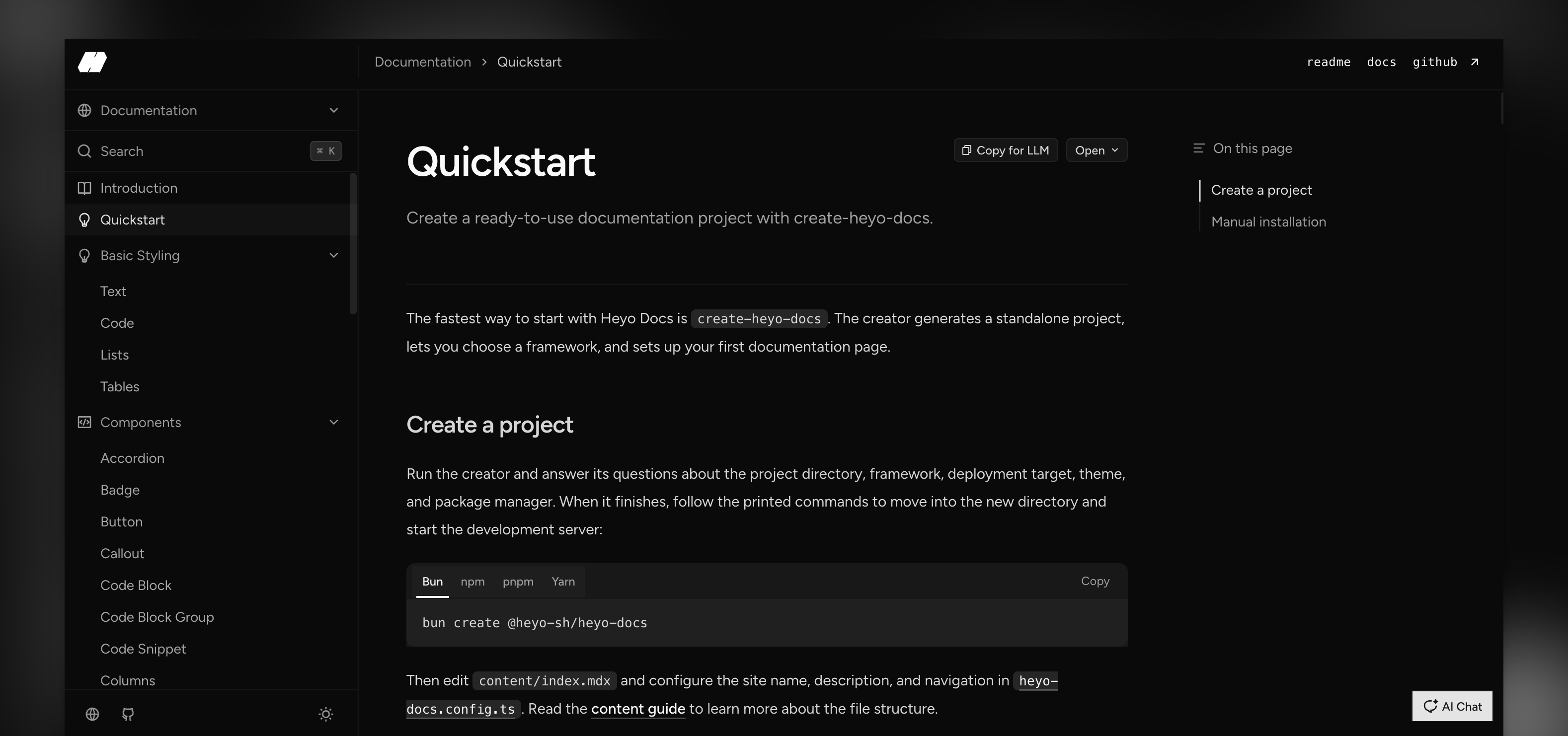
Start the creator and answer its questions about the project directory, framework, deployment target, theme, and package manager. When it finishes, it prints the exact commands for starting the development server.
# pnpm
pnpm create @heyo-sh/heyo-docs

# npm
npm create @heyo-sh/heyo-docs@latest

# Yarn
yarn dlx @heyo-sh/create-heyo-docs

# Bun
bun create @heyo-sh/heyo-docs
The creator works with pnpm, npm, Yarn, and Bun. It lets you choose React Router, Next.js, or Astro, plus a theme and deployment target.
For an existing application, follow the framework-specific guides for React Router, Next.js, or Astro.
Minimum Configuration
heyo-docs.config.ts is the single source of truth for your site's content, navigation, appearance, and metadata. Only content is required:
import { heyoDocs } from "@heyo-sh/heyo-docs/config";

export default heyoDocs({
  title: "Acme Docs",
  description: "Guides and API reference for Acme.",
  content: "content",
  theme: "grain",
  siteUrl: "https://docs.acme.com/handbook",
  branding: { name: "Acme", logo: "/logo.svg" },
  navigation: [
    { label: "Status", href: "https://status.acme.com" },
    { label: "Sign in", href: "https://app.acme.com", variant: "primary" },
  ],
  groups: [
    {
      group: "Documentation",
      sections: [
        {
          section: "Get started",
          pages: ["index", "quickstart"],
        },
      ],
    },
  ],
});
Header navigation renders each item as a Button. Its variant uses the same values as Button and defaults to link; use primary for prominent actions. siteUrl is the canonical public documentation root and may include a mount path such as /handbook.
Markdown and AI actions
Every documentation, changelog, and OpenAPI page shows Copy for LLM and
Open by default. They use the stable public .md representation of the
current page; mounted docs paths are derived from the browser URL, without a
framework-specific adapter. They do not require AI Chat credentials.
Configure either action independently only when needed:
ai: {
  copyForLLM: "disabled", // default: "enabled"
  openIn: "enabled", // default: "enabled"
}
The selected framework must serve public *.md endpoints. All generated
projects already do; see the Markdown endpoint guide.
Read the configuration guide for the complete reference, then add pages under content/. Built-in MDX components, OpenAPI, deployment, and styling guides live in the documentation.
The root package exports only DocsApp; import capabilities from domain entrypoints such as /config, /model, /navigation, /seo, /openapi, /llm, /rss, /search, /mdx, /link, and /types.
Contributing
See CONTRIBUTING.md for local development and contribution guidelines.
License
Frequently asked about Heyo Docs
What is Heyo Docs?+
Heyo Docs is a self-hosted Mintlify/ReadMe alternative built on the Cloudflare developer platform. Themeable MDX documentation with navigation, search and OpenAPI pages
What does Heyo Docs replace?+
Heyo Docs is listed as an alternative to Mintlify, ReadMe. Compare the features and tradeoffs before migrating.
What Cloudflare primitives does Heyo Docs use?+
Heyo Docs is built on Workers.
How much does Heyo Docs cost to run?+
A small Cloudflare documentation deployment can fit static-asset and Worker Free allowances. Use the creator Cloudflare target and its generated framework adapter; dynamic routes must remain below the Free CPU/request ceilings. Optional AI chat/provider services are excluded. Choose one framework deployment, rather than deploying all three template configurations. The diagram describes the documented Astro/Cloudflare path. No D1, KV or R2 binding is needed by the captured documentation templates. Any custom server logic or enabled AI chat must be priced separately. Source and configuration review establishes a deployment path and conditional costs; this candidate was not executed or load-tested. Check current Cloudflare pricing before deploying.
Is Heyo Docs open source?+
The upstream repository declares the MIT license. Read its terms at https://raw.githubusercontent.com/heyo-sh/heyo-docs/55eab9c01d5b81b55c3c0e517968450a07775ccf/LICENSE. Source code and contributor credit are available at https://github.com/heyo-sh/heyo-docs.
Discussion · 0
sign in to comment →