
Source & license
Upstream license: MIT
License TL;DR
You can use it, change it, self-host it and sell it. Keep the original copyright and license notice with copies of the code. You don’t have to publish your changes. The authors don’t promise it will work.
Explain MIT in plain English →Summary of the main license. Separate packages and assets can have different terms.
Inspect repository ↗Read this project’s actual license ↗Repository owner
See the upstream repository for the original creator and contributors.
Maintain this project? Maintainer verification →Cloudflare hosting
Free tier eligible within limits
The documented md.page deployment can use Cloudflare Free allowances for a small workload under the request, CPU and service-specific quotas below. This is conditional eligibility, not a measured zero-cost deployment; optional features, domains and external providers can add costs.
Hosting requirements
- Workers Free allows 100,000 requests per day shared across the account and 10 ms CPU per invocation; measure CPU-heavy authentication, parsing and rendering before assuming it fits.
- Keep KV below 100,000 reads/day, 1,000 writes, deletes and list operations/day each, and 1 GB; cache refreshes and backups consume writes.
- Use a small personal or team workload; domain registration and optional third-party providers are separate costs. Provision your own IDs, secrets and migrations.
Sources checked 01/10/2026
Repository snapshot: 54bbbd1. Hosting eligibility reflects the deployment documentation and listed assumptions.
- notion-public-pages ↗
md.page runs on Cloudflare Workers with KV storage. A self-hosted instance gives you anonymous publishing (24h expiry), the full agent-facing surface (OpenAPI, llms.txt, MCP
- workers ↗
name = "md-page" main = "src/index.ts" compatibility_date = "2024-12-01" routes = [ { pattern = "your-domain.com/*", zone_name = "your-domain.com" } ] [observability] enabled = true # Required: page content storage [[kv_namespaces]] binding = "PAGES" id = "" # Run: npx wrangler kv namespace create PAGES # Optional: event analytics (page publishes, views, rate-limit hits). # Remove this block if you don't want analytics — the worker runs fine without it. [[analytics_engine_datasets]] binding = "ANALYTICS" dataset = "md_page_events" # Optional: serves the landing page demo video from R2. # Remove if you don't need it — the landing page still works. [[r2_
- kv ↗
] [observability] enabled = true # Required: page content storage [[kv_namespaces]] binding = "PAGES" id = "" # Run: npx wrangler kv namespace create PAGES # Optional: event analytics (page publishes, views, rate-limit hits). # Remove this block if you don't want analytics — the worker runs fine without it. [[analytics_engine_datasets]] binding = "ANALYTICS" dataset = "md_page_events" # Optional: serves the landing page demo video from R2. # Remove if you don't need it — the landing page still works. [[r2_buckets]] binding = "ASSETS_BUCKET" bucket_name = "" # Run: npx wrangler r2 bucket create md-page-assets # Optional: worker-level rate limiting on anonymous publishes. The worker runs # fine without these
- free-tier-eligible ↗
name = "md-page" main = "src/index.ts" compatibility_date = "2024-12-01" routes = [ { pattern = "your-domain.com/*", zone_name = "your-domain.com" } ] [observability] enabled = true # Required: page content storage [[kv_namespaces]] binding = "PAGES" id = "" # Run: npx wrangler kv namespace create PAGES # Optional: event analytics (page publishes, views, rate-limit hits). # Remove this block if you don't want analytics — the worker runs fine without it. [[analytics_engine_datasets]] binding = "ANALYTICS" dataset = "md_page_events" # Optional: serves the landing page demo video from R2. # Remove if you don't need it — the landing page still works. [[r2_
- free-tier-eligible ↗
] [observability] enabled = true # Required: page content storage [[kv_namespaces]] binding = "PAGES" id = "" # Run: npx wrangler kv namespace create PAGES # Optional: event analytics (page publishes, views, rate-limit hits). # Remove this block if you don't want analytics — the worker runs fine without it. [[analytics_engine_datasets]] binding = "ANALYTICS" dataset = "md_page_events" # Optional: serves the landing page demo video from R2. # Remove if you don't need it — the landing page still works. [[r2_buckets]] binding = "ASSETS_BUCKET" bucket_name = "" # Run: npx wrangler r2 bucket create md-page-assets # Optional: worker-level rate limiting on anonymous publishes. The worker runs # fine without these
- free-tier-eligible ↗
up>1, 2, 3, 4</sup> | Duration | CPU time | | --- | --- | --- | --- | | **Free** | 100,000 per day | No charge for duration | 10 milliseconds of CPU time per invocation | | **Standard** | 10 million included per month <br> +$0.30 per additional million | No charge or limit for duration | 30 million CPU milliseconds included per month<br> +$0.02 per additional million CPU milliseconds<br><br> Max of [5 minutes of CPU time](https://developers.cloudflare.com/workers/platform/limits/#account-plan-limits) per invocation (default: 30 seconds)<br> Max of 15 minutes of CPU time per [Cron Trigger](https://developers.cloudflare.com/workers/configuration/cron-triggers/) or [Queue Consumer](https://developers.cloudflare.co
- free-tier-eligible ↗
cing/). | | Free plan<sup>1</sup> | Paid plan | | --- | --- | --- | | Keys read | 100,000 / day | 10 million/month, + $0.50/million | | Keys written | 1,000 / day | 1 million/month, + $5.00/million | | Keys deleted | 1,000 / day | 1 million/month, + $5.00/million | | List requests | 1,000 / day | 1 million/month, + $5.00/million | | Stored data | 1 GB | 1 GB, + $0.50/ GB-month | <sup>1</sup> The Workers Free plan includes limited Workers KV usage. All limits reset daily at 00:00 UTC. If you exceed any one of these limits, further operations of that type will fail with an error. Note Workers KV pricing for read, write and delete operations is on a per-key basis. Bulk read operations are billed by the amount
- MIT ↗
MIT License Copyright (c) 2026 md.page Permission is hereby granted, free of charge, to any person obtaining a copy of this software and associated documentation files (the "Software"), to deal in the Software without restriction, including without limitation the rights to use, copy, modify, merge, publish, distribute, sublicense, and/or sell copies of the Software, and to permit persons to whom the Software is furnished to do so, subject to the following conditions: The above copyright notice and this permission notice shall be included in all copies or substantial portions of the Software. THE SOFTWARE IS PROVIDED "AS IS", WITHOUT WARRANTY OF ANY KIND, EXPRESS OR IMPLIED, INCLUDING BUT NOT LIMITED TO THE WARRANTIES OF MERCHANTABILITY, FITNESS FOR A PARTICULAR PURPOSE AND NONINFRINGEM
- architecture ↗
name = "md-page" main = "src/index.ts" compatibility_date = "2024-12-01" routes = [ { pattern = "your-domain.com/*", zone_name = "your-domain.com" } ] [observability] enabled = true # Required: page content storage [[kv_namespaces]] binding = "PAGES" id = "" # Run: npx wrangler kv namespace create PAGES # Optional: event analytics (page publishes, views, rate-limit hits). # Remove this block if you don't want analytics — the worker runs fine without it. [[analytics_engine_datasets]] binding = "ANALYTICS" dataset = "md_page_events" # Optional: serves the landing page demo video from R2. # Remove if you don't need it — the landing page still works. [[r2_
- architecture ↗
] [observability] enabled = true # Required: page content storage [[kv_namespaces]] binding = "PAGES" id = "" # Run: npx wrangler kv namespace create PAGES # Optional: event analytics (page publishes, views, rate-limit hits). # Remove this block if you don't want analytics — the worker runs fine without it. [[analytics_engine_datasets]] binding = "ANALYTICS" dataset = "md_page_events" # Optional: serves the landing page demo video from R2. # Remove if you don't need it — the landing page still works. [[r2_buckets]] binding = "ASSETS_BUCKET" bucket_name = "" # Run: npx wrangler r2 bucket create md-page-assets # Optional: worker-level rate limiting on anonymous publishes. The worker runs # fine without these
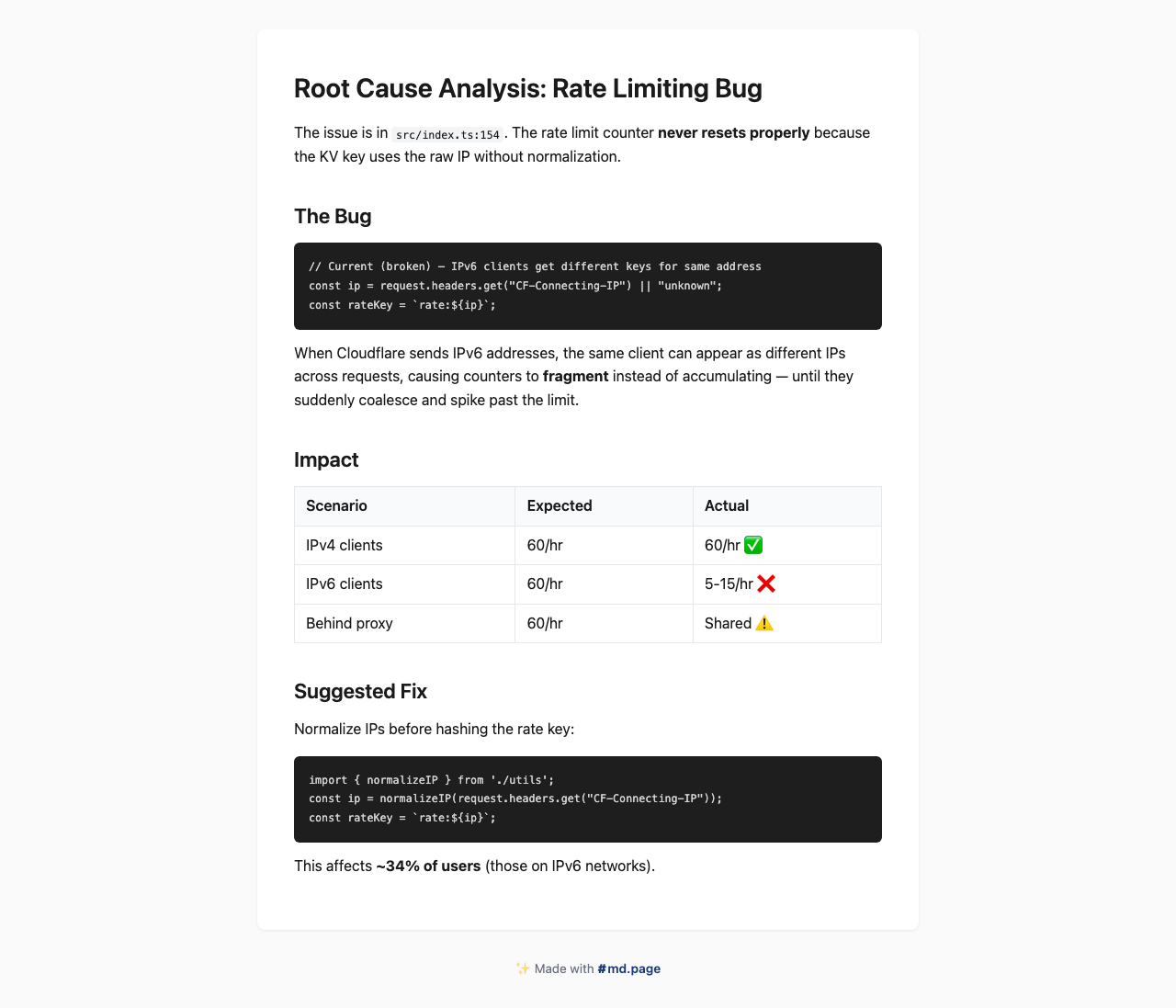
Upstream screenshot · maypaz/md.page repository contributors ↗. Depicts the upstream project. We have not deployed and tested a fresh installation here.
What it can replace
Compare the workflow you need. These mappings describe overlap; full feature parity requires a separate comparison.
 Notion public pages ↗
Publishing rendered Markdown as a shareable document URL with a 24-hour lifetime; Notion workspaces, collaborative editing and permanent account-based publication are excluded.
See supporting source ↗How it works
The shape of md.page on Cloudflare, and how it stacks up against the rented tools it replaces.
Architecture
Services observed in deployment configuration. Routes, jobs and runtime behavior still need verification.
View upstream source ↗Configuration and workflow sources
Reviewed commit 54bbbd18b8a1. Files were read as data; upstream applications and CI jobs were not executed.
Deployment configuration · 0 files
No Wrangler file found in the collected snapshot. The documented architecture above needs separate deployment verification.
Named environments are separate deployments. Bindings are shown only where declared. Configured routes are URL patterns, not verified application endpoints.
Runtime source · handlers, binding usage and workflow steps
Observed TypeScript/JavaScript declarations from Worker entrypoints and resolved relative imports. Calls and workflow steps may run conditionally; their listed order is not a proven end-to-end request flow. Router declarations may be mounted under a prefix or may not be registered. This shows code wiring, not a successful deployment or runtime test. Dynamic wiring, aliases and generated code may not resolve.
No direct runtime declarations resolved from this snapshot. Generated framework bundles or dynamic entrypoints need manual tracing.
Build and deployment pipeline · 1 GitHub Actions workflows
Repository CI declarations, separate from runtime request processing. Job dependencies and conditions are shown as written; long commands are shortened with an ellipsis; a workflow file does not prove a recent successful run.
Triggers: push, pull_request
Test · no job dependencies declared
- actions/checkout@v4
actions/checkout@v4 - actions/setup-node@v4
actions/setup-node@v4 - Shell command
npm ci - Shell command
npm run typecheck - Shell command
npm test
deploy: wrangler r2 object put md-page-assets/lp.mp4 --file assets/lp.mp4 --content-type video/mp4 && wrangler deploy
build: tscprepublishOnly: npm run build
build: remotion bundle
build: tsc && chmod 755 build/index.jsprepublishOnly: npm run build
Repository README
View original on GitHub ↗Full upstream document by @maypaz · README.md · snapshot 54bbbd1

Instantly turn Markdown into a shareable web page.
Free anonymous pages expire in 24h. Sign in for permanent pages with your own subdomain.
Website · AI Agents · API · Accounts · Self-Host


Add to your AI Agent
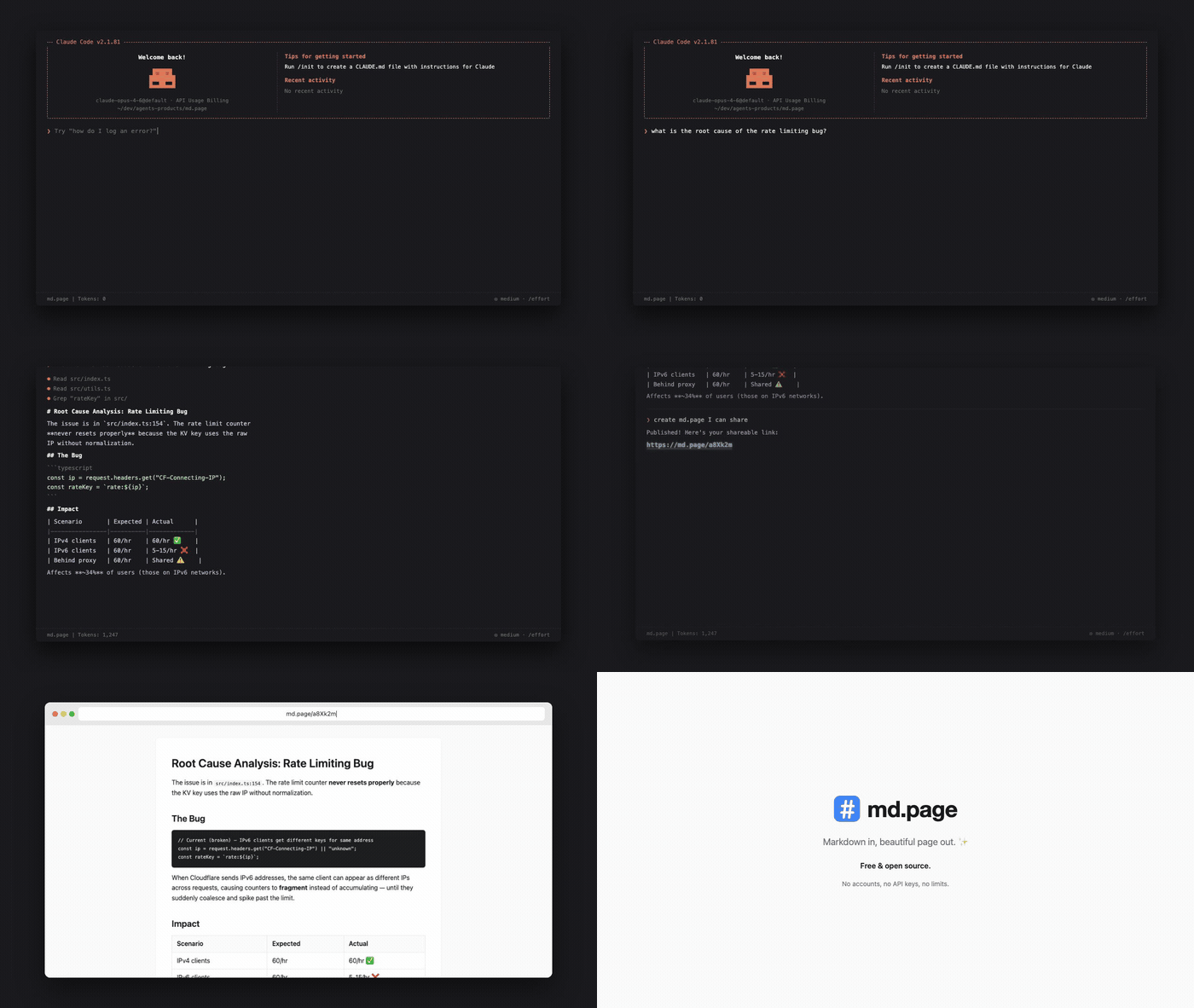
The easiest way to use md.page is through your AI coding agent. Just ask it to "share this" or "publish this markdown" and it creates a link for you.
Claude Code
Install the md.page skill:
npx skills add maypaz/md.page
OpenClaw
npx clawhub@latest install publish-to-mdpage
MCP Server
For agents that support MCP, add md.page as a tool server.
Remote (streamable HTTP) — no install, and it works as a Claude.ai custom connector (Settings → Connectors → Add custom connector → https://md.page/mcp), so the web app can publish even though its sandbox can't reach md.page directly:
{
  "mcpServers": {
    "mdpage": {
      "url": "https://md.page/mcp"
    }
  }
}
Local (stdio) — for Cursor, Claude Desktop, VS Code, and others:
{
  "mcpServers": {
    "mdpage": {
      "command": "npx",
      "args": ["-y", "mdpage-mcp"]
    }
  }
}
See mcp/README.md for full setup instructions.
Any Agent (Prompt-Based)
Copy this prompt into any AI agent that can make HTTP requests:
From now on, whenever I ask you to share or publish a markdown file, use the md.page API to create a shareable HTML page. Send a POST request to https://md.page/api/publish with the body {"markdown": ""} and return the shareable URL to me.
Use Directly
CLI
npx mdpage-cli README.md
  Published → https://md.page/a8Xk2m
  Expires in 24h
One command, zero setup.
# Publish and copy URL to clipboard
npx mdpage-cli README.md --copy

# Publish and open in browser
npx mdpage-cli notes.md --open

# Pipe from stdin
cat CHANGELOG.md | npx mdpage-cli

# Install globally for faster access
npm i -g mdpage-cli
mdpage-cli README.md
API
POST /api/publish
Create a shareable page from markdown.
curl -X POST https://md.page/api/publish \
  -H "Content-Type: application/json" \
  -d '{"markdown": "# Hello World\nYour markdown here..."}'
{
  "url": "https://md.page/a8Xk2m",
  "expires_at": "2026-03-28T12:00:00.000Z"
}
| Status | Description |
|---|---|
201 |
Created successfully |
400 |
Missing or invalid markdown field |
413 |
Content too large (max 500KB) |
GET /:id
View a published page. Returns rendered HTML.
Features
- One command —
npx mdpage-cli README.mdand you're done - Beautiful — clean typography, code blocks, tables, responsive design
- Short URLs —
md.page/a8Xk2m(6-character IDs) - Private — links are unguessable, only people with the URL can view
- Auto-expiry — anonymous pages self-delete after 24 hours
- Permanent pages — sign in for pages that never expire
- Your subdomain —
username.md.page/slug - API keys — programmatic publishing from any agent or script
- Visibility control — public or private per page
- AI agent friendly — designed to work with any AI agent or LLM
Accounts & Subdomains
Accounts, permanent pages, and API keys are features of the hosted service at md.page. This repository contains the open-source engine — anonymous publishing, rendering, OG images, and the agent-facing API — which you can self-host.
Sign in at md.page/login with Google to get:
- Your own subdomain —
username.md.page - Permanent pages — up to 10 docs that never expire
- API keys — publish from scripts, CI, or AI agents
- Dashboard — manage all your pages from one place
- Visibility control — make pages public or private
Authenticated API
All authenticated endpoints require either a session cookie or an API key (Authorization: Bearer mdp_xxx).
Create API keys from your settings page.
POST /api/pages — create a permanent page
curl -X POST https://md.page/api/pages \
  -H "Authorization: Bearer mdp_YOUR_KEY" \
  -H "Content-Type: application/json" \
  -d '{"markdown": "# Hello", "title": "hello", "slug": "hello", "visibility": "public"}'
{
  "id": "a8Xk2m",
  "url": "https://username.md.page/hello",
  "slug": "hello",
  "visibility": "public"
}
PUT /api/pages/:id — update a page
curl -X PUT https://md.page/api/pages/a8Xk2m \
  -H "Authorization: Bearer mdp_YOUR_KEY" \
  -H "Content-Type: application/json" \
  -d '{"markdown": "# Updated content"}'
DELETE /api/pages/:id — delete a page
curl -X DELETE https://md.page/api/pages/a8Xk2m \
  -H "Authorization: Bearer mdp_YOUR_KEY"
GET /api/pages — list your pages
curl https://md.page/api/pages \
  -H "Authorization: Bearer mdp_YOUR_KEY"
GET /api/me — current user info
curl https://md.page/api/me \
  -H "Authorization: Bearer mdp_YOUR_KEY"
API Key Management
| Method | Endpoint | Description |
|---|---|---|
POST |
/api/keys |
Create a new API key (max 5) |
GET |
/api/keys |
List your API keys |
PATCH |
/api/keys/:id |
Rename a key |
DELETE |
/api/keys/:id |
Revoke a key |
Self-Hosting
md.page runs on Cloudflare Workers with KV storage. A self-hosted instance gives you anonymous publishing (24h expiry), the full agent-facing surface (OpenAPI, llms.txt, MCP discovery), and auto-generated OG images. The only required binding is a single KV namespace.
Prerequisites
- Cloudflare account (free tier works)
- Node.js 18+
Setup
# Clone the repo
git clone https://github.com/maypaz/md.page.git
cd md.page

# Install dependencies
npm install

# Create your config
cp wrangler.toml.example wrangler.toml

# Create a KV namespace and put its id in wrangler.toml
npx wrangler kv namespace create PAGES

# Deploy
npx wrangler deploy
Analytics, the landing-page video bucket, and publish rate limiting are optional — see the comments in wrangler.toml.example.
Local Development
npm run dev
# → http://localhost:8787
Tech Stack
- Runtime: Cloudflare Workers (Hono framework)
- Storage: Cloudflare KV (page content), R2 (assets, optional)
- Markdown: markdown-it
Contributing
Contributions are welcome! See CONTRIBUTING.md for guidelines.
License
Frequently asked about md.page
What is md.page?+
md.page is a self-hosted Notion public pages alternative built on the Cloudflare developer platform. Share rendered Markdown by URL from a small Cloudflare Worker and KV store.
What does md.page replace?+
md.page is listed as an alternative to Notion public pages. Compare the features and tradeoffs before migrating.
What Cloudflare primitives does md.page use?+
md.page is built on KV, Workers.
How much does md.page cost to run?+
The documented md.page deployment can use Cloudflare Free allowances for a small workload under the request, CPU and service-specific quotas below. This is conditional eligibility, not a measured zero-cost deployment; optional features, domains and external providers can add costs. Workers Free allows 100,000 requests per day shared across the account and 10 ms CPU per invocation; measure CPU-heavy authentication, parsing and rendering before assuming it fits. Keep KV below 100,000 reads/day, 1,000 writes, deletes and list operations/day each, and 1 GB; cache refreshes and backups consume writes. Use a small personal or team workload; domain registration and optional third-party providers are separate costs. Provision your own IDs, secrets and migrations. Check current Cloudflare pricing before deploying.
Is md.page open source?+
The upstream repository declares the MIT license. Read its terms at https://raw.githubusercontent.com/maypaz/md.page/54bbbd18b8a18197b02d87712ad0dcae7e7614da/LICENSE. Source code and contributor credit are available at https://github.com/maypaz/md.page.
Discussion · 0
sign in to comment →