
Source & license
Upstream license: MIT
License TL;DR
You can use it, change it, self-host it and sell it. Keep the original copyright and license notice with copies of the code. You don’t have to publish your changes. The authors don’t promise it will work.
Explain MIT in plain English →Summary of the main license. Separate packages and assets can have different terms.
Inspect repository ↗Read this project’s actual license ↗Repository owner
See the upstream repository for the original creator and contributors.
Maintain this project? Maintainer verification →Cloudflare hosting
Free tier eligible within limits
The Workers/D1 interface can fit free quotas at low usage. A defensible Cloudflare-only storage choice is an operator-owned S3-compatible R2 bucket within 10GB-month and request allowances, configured as a backing provider; external drive accounts and their limits are separate.
Hosting requirements
- Choose and configure an independently owned storage backend; this project has no native R2 binding in the captured configuration. R2 is an optional S3-compatible provider, not a second database.
- Remote OAuth/token-refresh services and drive-account costs are separate; using an owned S3/R2 backend avoids implying that maintainer-hosted OAuth is required.
- Source and configuration review establishes a deployment path and conditional costs; this candidate was not executed or load-tested.
Sources checked 01/10/2026
Repository snapshot: cb7cc24. Hosting eligibility reflects the deployment documentation and listed assumptions.
- alist ↗
<p align="center"> <strong>A Cloudflare-native storage aggregation panel with WebDAV, multi-drive support, file preview, sharing, audit logs, and admin controls.</strong> </p>
- workers ↗
r-the-badge"> </a> <a href="https://workers.cloudflare.com/"> <img alt="Cloudflare Workers" src="https://img.shields.io/badge/Cloudflare-Workers-F38020?style=for-the-badge&logo=cloudflare&logoColor=white"> </a> <a href="https://www.typescriptlang.org/"> <img alt
- d1 ↗
> Worker[Cloudflare Worker] WebDAV[WebDAV Client] --> Worker Worker --> D1[(Cloudflare D1)] Worker --> S3[S3 Compatible] Worker --> DAV[WebDAV Upstream] Worker --> OD[OneDrive] Worker --> GD[Google Drive] Worker --> AD[Aliyun Drive] Worker --> BD[Baidu Netd
- free-tier-eligible ↗
# CList <p align="center"> <strong>A Cloudflare-native storage aggregation panel with WebDAV, multi-drive support, file preview, sharing, audit logs, and admin controls.</strong> </p> <p align="center"> <a href="./README_zh-CN.md">简体中文</a> · <a href="./docs/deployment.md">Deployment</a> · <a href="./docs/webdav.md">WebDAV</a> · <a href="./GITHUB_WORKFLOW_DEPLOY.md">GitHub Actions</a> </p> <p align="center"> <a href="https://github.com/ooyyh/Cloudflare-Clist/stargazers"> <img alt="GitHub stars" src="https://img.shields.io/github/stars/ooyyh/Cloudflare-Clist?style=for-the-badge&logo=github"> </a> <a href="https://github.com/ooyyh/Cloudflare-Clist/network/members"> <img alt="GitHub forks" src="https://img.shields.io/github/forks/ooyyh/Cloudflare-Clist?style=fo
- free-tier-eligible ↗
| **Free** | 100,000 per day | No charge for duration | 10 milliseconds of CPU time per invocation |
- free-tier-eligible ↗
| Rows read | 5 million / day | First 25 billion / month included + $0.001 / million rows |
- free-tier-eligible ↗
| Class A Operations | 1 million requests / month |
- free-tier-eligible ↗
| Class B Operations | 10 million requests / month |
- free-tier-eligible ↗
| Rows written | 100,000 / day | First 50 million / month included + $1.00 / million rows |
- MIT ↗
MIT License Copyright (c) 2026 ooyyh Permission is hereby granted, free of charge, to any person obtaining a copy of this software and associated documentation files (the "Software"), to deal in the Software without restriction, including without limitation the rights to use, copy, modify, merge, publish, distribute, sublicense, and/or sell copies of the Software, and to permit persons to whom the Software is furnished to do so, subject to the following conditions: The above copyright notice and this permission notice shall be included in all copies or substantial portions of the Software. THE SOFTWARE IS PROVIDED "AS IS", WITHOUT WARRANTY OF ANY KIND, EXPRESS OR IMPLIED, INCLUDING BUT NOT LIMITED TO THE WARRANTIES OF MERCHANTABILITY, FITNESS FOR A PARTICULAR PURPOSE AND NONINFRINGEMENT. IN NO EVENT SHALL THE AUTHORS OR COPYRIGHT HOLDERS BE LIABLE FOR ANY CLAIM, DAMAGES OR OTHER LIABILITY, WHETHER IN AN ACTION OF CONTRACT, TORT OR OTHERWISE, ARISING FROM, OUT OF OR IN CONNECTION WI
- architecture ↗
r-the-badge"> </a> <a href="https://workers.cloudflare.com/"> <img alt="Cloudflare Workers" src="https://img.shields.io/badge/Cloudflare-Workers-F38020?style=for-the-badge&logo=cloudflare&logoColor=white"> </a> <a href="https://www.typescriptlang.org/"> <img alt
- architecture ↗
> Worker[Cloudflare Worker] WebDAV[WebDAV Client] --> Worker Worker --> D1[(Cloudflare D1)] Worker --> S3[S3 Compatible] Worker --> DAV[WebDAV Upstream] Worker --> OD[OneDrive] Worker --> GD[Google Drive] Worker --> AD[Aliyun Drive] Worker --> BD[Baidu Netd
- architecture ↗
# CList <p align="center"> <strong>A Cloudflare-native storage aggregation panel with WebDAV, multi-drive support, file preview, sharing, audit logs, and admin controls.</strong> </p> <p align="center"> <a href="./README_zh-CN.md">简体中文</a> · <a href="./docs/deployment.md">Deployment</a> · <a href="./docs/webdav.md">WebDAV</a> · <a href="./GITHUB_WORKFLOW_DEPLOY.md">GitHub Actions</a> </p> <p align="center"> <a href="https://github.com/ooyyh/Cloudflare-Clist/stargazers"> <img alt="GitHub stars" src="https://img.shields.io/github/stars/ooyyh/Cloudflare-Clist?style=for-the-badge&logo=github"> </a> <a href="https://github.com/ooyyh/Cloudflare-Clist/network/members"> <img alt="GitHub forks" src="https://img.shields.io/github/forks/ooyyh/Cloudflare-Clist?style=for-the-badge&logo=github"> </a> <a href="https://github.com/ooyyh/Cloudflare-Clist/blob/master/LICENSE"> <img alt="License" src="https://img.shields.io/github/license/ooyyh/Cloudflare-Clist?sty
- architecture ↗
r-the-badge"> </a> <a href="https://workers.cloudflare.com/"> <img alt="Cloudflare Workers" src="https://img.shields.io/badge/Cloudflare-Workers-F38020?style=for-the-badge&logo=cloudflare&logoColor=white"> </a> <a href="https://www.typescriptlang.org/"> <img alt
- architecture ↗
> Worker[Cloudflare Worker] WebDAV[WebDAV Client] --> Worker Worker --> D1[(Cloudflare D1)] Worker --> S3[S3 Compatible] Worker --> DAV[WebDAV Upstream] Worker --> OD[OneDrive] Worker --> GD[Google Drive] Worker --> AD[Aliyun Drive] Worker --> BD[Baidu Netd
What it can replace
Compare the workflow you need. These mappings describe overlap; full feature parity requires a separate comparison.
 AList ↗
A web file browser, sharing interface and WebDAV access for existing configured storage; not a standalone Dropbox storage account or a full transfer-service substitute.
See supporting source ↗How it works
The shape of CList on Cloudflare, and how it stacks up against the rented tools it replaces.
Architecture
Diagram based on the linked repository documentation. See the sources and hosting assumptions above.
View upstream source ↗Configuration and workflow sources
Reviewed commit cb7cc248c5ad. Files were read as data; upstream applications and CI jobs were not executed.
Deployment configuration · 0 files
No Wrangler file found in the collected snapshot. The documented architecture above needs separate deployment verification.
Named environments are separate deployments. Bindings are shown only where declared. Configured routes are URL patterns, not verified application endpoints.
Runtime source · handlers, binding usage and workflow steps
Observed TypeScript/JavaScript declarations from Worker entrypoints and resolved relative imports. Calls and workflow steps may run conditionally; their listed order is not a proven end-to-end request flow. Router declarations may be mounted under a prefix or may not be registered. This shows code wiring, not a successful deployment or runtime test. Dynamic wiring, aliases and generated code may not resolve.
No direct runtime declarations resolved from this snapshot. Generated framework bundles or dynamic entrypoints need manual tracing.
Build and deployment pipeline · 3 GitHub Actions workflows
Repository CI declarations, separate from runtime request processing. Job dependencies and conditions are shown as written; long commands are shortened with an ellipsis; a workflow file does not prove a recent successful run.
Triggers: push, workflow_dispatch
deploy · no job dependencies declared
- actions/checkout@v4
actions/checkout@v4 - actions/setup-node@v4
actions/setup-node@v4 - Install dependencies
npm ci - Generate Wrangler config
WORKER_NAME="${WORKER_NAME:-clist}" WORKER_MAIN="${WORKER_MAIN:-./workers/app.ts}" COMPATIBILITY_DATE="${COMPATIBILITY_DATE:-2025-04-04}" D1_DATABASE_NAME="${D1_DATABASE_NAME:-clist}" D1_BINDING="${D1_BINDING:-DB}" D1_MIGRATIONS_DIR="${D1_MIGRATIONS_DIR:-./migrations}" OBSERVABILITY_ENABLED="${OBSERVABILITY_ENABLED:-true}" if [ -z "$D1_DATABASE_ID" ]; then if [ -z "$CLOUDFLARE_API_TOKEN" ] || [ -z "$CLOUDFLARE_ACCOUNT_ID" ]; then echo "Missing CLOUDFLARE_API_TOKEN or CLOUDFLARE_ACCOUNT_ID for D… - Build
npm run build - Apply D1 migrations
npx wrangler d1 migrations apply ${{ vars.D1_DATABASE_NAME }} --remote --config wrangler.jsonc - Deploy
npx wrangler deploy \ --config build/server/wrangler.json \ --var "VALUE_FROM_CLOUDFLARE:${VALUE_FROM_CLOUDFLARE}" \ --var "ADMIN_USERNAME:${ADMIN_USERNAME}" \ --var "ADMIN_PASSWORD:${ADMIN_PASSWORD}" \ --var "SITE_TITLE:${SITE_TITLE}" \ --var "SITE_ANNOUNCEMENT:${SITE_ANNOUNCEMENT}" \ --var "CHUNK_SIZE_MB:${CHUNK_SIZE_MB}" \ --var "WEBDAV_ENABLED:${WEBDAV_ENABLED}" \ --var "WEBDAV_USERNAME:${WEBDAV_USERNAME}" \ --var "WEBDAV_PASSWORD:${WEBDAV_PASSWORD}"
Triggers: push, workflow_dispatch
build · no job dependencies declared
- actions/checkout@v4
actions/checkout@v4 - Setup Pages
actions/configure-pages@v5 - Build with Jekyll
actions/jekyll-build-pages@v1 - Upload artifact
actions/upload-pages-artifact@v3
deploy · after build
- Deploy to GitHub Pages
actions/deploy-pages@v4
Triggers: push
release · no job dependencies declared
- actions/checkout@v4
actions/checkout@v4 - Generate release notes
set -euo pipefail TAG="${GITHUB_REF_NAME}" PREV_TAG="$(git tag --sort=-creatordate | grep -v "^${TAG}$" | head -n 1 || true)" { echo "## ${TAG}" echo if [ -n "${PREV_TAG}" ]; then echo "Changes since ${PREV_TAG}:" git log "${PREV_TAG}..${TAG}" --pretty=format:"- %s (%h)" else echo "Changes:" git log --pretty=format:"- %s (%h)" fi } > release_notes.md - Create GitHub Release
softprops/action-gh-release@v2
build: react-router builddeploy: npm run build && wrangler deploy
Repository README
View original on GitHub ↗Full upstream document by @ooyyh · README.md · snapshot cb7cc24
CList
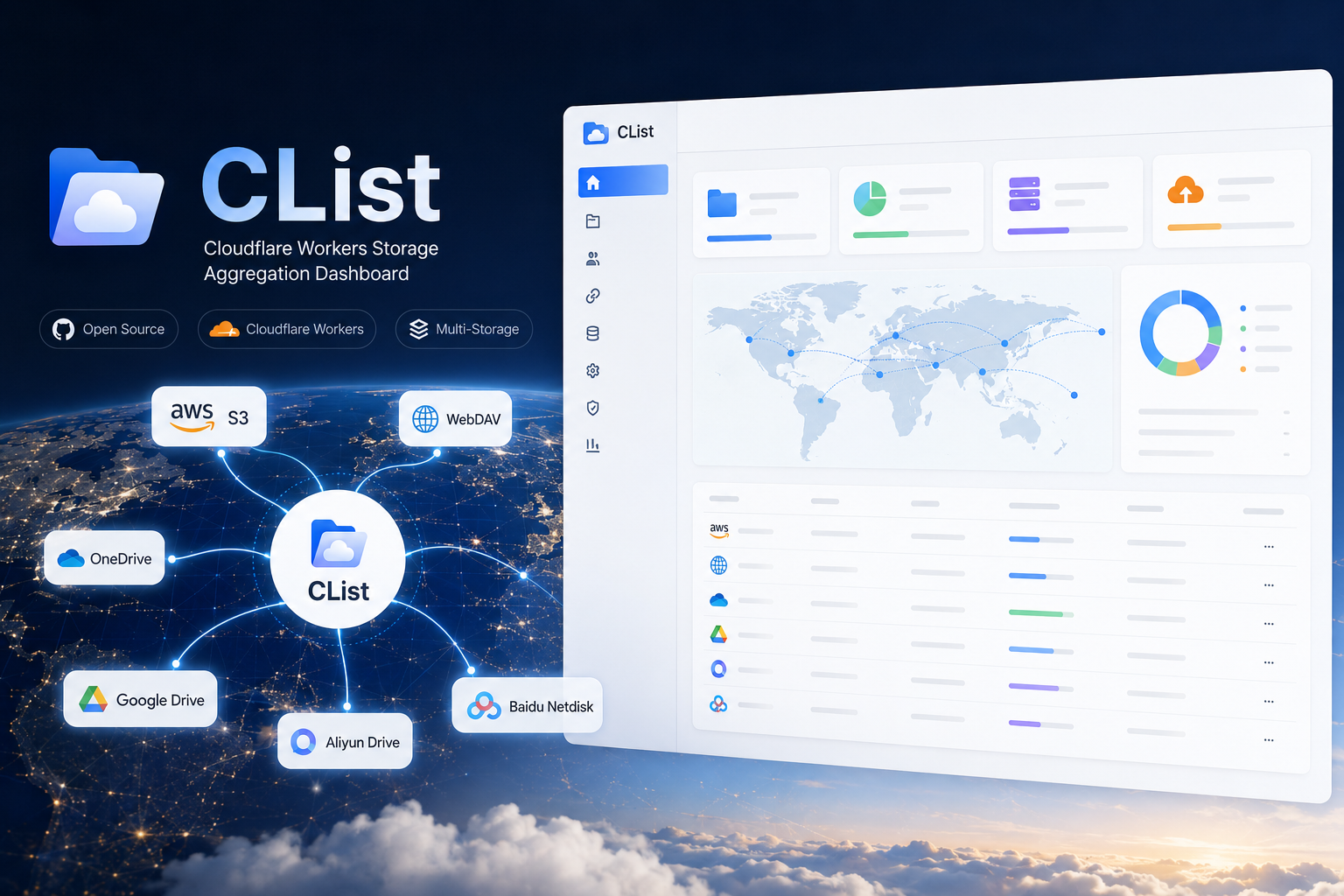
A Cloudflare-native storage aggregation panel with WebDAV, multi-drive support, file preview, sharing, audit logs, and admin controls.
简体中文 · Deployment · WebDAV · GitHub Actions





Overview
CList turns Cloudflare Workers + D1 into a lightweight cloud storage aggregation service. It gives you a single web UI and WebDAV endpoint for S3-compatible storage, WebDAV servers, OneDrive, Google Drive, Aliyun Drive, and Baidu Netdisk.
It is designed for small personal data centers, public download mirrors, private file hubs, and edge-hosted storage dashboards where running a traditional server is overkill.
flowchart LR
  Browser[Web UI] --> Worker[Cloudflare Worker]
  WebDAV[WebDAV Client] --> Worker
  Worker --> D1[(Cloudflare D1)]
  Worker --> S3[S3 Compatible]
  Worker --> DAV[WebDAV Upstream]
  Worker --> OD[OneDrive]
  Worker --> GD[Google Drive]
  Worker --> AD[Aliyun Drive]
  Worker --> BD[Baidu Netdisk]
Highlights
- Multi-storage file browser with public and private permission controls
- WebDAV server endpoint for desktop sync tools, mobile file managers, and CLI clients
- S3-compatible storage support, including custom endpoint and base path
- Drive integrations for OneDrive, Google Drive, Aliyun Drive, and Baidu Netdisk
- File upload, download, folder creation, rename, move, copy, and delete workflows
- Preview support for common text, markdown, code, image, audio, video, and document files
- Public share links with token-based access
- Storage statistics with visual charts for total size, file count, folder count, and file type distribution
- Audit logs for admin actions and file operations
- Cloudflare D1 persistence and Workers edge deployment
- GitHub Actions deployment guide for repeatable releases
Supported Backends
| Backend | Browse | Upload | Rename / Move | Notes |
|---|---|---|---|---|
| S3 compatible | Yes | Yes | Yes | Works with R2-like and S3-compatible endpoints |
| WebDAV upstream | Yes | Yes | Yes | Also exposed through CList's own WebDAV server |
| OneDrive | Yes | Yes | Yes | Supports online refresh API or custom OAuth app |
| Google Drive | Yes | Yes | Yes | Supports online refresh API or custom OAuth app |
| Aliyun Drive | Yes | Yes | Yes | Uses Aliyun Open API style token refresh |
| Baidu Netdisk | Yes | Yes | Yes | Supports refresh token based access |
Quick Start
1. Clone and Install
git clone https://github.com/ooyyh/Cloudflare-Clist.git
cd Cloudflare-Clist
npm install
2. Create a D1 Database
npx wrangler login
npx wrangler d1 create clist
Keep the returned database_id; it is used in the next step.
3. Configure Wrangler
Create your production config from the example:
cp wrangler.jsonc.example wrangler.jsonc
Then copy the D1 database_id returned by Wrangler into wrangler.jsonc.
Recommended production shape:
{
  "$schema": "node_modules/wrangler/config-schema.json",
  "name": "clist",
  "main": "./workers/app.ts",
  "compatibility_date": "2025-04-04",
  "keep_vars": true,
  "d1_databases": [
    {
      "binding": "DB",
      "database_name": "clist",
      "database_id": "your-d1-database-id",
      "migrations_dir": "./migrations"
    }
  ]
}
Use Cloudflare Dashboard or Wrangler secrets/vars for runtime values. Keeping keep_vars: true avoids overwriting Dashboard-managed variables during deploys.
4. Apply Database Migrations
npx wrangler d1 migrations apply clist --remote
5. Deploy
npm run build
npx wrangler deploy
Environment Variables
| Variable | Required | Example | Description |
|---|---|---|---|
DB |
Yes | D1 binding | Cloudflare D1 database binding |
ADMIN_USERNAME |
Yes | admin |
Admin login username |
ADMIN_PASSWORD |
Yes | change-me |
Admin login password |
SITE_TITLE |
No | CList |
Site title shown in the UI |
SITE_ANNOUNCEMENT |
No | Welcome |
Announcement text shown to visitors |
CHUNK_SIZE_MB |
No | 10 |
Browser upload chunk size |
WEBDAV_ENABLED |
No | true |
Enables the WebDAV server endpoint |
WEBDAV_USERNAME |
No | webdav |
WebDAV username; falls back to admin username |
WEBDAV_PASSWORD |
No | secret |
WebDAV password; falls back to admin password |
WebDAV
When WEBDAV_ENABLED is set to "true", CList exposes storage backends through WebDAV:
https://your-domain.example/dav/0/            # all storages
https://your-domain.example/dav/{storageId}/  # one storage
Important details:
- WebDAV URLs should end with a trailing slash.
- Use Basic Auth with
WEBDAV_USERNAME/WEBDAV_PASSWORD. - Desktop clients such as Windows WebDAV, macOS Finder, Cyberduck, RaiDrive, NetDrive, and many mobile file managers can connect directly.
- CList supports
OPTIONS,PROPFIND,GET,HEAD,PUT,DELETE,MKCOL,COPY, andMOVE.
More details: docs/webdav.md
Drive Configuration Notes
CList follows the OpenList-style driver flow for cloud drive token refresh:
- Online refresh API is enabled by default for OneDrive, Google Drive, Aliyun Drive, and Baidu Netdisk.
- Existing OpenList-style
api_url_addressvalues are accepted alongside CList'sapi_address. - If no local
client_idandclient_secretare configured, CList automatically falls back to the online refresh API. - Refreshed tokens are persisted into storage state so repeated browsing does not require re-login.
Development
npm run dev
Useful checks:
npm run build
npm run typecheck
npx wrangler deploy --dry-run
Project Structure
app/
  components/        React components
  lib/               storage clients, auth, audit, utilities
  routes/            React Router routes and API endpoints
workers/
  app.ts             Cloudflare Worker entry
migrations/          D1 migrations
docs/                deployment and WebDAV docs
public/              static assets
Documentation
Star History
Support
- GitHub Issues: ooyyh/Cloudflare-Clist/issues
- Author: @ooyyh
- Email: laowan345@gmail.com
License
CList is released under the MIT License.
Frequently asked about CList
What is CList?+
CList is a self-hosted AList alternative built on the Cloudflare developer platform. Browse and share existing storage through a Cloudflare file interface
What does CList replace?+
CList is listed as an alternative to AList. Compare the features and tradeoffs before migrating.
What Cloudflare primitives does CList use?+
CList is built on D1, Workers.
How much does CList cost to run?+
The Workers/D1 interface can fit free quotas at low usage. A defensible Cloudflare-only storage choice is an operator-owned S3-compatible R2 bucket within 10GB-month and request allowances, configured as a backing provider; external drive accounts and their limits are separate. Choose and configure an independently owned storage backend; this project has no native R2 binding in the captured configuration. R2 is an optional S3-compatible provider, not a second database. Remote OAuth/token-refresh services and drive-account costs are separate; using an owned S3/R2 backend avoids implying that maintainer-hosted OAuth is required. Source and configuration review establishes a deployment path and conditional costs; this candidate was not executed or load-tested. Check current Cloudflare pricing before deploying.
Is CList open source?+
The upstream repository declares the MIT license. Read its terms at https://raw.githubusercontent.com/ooyyh/Cloudflare-Clist/cb7cc248c5adc6ebb4241204ff7f162d01ee1c51/LICENSE. Source code and contributor credit are available at https://github.com/ooyyh/Cloudflare-Clist.
Discussion · 0
sign in to comment →