
InsightFlare
Collect website events and explore traffic, sessions and funnels on Cloudflare.
InsightFlare is a self-hosted Google Analytics alternative built on Cloudflare (Analytics Engine, D1, Durable Objects, KV, Workers). Free tier eligible within limits. Inspect the source and license in the linked repository.
Source & license
Upstream license: MIT
License TL;DR
You can use it, change it, self-host it and sell it. Keep the original copyright and license notice with copies of the code. You don’t have to publish your changes. The authors don’t promise it will work.
Explain MIT in plain English →Summary of the main license. Separate packages and assets can have different terms.
Inspect repository ↗Read this project’s actual license ↗Repository owner
See the upstream repository for the original creator and contributors.
Maintain this project? Maintainer verification →Cloudflare hosting
Free tier eligible within limits
The documented InsightFlare deployment can use Cloudflare Free allowances for a small workload under the request, CPU and service-specific quotas below. This is conditional eligibility, not a measured zero-cost deployment; optional features, domains and external providers can add costs.
Hosting requirements
- Workers Free allows 100,000 requests per day shared across the account and 10 ms CPU per invocation; measure CPU-heavy authentication, parsing and rendering before assuming it fits.
- Keep aggregate D1 use below 5 million rows read/day, 100,000 rows written/day and 5 GB total storage; a request can touch many rows.
- Keep KV below 100,000 reads/day, 1,000 writes, deletes and list operations/day each, and 1 GB; cache refreshes and backups consume writes.
- Use the configured SQLite Durable Object classes within 100,000 requests/day, 13,000 GB-s duration/day, 5 million SQL rows read/day, 100,000 written/day and 5 GB storage; active sockets consume duration.
- Keep Analytics Engine within 100,000 data points/day and 10,000 queries/day; one event can write to multiple datasets.
- Use a small personal or team workload; domain registration and optional third-party providers are separate costs. Provision your own IDs, secrets and migrations.
Sources checked 01/10/2026
Repository snapshot: dbc78f2. Hosting eligibility reflects the deployment documentation and listed assumptions.
- google-analytics ↗
> A powerful, privacy-friendly open source web analytics tool that runs entirely on Cloudflare.
- workers ↗
name = "insightflare" main = "./src/server.ts" compatibility_date = "2026-03-01" workers_dev = true compatibility_flags = ["nodejs_compat", "global_fetch_strictly_public"] [vars] SESSION_WINDOW_MINUTES = "30" SCRIPT_CACHE_TTL_SECONDS = "600" PARQUET_WASM_URL = "https://cdn.jsdelivr.net/npm/parquet-wasm@0.7.1/esm/parquet_wasm_bg.wasm" [triggers] crons = ["*/30 * * * *"] [
- d1 ↗
g = "v2" new_sqlite_classes = ["DiagnosticsSampler"] [[migrations]] tag = "v3" deleted_classes = ["DiagnosticsSampler"] [[d1_databases]] binding = "DB" database_name = "insightflare" database_id = "YOUR_D1_ID" # Change this to your own D1 database ID migrations_dir = "./migrations" [[kv_namespaces]] binding = "SITE_SETTINGS_KV" id = "YOUR_KV_ID" # Change this to your own KV namespace ID [[analytics_engine_datasets]] binding = "REQUEST_ANALYTICS" dataset = "insightflare_request_events" [[analy
- kv ↗
me = "insightflare" database_id = "YOUR_D1_ID" # Change this to your own D1 database ID migrations_dir = "./migrations" [[kv_namespaces]] binding = "SITE_SETTINGS_KV" id = "YOUR_KV_ID" # Change this to your own KV namespace ID [[analytics_engine_datasets]] binding = "REQUEST_ANALYTICS" dataset = "insightflare_request_events" [[analytics_engine_datasets]] binding = "TRAFFIC_ANALYTICS" dataset = "insightflare_traffic_events" [[analytics_engine_datasets]] binding = "EVENT_ANALYTICS" dataset = "insightflare_eve
- durable-objects ↗
[triggers] crons = ["*/30 * * * *"] [observability] [observability.logs] enabled = true invocation_logs = true [[durable_objects.bindings]] name = "INGEST_DO" class_name = "IngestDurableObject" [[migrations]] tag = "v1" new_sqlite_classes = ["IngestDurableObject"] [[migrations]] tag = "v2" new_sqlite_classes = ["DiagnosticsSampler"] [[migrations]] tag = "v3" deleted_classes = ["DiagnosticsSampler"] [[d1_databases]] binding = "DB" database_name = "insightflare" database_id = "YOUR_D1_ID" # Change th
- analytics-engine ↗
[[kv_namespaces]] binding = "SITE_SETTINGS_KV" id = "YOUR_KV_ID" # Change this to your own KV namespace ID [[analytics_engine_datasets]] binding = "REQUEST_ANALYTICS" dataset = "insightflare_request_events" [[analytics_engine_datasets]] binding = "TRAFFIC_ANALYTICS" dataset = "insightflare_traffic_events" [[analytics_engine_datasets]] binding = "EVENT_ANALYTICS" dataset = "insightflare_event_facts" # Optional: enable when archive-to-R2 is configured. # [[r2_buckets]] # binding = "ARCHIVE_BUCKET" # bucket_na
- free-tier-eligible ↗
name = "insightflare" main = "./src/server.ts" compatibility_date = "2026-03-01" workers_dev = true compatibility_flags = ["nodejs_compat", "global_fetch_strictly_public"] [vars] SESSION_WINDOW_MINUTES = "30" SCRIPT_CACHE_TTL_SECONDS = "600" PARQUET_WASM_URL = "https://cdn.jsdelivr.net/npm/parquet-wasm@0.7.1/esm/parquet_wasm_bg.wasm" [triggers] crons = ["*/30 * * * *"] [
- free-tier-eligible ↗
g = "v2" new_sqlite_classes = ["DiagnosticsSampler"] [[migrations]] tag = "v3" deleted_classes = ["DiagnosticsSampler"] [[d1_databases]] binding = "DB" database_name = "insightflare" database_id = "YOUR_D1_ID" # Change this to your own D1 database ID migrations_dir = "./migrations" [[kv_namespaces]] binding = "SITE_SETTINGS_KV" id = "YOUR_KV_ID" # Change this to your own KV namespace ID [[analytics_engine_datasets]] binding = "REQUEST_ANALYTICS" dataset = "insightflare_request_events" [[analy
- free-tier-eligible ↗
me = "insightflare" database_id = "YOUR_D1_ID" # Change this to your own D1 database ID migrations_dir = "./migrations" [[kv_namespaces]] binding = "SITE_SETTINGS_KV" id = "YOUR_KV_ID" # Change this to your own KV namespace ID [[analytics_engine_datasets]] binding = "REQUEST_ANALYTICS" dataset = "insightflare_request_events" [[analytics_engine_datasets]] binding = "TRAFFIC_ANALYTICS" dataset = "insightflare_traffic_events" [[analytics_engine_datasets]] binding = "EVENT_ANALYTICS" dataset = "insightflare_eve
- free-tier-eligible ↗
up>1, 2, 3, 4</sup> | Duration | CPU time | | --- | --- | --- | --- | | **Free** | 100,000 per day | No charge for duration | 10 milliseconds of CPU time per invocation | | **Standard** | 10 million included per month <br> +$0.30 per additional million | No charge or limit for duration | 30 million CPU milliseconds included per month<br> +$0.02 per additional million CPU milliseconds<br><br> Max of [5 minutes of CPU time](https://developers.cloudflare.com/workers/platform/limits/#account-plan-limits) per invocation (default: 30 seconds)<br> Max of 15 minutes of CPU time per [Cron Trigger](https://developers.cloudflare.com/workers/configuration/cron-triggers/) or [Queue Consumer](https://developers.cloudflare.co
- free-tier-eligible ↗
oudflare.com/workers/platform/pricing/#workers) | | --- | --- | --- | | Rows read | 5 million / day | First 25 billion / month included + $0.001 / million rows | | Rows written | 100,000 / day | First 50 million / month included + $1.00 / million rows | | Storage (per GB stored) | 5 GB (total) | First 5 GB included + $0.75 / GB-mo | Track your D1 usage To accurately track your usage, use the [meta object](https://developers.cloudflare.com/d1/worker-api/return-object/), [GraphQL Analytics API](https://developers.cloudflare.com/d1/observability/metrics-analytics/#query-via-the-graphql-api), or the [Cloudflare dashboard ↗︎](https://dash.cloudflare.com/?to=/:account/workers/d1/). Select your D1 database, then vie
- free-tier-eligible ↗
cing/). | | Free plan<sup>1</sup> | Paid plan | | --- | --- | --- | | Keys read | 100,000 / day | 10 million/month, + $0.50/million | | Keys written | 1,000 / day | 1 million/month, + $5.00/million | | Keys deleted | 1,000 / day | 1 million/month, + $5.00/million | | List requests | 1,000 / day | 1 million/month, + $5.00/million | | Stored data | 1 GB | 1 GB, + $0.50/ GB-month | <sup>1</sup> The Workers Free plan includes limited Workers KV usage. All limits reset daily at 00:00 UTC. If you exceed any one of these limits, further operations of that type will fail with an error. Note Workers KV pricing for read, write and delete operations is on a per-key basis. Bulk read operations are billed by the amount
- free-tier-eligible ↗
jects are available both on Workers Free and Workers Paid plans. - **Workers Free plan**: Only Durable Objects with [SQLite storage backend](https://developers.cloudflare.com/durable-objects/best-practices/access-durable-objects-storage/#create-sqlite-backed-durable-object-class) are available. - **Workers Paid plan**: Durable Objects with the SQLite storage backend are available. The [key-value storage backend](https://developers.cloudflare.com/durable-objects/reference/durable-objects-migrations/#storage-backends) is only available to accounts that already have a key-value-backed namespace. If you wish to downgrade from a Workers Paid plan to a Workers Free plan, you must first ensure that you have deleted all Durable Object namespaces with the key-value storage backend. On Workers Free plan: - If you exceed any one of the free tier limits, further operations of that type will fail with an error. - Daily free limits reset at 00:00 UTC. ## Compute billing Durable Objects are billed for compute duration (wall-clock time) while the Durable Object is actively running or is idle in memory but unable to [hibernate](https://developers.cloudflare.com/durable-objects/concepts/durable-object-lifecycle/). Durable Objects that are idle and eligible for hibernation are not billed for duration, even before the runtime has hibernated them. Requests to a D
- free-tier-eligible ↗
ion) | 1 million included per month (+$1.00 per additional million) | | **Workers Free** | 100,000 included per day | 10,000 included per day | Pricing availability Currently, you will not be billed for your use of Workers Analytics Engine. Pricing information here is shared in advance, so that you can estimate what your costs will be once Cloudflare starts billing for usage in the coming months. If you are an Enterprise customer, contact your account team for information about Workers Analytics Engine pricing and billing. ### Data points written Every time you call [`writeDataPoint()`](https://developers.cloudflare.com/analytics/analytics-engine/get-started/#2-write-data-points-from-your-worker) in a Work
- free-tier-eligible ↗
billed accordingly. | | Free plan | Paid plan | | --- | --- | --- | | Requests | 100,000 / day | 1 million / month, + $0.15/million<br> Includes HTTP requests, RPC sessions<sup>1</sup>, WebSocket messages<sup>2</sup>, and alarm invocations | | Duration<sup>3</sup> | 13,000 GB-s / day | 400,000 GB-s / month, + $12.50/million GB-s<sup>4,5</sup> | <details> <summary> Footnotes </summary> <sup>1</sup> Each <a href="https://developers.cloudflare.com/workers/runtime-apis/rpc/lifecycle/">RPC session</a> is billed as one request to your Durable Object. Every <a href="https://developers.cloudflare.com/durable-objects/best-practices/create-durable-object-stubs-and-send-requests/">RPC method call</a> on a <a href="https://developers.cloudflare.com/durable-objects/">Durable Objects stub</a> is its own RPC session and therefore a single billed request. RPC method calls can return objects (stubs) extending <a href="https://developers.cloudflare.com/workers/runtime-apis/rpc/lifecycle/#lifetimes-memory-and-resource-management"><code>RpcTarget</code></a> and invo
- free-tier-eligible ↗
/). | | Workers Free plan | Workers Paid plan | | --- | --- | --- | | Rows reads <sup>1,2</sup> | 5 million / day | First 25 billion / month included + $0.001 / million rows | | Rows written <sup>1,2,3,4</sup> | 100,000 / day | First 50 million / month included + $1.00 / million rows | | SQL Stored data <sup>5</sup> | 5 GB (total) | 5 GB-month, + $0.20/ GB-month | <details> <summary> Footnotes </summary> <sup>1</sup> Rows read and rows written included limits and rates match <a href="https://developers.cloudflare.com/d1/platform/pricing/">D1 pricing</a>, Cloudflare's serverless SQL database. <sup>2</sup> Key-value methods like <code>get()</code>, <code>put()</code>, <code>delete()</code>, or <code>list(
- MIT ↗
MIT License Copyright (c) 2026 RavelloH Permission is hereby granted, free of charge, to any person obtaining a copy of this software and associated documentation files (the "Software"), to deal in the Software without restriction, including without limitation the rights to use, copy, modify, merge, publish, distribute, sublicense, and/or sell copies of the Software, and to permit persons to whom the Software is furnished to do so, subject to the following conditions: The above copyright notice and this permission notice shall be included in all copies or substantial portions of the Software. THE SOFTWARE IS PROVIDED "AS IS", WITHOUT WARRANTY OF ANY KIND, EXPRESS OR IMPLIED, INCLUDING BUT NOT LIMITED TO THE WARRANTIES OF MERCHANTABILITY, FITNESS FOR A PARTICULAR PURPOSE AND NONINFRINGE
- architecture ↗
name = "insightflare" main = "./src/server.ts" compatibility_date = "2026-03-01" workers_dev = true compatibility_flags = ["nodejs_compat", "global_fetch_strictly_public"] [vars] SESSION_WINDOW_MINUTES = "30" SCRIPT_CACHE_TTL_SECONDS = "600" PARQUET_WASM_URL = "https://cdn.jsdelivr.net/npm/parquet-wasm@0.7.1/esm/parquet_wasm_bg.wasm" [triggers] crons = ["*/30 * * * *"] [
- architecture ↗
g = "v2" new_sqlite_classes = ["DiagnosticsSampler"] [[migrations]] tag = "v3" deleted_classes = ["DiagnosticsSampler"] [[d1_databases]] binding = "DB" database_name = "insightflare" database_id = "YOUR_D1_ID" # Change this to your own D1 database ID migrations_dir = "./migrations" [[kv_namespaces]] binding = "SITE_SETTINGS_KV" id = "YOUR_KV_ID" # Change this to your own KV namespace ID [[analytics_engine_datasets]] binding = "REQUEST_ANALYTICS" dataset = "insightflare_request_events" [[analy
- architecture ↗
me = "insightflare" database_id = "YOUR_D1_ID" # Change this to your own D1 database ID migrations_dir = "./migrations" [[kv_namespaces]] binding = "SITE_SETTINGS_KV" id = "YOUR_KV_ID" # Change this to your own KV namespace ID [[analytics_engine_datasets]] binding = "REQUEST_ANALYTICS" dataset = "insightflare_request_events" [[analytics_engine_datasets]] binding = "TRAFFIC_ANALYTICS" dataset = "insightflare_traffic_events" [[analytics_engine_datasets]] binding = "EVENT_ANALYTICS" dataset = "insightflare_eve
- architecture ↗
[triggers] crons = ["*/30 * * * *"] [observability] [observability.logs] enabled = true invocation_logs = true [[durable_objects.bindings]] name = "INGEST_DO" class_name = "IngestDurableObject" [[migrations]] tag = "v1" new_sqlite_classes = ["IngestDurableObject"] [[migrations]] tag = "v2" new_sqlite_classes = ["DiagnosticsSampler"] [[migrations]] tag = "v3" deleted_classes = ["DiagnosticsSampler"] [[d1_databases]] binding = "DB" database_name = "insightflare" database_id = "YOUR_D1_ID" # Change th
- architecture ↗
[[kv_namespaces]] binding = "SITE_SETTINGS_KV" id = "YOUR_KV_ID" # Change this to your own KV namespace ID [[analytics_engine_datasets]] binding = "REQUEST_ANALYTICS" dataset = "insightflare_request_events" [[analytics_engine_datasets]] binding = "TRAFFIC_ANALYTICS" dataset = "insightflare_traffic_events" [[analytics_engine_datasets]] binding = "EVENT_ANALYTICS" dataset = "insightflare_event_facts" # Optional: enable when archive-to-R2 is configured. # [[r2_buckets]] # binding = "ARCHIVE_BUCKET" # bucket_na
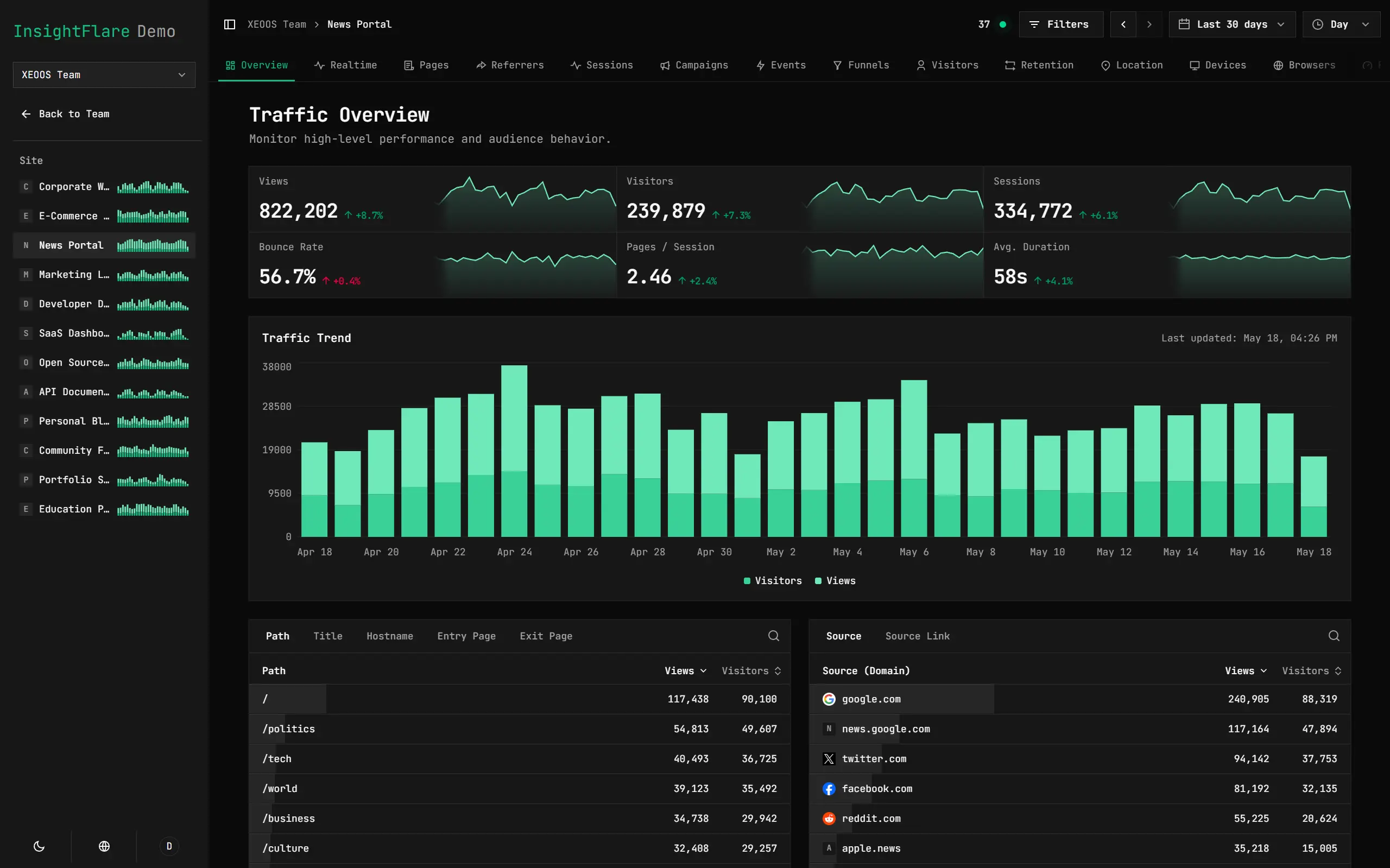
Upstream screenshot · RavelloH/InsightFlare repository contributors ↗. Depicts the upstream project. We have not deployed and tested a fresh installation here.
What it can replace
Compare the workflow you need. These mappings describe overlap; full feature parity requires a separate comparison.
 Google Analytics ↗
Website traffic, event, session and funnel reporting; legal privacy compliance, advertising attribution and complete managed analytics parity are excluded.
See supporting source ↗How it works
The shape of InsightFlare on Cloudflare, and how it stacks up against the rented tools it replaces.
Architecture
Diagram of deployment declarations at the reviewed commit. Each app has its own entrypoint; declared resources do not prove runtime calls. Follow file and line sources below.
View upstream source ↗Configuration and workflow sources
Reviewed commit dbc78f265735. Files were read as data; upstream applications and CI jobs were not executed.
Deployment configuration · 3 files
Cloudflare Workers · compatibility 2026-03-01
insightflare · default
Entrypoint: ./src/server.ts
Cron triggers (UTC): */30 * * * *
DB→ D1SITE_SETTINGS_KV→ KVINGEST_DO→ Durable Objects · class IngestDurableObjectREQUEST_ANALYTICS→ Analytics EngineTRAFFIC_ANALYTICS→ Analytics EngineEVENT_ANALYTICS→ Analytics Engine
insightflare · env.ravelloh
Inherited from default: main, compatibility_date, compatibility_flags
Entrypoint: ./src/server.ts
Cron triggers (UTC): */30 * * * *
DB→ D1SITE_SETTINGS_KV→ KVARCHIVE_BUCKET→ R2INGEST_DO→ Durable Objects · class IngestDurableObjectREQUEST_ANALYTICS→ Analytics EngineTRAFFIC_ANALYTICS→ Analytics EngineEVENT_ANALYTICS→ Analytics Engine
Cloudflare Workers · compatibility 2026-03-01
insightflare-demo · default
Entrypoint: ./src/server.ts
Static assets: ./public
ASSETS→ Static assets
Cloudflare Workers · compatibility 2026-03-01
insightflare-dev · default
Entrypoint: ./src/server.ts
Static assets: ./public
DB→ D1SITE_SETTINGS_KV→ KVINGEST_DO→ Durable Objects · class IngestDurableObjectREQUEST_ANALYTICS→ Analytics EngineTRAFFIC_ANALYTICS→ Analytics EngineEVENT_ANALYTICS→ Analytics EngineASSETS→ Static assets
Named environments are separate deployments. Bindings are shown only where declared. Configured routes are URL patterns, not verified application endpoints.
Runtime source · handlers, binding usage and workflow steps
Observed TypeScript/JavaScript declarations from Worker entrypoints and resolved relative imports. Calls and workflow steps may run conditionally; their listed order is not a proven end-to-end request flow. Router declarations may be mounted under a prefix or may not be registered. This shows code wiring, not a successful deployment or runtime test. Dynamic wiring, aliases and generated code may not resolve.
- L97 · fetch handler exported · references DEMO_MODE, INSIGHTFLARE_E2E_TEST_SITE_URL · calls initializeE2eClock, shouldUseHono, apiApp.fetch, createInvocationLogger, logger.info, instrumentEnv, runWithInvocationLogger, isServerFunctionRequest, logger.measure, handler.fetch, withPageHeaders, logger.setRequest, pageRouteForLog, resolvePageRequest, markInternalPageRequest, decision.response.headers.get, logger.error, errorLogData, logger.emit
- L192 · scheduled handler exported · calls createInvocationLogger, logger.info, instrumentEnv, shouldSkipScheduledTasks, logger.emit, ctx.waitUntil, runWithInvocationLogger, finally, catch, then, Promise.all, dispatchInternalScheduledTasks, sweepIngestAlarms, logger.error
- L29 · withPageHeaders calls (conditional paths may differ): headers.set, headers.append, localeCookie, connectSources.push, join, connectSources.join
- L85 · isServerFunctionRequest calls (conditional paths may differ): pathname.startsWith
- L88 · pageRouteForLog calls (conditional paths may differ): isServerFunctionRequest
- L91 · markInternalPageRequest calls (conditional paths may differ): headers.set
Environment references: env.DISABLE_CRON_TASKS · env.DEMO_MODE · env.INSIGHTFLARE_E2E_TEST_SITE_URL
Build and deployment pipeline · 4 GitHub Actions workflows
Repository CI declarations, separate from runtime request processing. Job dependencies and conditions are shown as written; long commands are shortened with an ellipsis; a workflow file does not prove a recent successful run.
Triggers: push, pull_request, workflow_dispatch
Quality · no job dependencies declared
- Checkout
actions/checkout@v6 - Setup pnpm
pnpm/action-setup@v6 - Setup Node
actions/setup-node@v6 - Install dependencies
pnpm install --frozen-lockfile - Check formatting
pnpm run format:check - Lint
pnpm run lint - Check architecture
pnpm run check:architecture - Check layer contract
pnpm run check:layer - Check translations
pnpm run check:i18n - Typecheck
pnpm run typecheck
Test · no job dependencies declared
- Checkout
actions/checkout@v6 - Setup pnpm
pnpm/action-setup@v6 - Setup Node
actions/setup-node@v6 - Install dependencies
pnpm install --frozen-lockfile - Run core tests with coverage
pnpm run test:coverage - Run tracker tests with coverage
pnpm run test:coverage:trackerCondition: always() - Upload coverage reports
actions/upload-artifact@v4Condition: always()
OpenAPI & Skills Spec · no job dependencies declared
- Checkout
actions/checkout@v6 - Setup pnpm
pnpm/action-setup@v6 - Setup Node
actions/setup-node@v6 - Install dependencies
pnpm install --frozen-lockfile - Generate and verify OpenAPI spec
pnpm run check:openapi - Generate and verify Skills spec
pnpm run check:skills
Build · no job dependencies declared
- Checkout
actions/checkout@v6 - Setup pnpm
pnpm/action-setup@v6 - Setup Node
actions/setup-node@v6 - Install dependencies
pnpm install --frozen-lockfile - Build
pnpm run build:demo
Triggers: workflow_dispatch
Full E2E · no job dependencies declared
- Checkout
actions/checkout@v6 - Setup pnpm
pnpm/action-setup@v6 - Setup Node
actions/setup-node@v6 - Install dependencies
pnpm install --frozen-lockfile - Install Chromium
pnpm exec playwright install --with-deps chromium - Run E2E
pnpm run test:e2e - Upload E2E diagnostics
actions/upload-artifact@v4Condition: failure()
Triggers: push, pull_request
switcher · no job dependencies declared
- actions/checkout@v6
actions/checkout@v6 - n9gc/auto-readme-i18n-switcher@v2.0.1
n9gc/auto-readme-i18n-switcher@v2.0.1 - Push README switcher changes
actions-js/push@masterCondition: github.event_name == 'push' && steps.switcher.outputs.switcher_changed == 'true'
Triggers: push, workflow_dispatch
Create GitHub Release · no job dependencies declared
- Checkout
actions/checkout@v6 - Detect new changelog
set -euo pipefail if [ "${{ github.event_name }}" = "workflow_dispatch" ]; then VERSION_INPUT="${{ inputs.version }}" if [[ ! "$VERSION_INPUT" =~ ^v?[0-9]+\.[0-9]+\.[0-9]+$ ]]; then echo "::error::Invalid release version: $VERSION_INPUT" exit 1 fi VERSION_INPUT="${VERSION_INPUT#v}" NEW_FILE="changelog/v${VERSION_INPUT}.md" if [ ! -f "$NEW_FILE" ]; then echo "::error::Changelog file not found: $NEW_FILE" exit 1 fi else BEFORE_SHA="${{ github.event.before }}" if [ -z "$BEFORE_SHA" ] || [ "$BEFORE… - Setup pnpm
pnpm/action-setup@v6Condition: steps.changelog.outputs.has_release == 'true' - Setup Node.js
actions/setup-node@v6Condition: steps.changelog.outputs.has_release == 'true' - Install dependencies
pnpm install --frozen-lockfileCondition: steps.changelog.outputs.has_release == 'true' - Install Chromium for E2E
pnpm exec playwright install --with-deps chromiumCondition: steps.changelog.outputs.has_release == 'true' - Run full E2E gate
pnpm run test:e2eCondition: steps.changelog.outputs.has_release == 'true' - Upload E2E diagnostics
actions/upload-artifact@v4Condition: failure() && steps.changelog.outputs.has_release == 'true' - Sync release artifacts
set -euo pipefail TARGET_VERSION="${{ steps.changelog.outputs.version }}" TARGET_VERSION="${TARGET_VERSION#v}" node - <<'NODE' "$TARGET_VERSION" const fs = require("node:fs"); const version = process.argv[2]; function updatePackageJson(filePath) { const raw = fs.readFileSync(filePath, "utf8"); const json = JSON.parse(raw); json.version = version; fs.writeFileSync(filePath, JSON.stringify(json, null, 2) + "\n"); } updatePackageJson("package.json"); NODE pnpm run generate:openapi pnpm run generat…Condition: steps.changelog.outputs.has_release == 'true' - Finalize release commit
echo "build_sha=$(git rev-parse HEAD)" >> "$GITHUB_OUTPUT"Condition: steps.changelog.outputs.has_release == 'true' - Generate release notes
set -euo pipefail FILE_PATH="${{ steps.changelog.outputs.file_path }}" cat "$FILE_PATH" > release.mdCondition: steps.changelog.outputs.has_release == 'true' - Create release
softprops/action-gh-release@v2Condition: steps.changelog.outputs.has_release == 'true'
build: tsx scripts/build.ts --target cfbuild:cf: tsx scripts/build.ts --target cfbuild:local: tsx scripts/build.ts --target localbuild:demo: tsx scripts/build.ts --target demobuild:tracker-sdk: tsx scripts/build-tracker-sdk.tsbuild:start: vite buildbuild:pre: tsx scripts/prebuild.ts --target cfbuild:pre:cf: tsx scripts/prebuild.ts --target cfbuild:pre:local: tsx scripts/prebuild.ts --target localbuild:pre:demo: tsx scripts/prebuild.ts --target demodeploy: tsx scripts/deploy.ts --target cfdeploy:cf: tsx scripts/deploy.ts --target cfdeploy:demo: tsx scripts/deploy.ts --target demopublish: tsx scripts/publish.ts --target cfpublish:cf: tsx scripts/publish.ts --target cfpublish:cf:dry-run: tsx scripts/publish.ts --target cf --dry-runpublish:demo: tsx scripts/publish.ts --target demopublish:demo:dry-run: tsx scripts/publish.ts --target demo --dry-run
Repository README
View original on GitHub ↗Full upstream document by @RavelloH · .github/readme/README.en.md · snapshot dbc78f2
InsightFlare
A powerful, privacy-friendly open source web analytics tool that runs entirely on Cloudflare.
Demo: http://insight-demo.ravelloh.com
Fully compliant with GDPR, with no cookies, so visits can be tracked legally without asking users for consent. Its original smart tracking intensity mechanism automatically adjusts visitor identifier persistence based on regional privacy regulations, balancing data integrity with privacy protection.
The frontend analytics SDK is only about 3 KB after gzip compression and is distributed through Cloudflare's global CDN for excellent performance. The SDK includes custom event tracking (data-insightflare-event) and performance metric tracking.
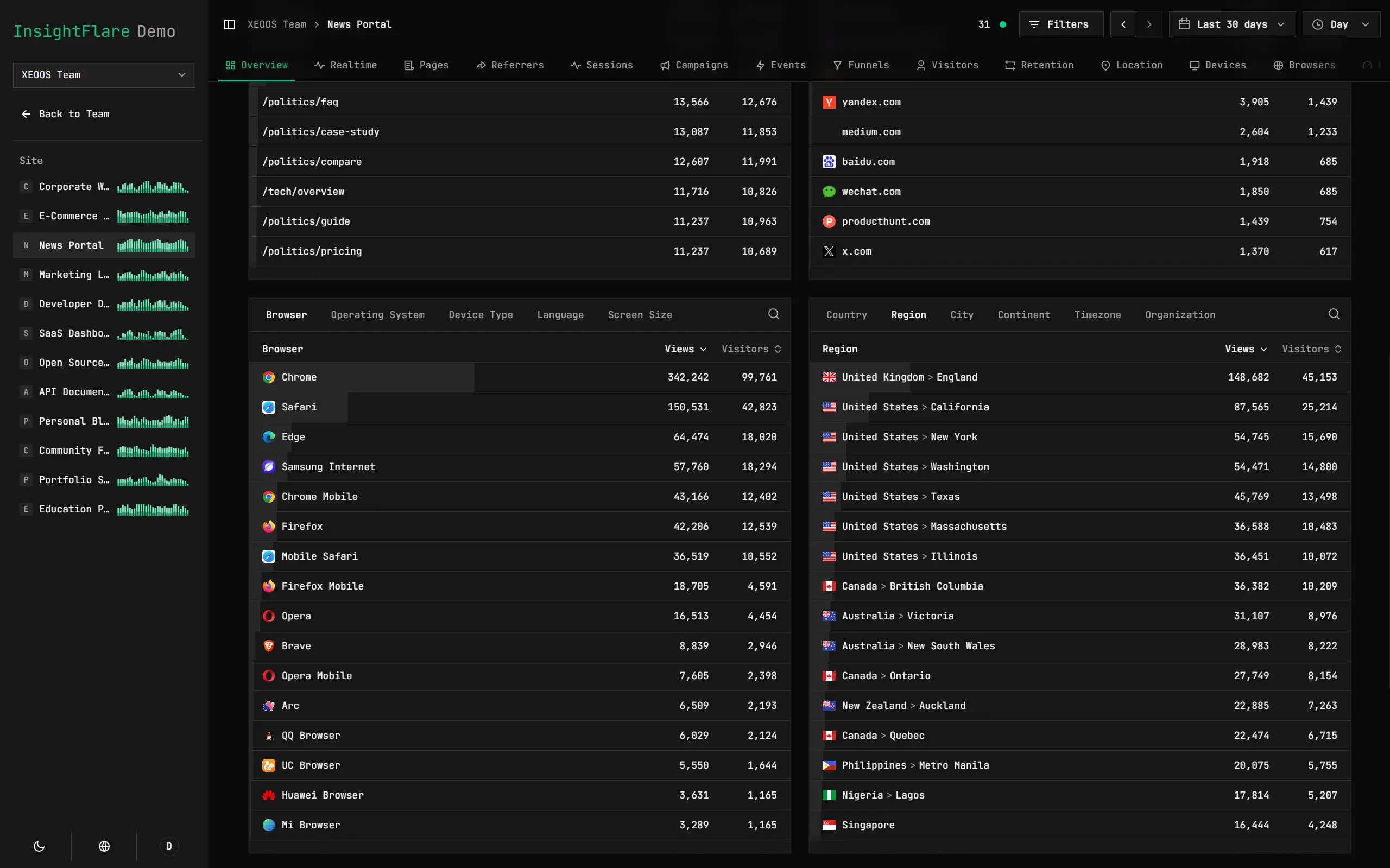
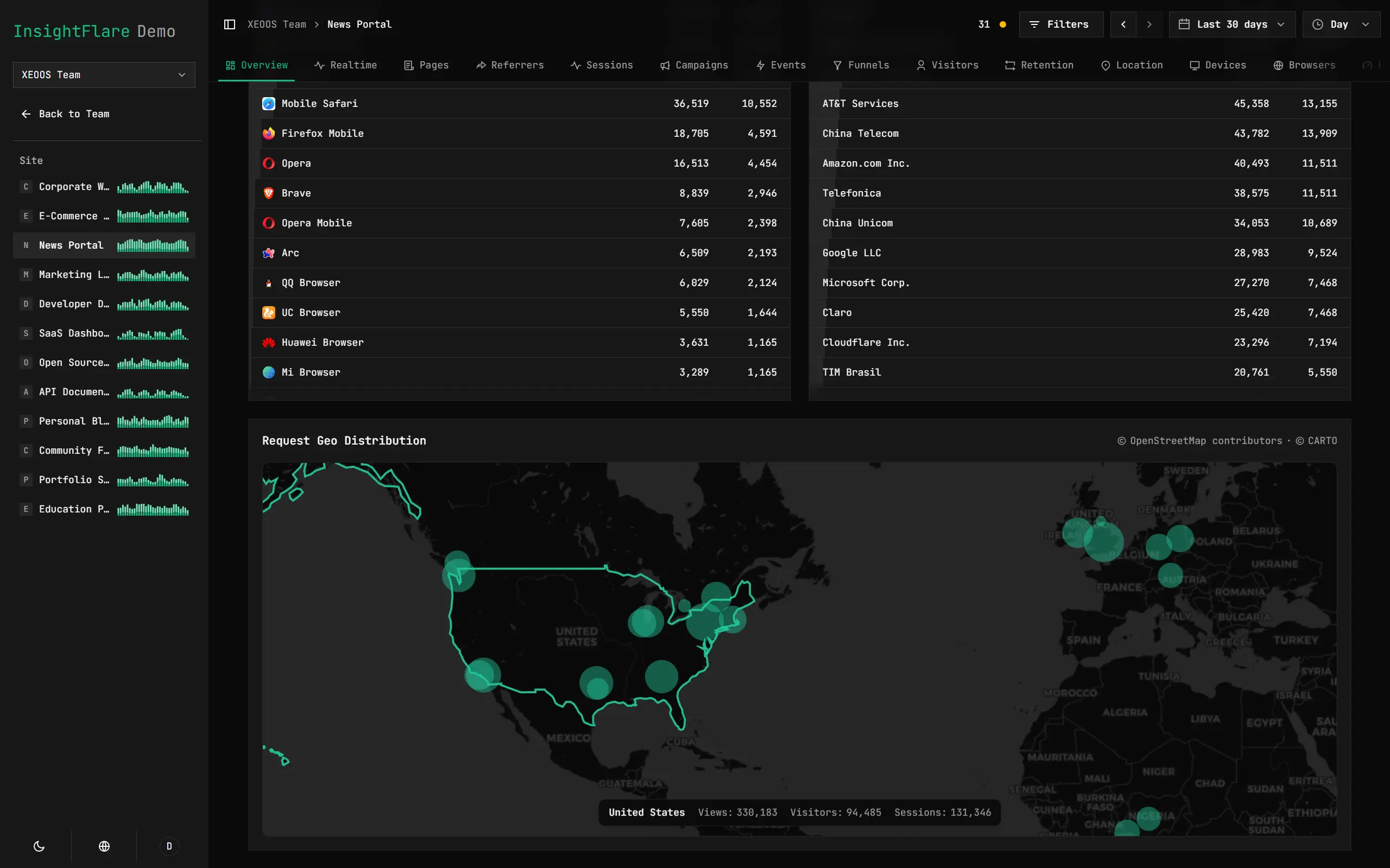
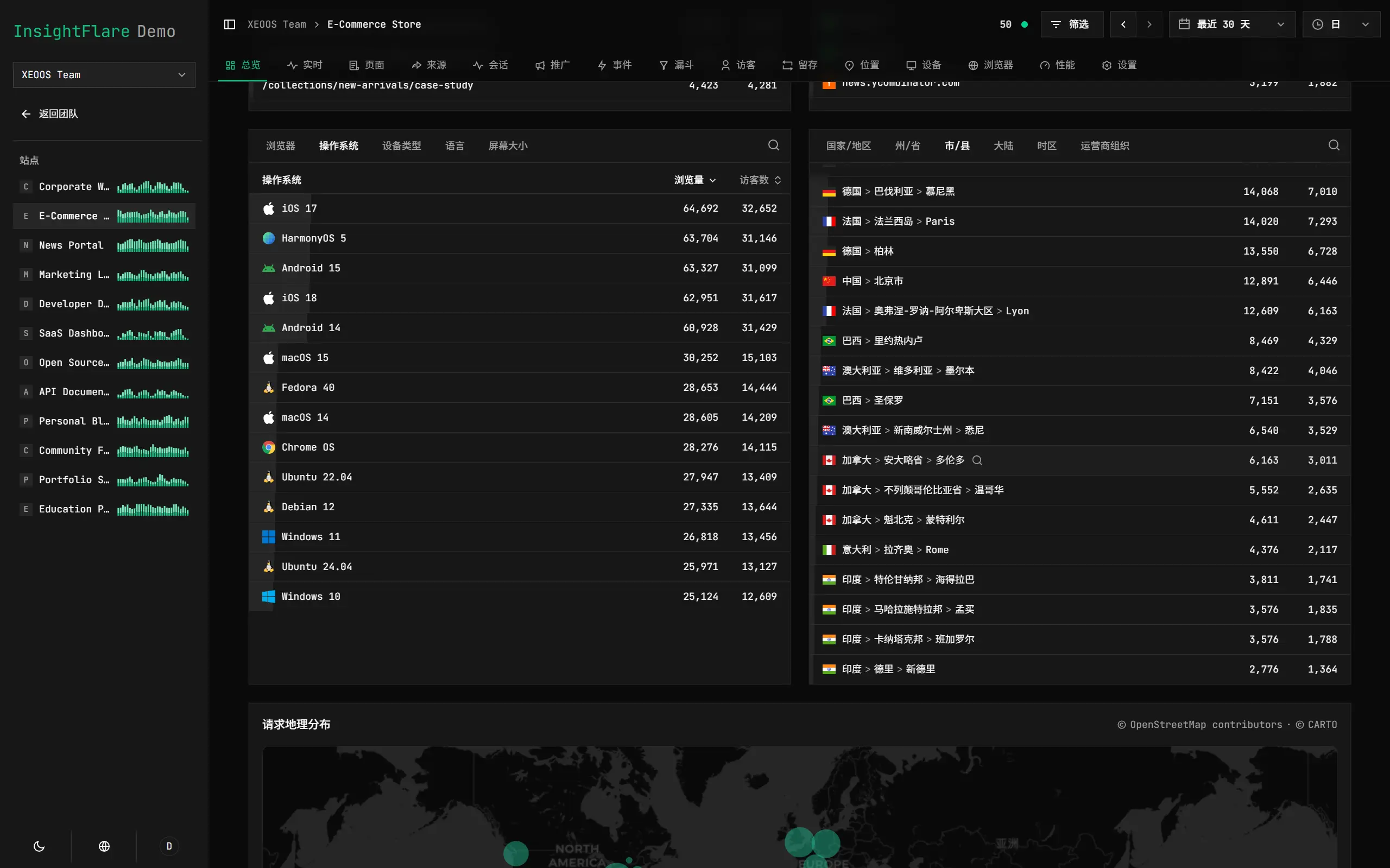
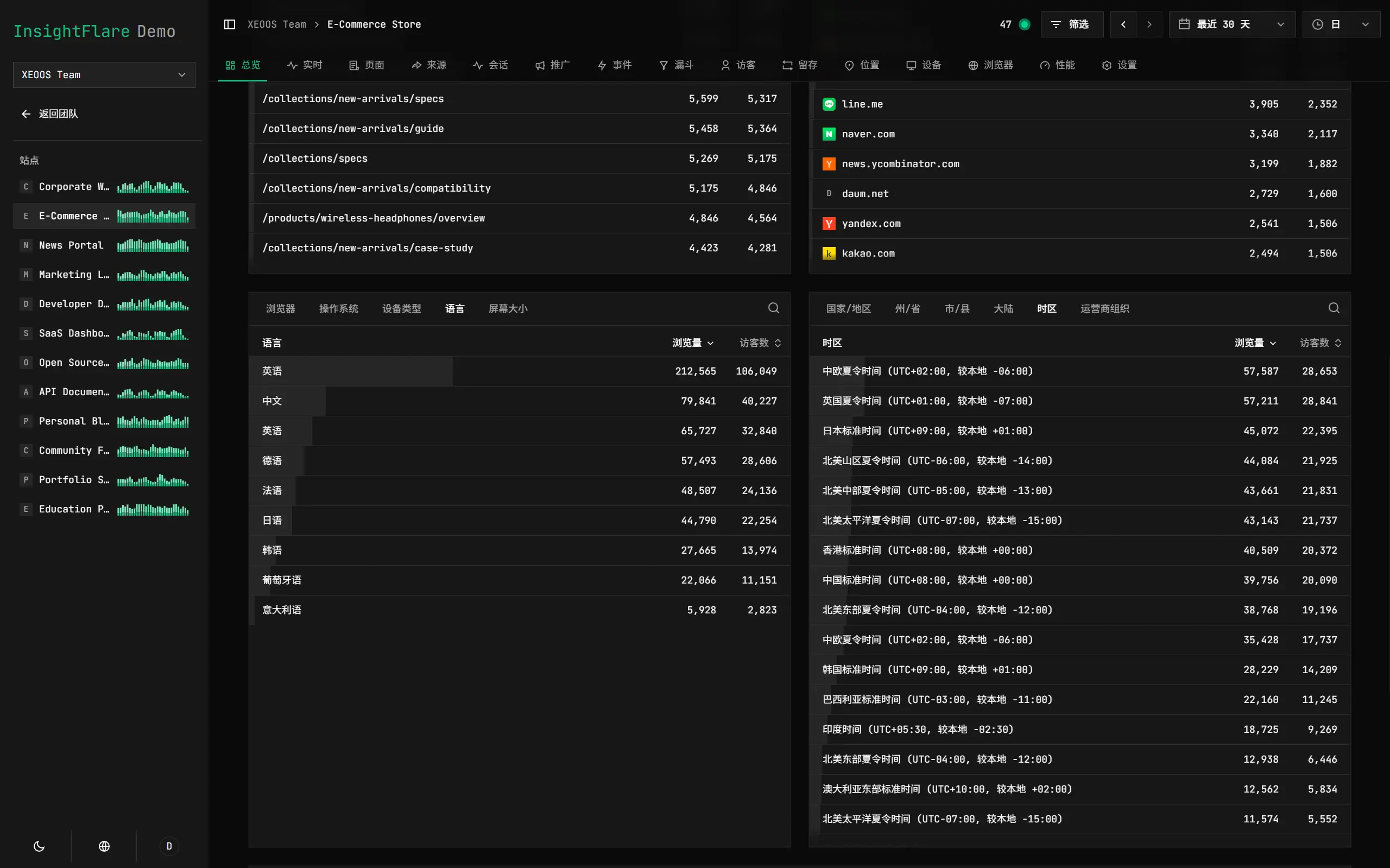
The multilingual dashboard uses unprecedented visualizations to give you a clear picture of traffic data. Its original multilingual place-name translation feature automatically translates more than 95% of place names worldwide, making it easy to understand where visitors come from.
Cloudflare's free quotas can support free tracking for 100,000 visits per day, with excellent performance from edge computing.
InsightFlare does not store raw IP information. It relies on Cloudflare for geolocation resolution, protecting user privacy while still providing highly accurate analytics.
Quick Start
Just click the button below:
Cloudflare will automatically clone this repository and create and bind the required resources. You need to fill in the following two secrets:
| Name | Purpose |
|---|---|
MAIN_SECRET |
Root secret used to derive visitor salts, session keys, and API key hash keys |
BOOTSTRAP_ADMIN_PASSWORD |
Initial administrator password |
MAIN_SECRET is used for security-related features and must be a random string longer than 16 characters. You can generate one at https://random.ravelloh.com/str/32. Refresh the page to get a new random string.
BOOTSTRAP_ADMIN_PASSWORD is the default administrator password. Sign in to the dashboard with the admin account and this password. You can change the username and password later on the personal settings page.
After filling in the variables, wait about 3 minutes for the deployment to finish. You can then sign in to the dashboard and start tracking traffic data. You can also customize the domain name on the project settings page. The default URL is https://insightflare.<your-cloudflare-username>.workers.dev.
Features
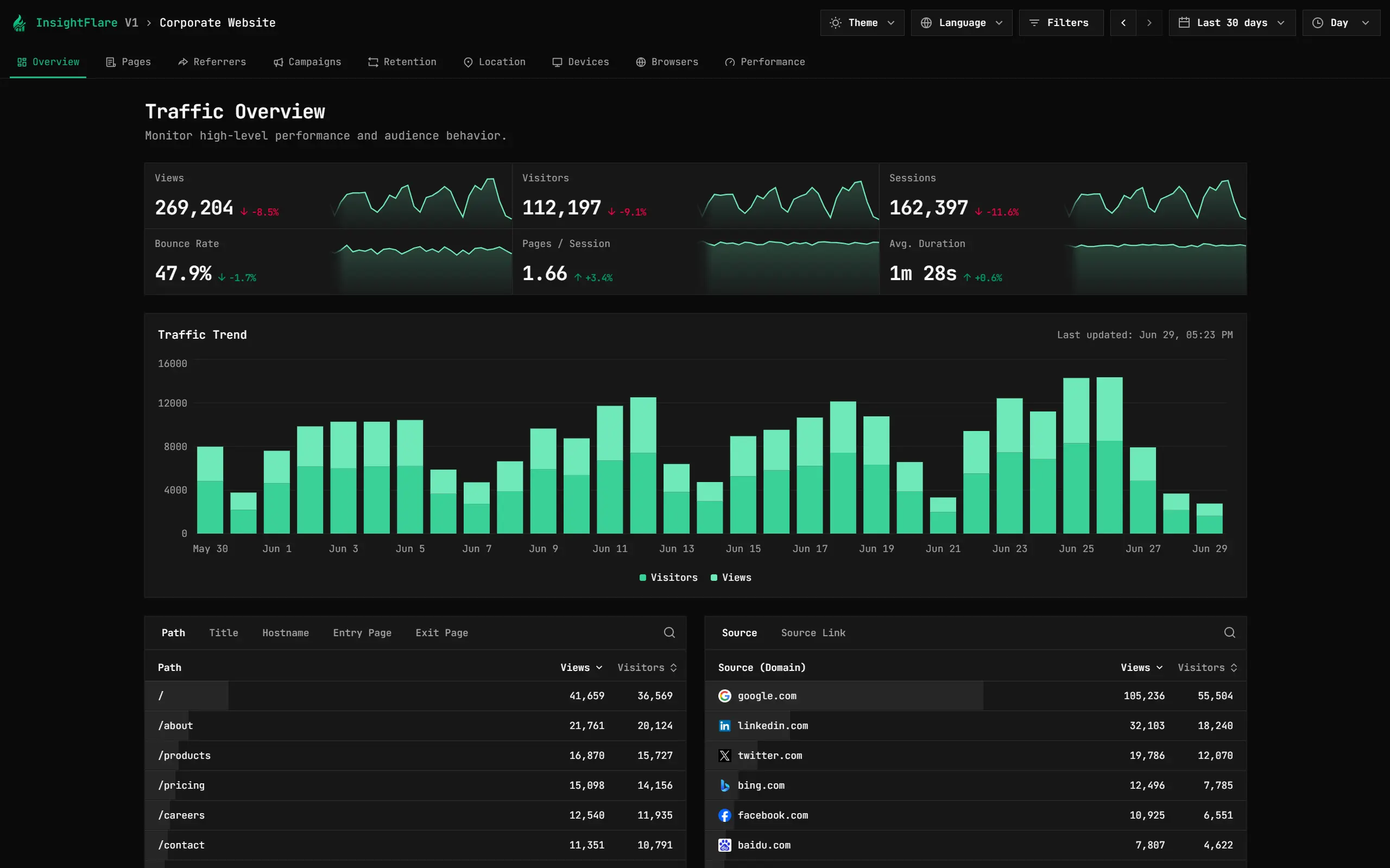
Comprehensive Traffic Dimension Tracking
Real-Time Visitor Monitoring
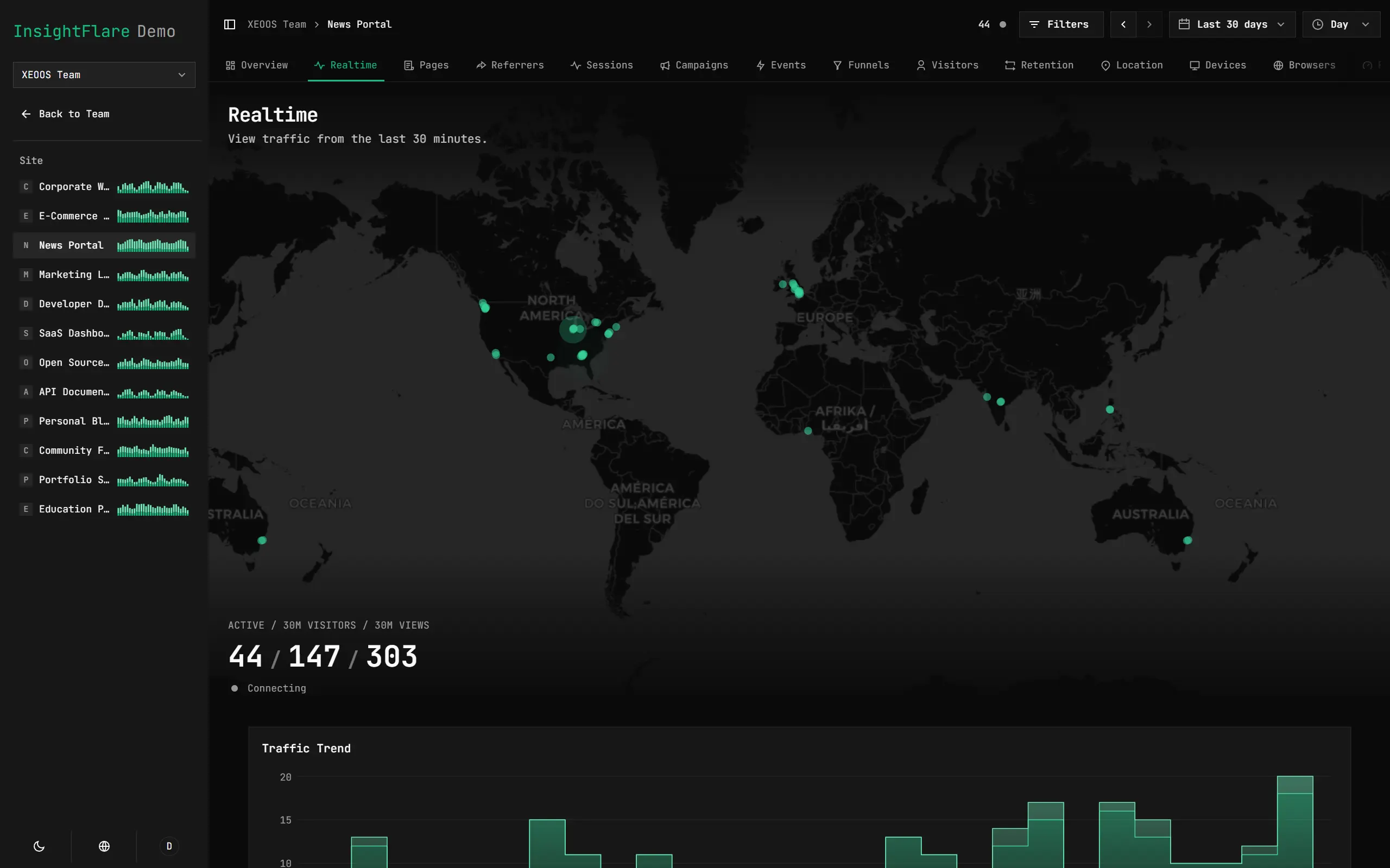
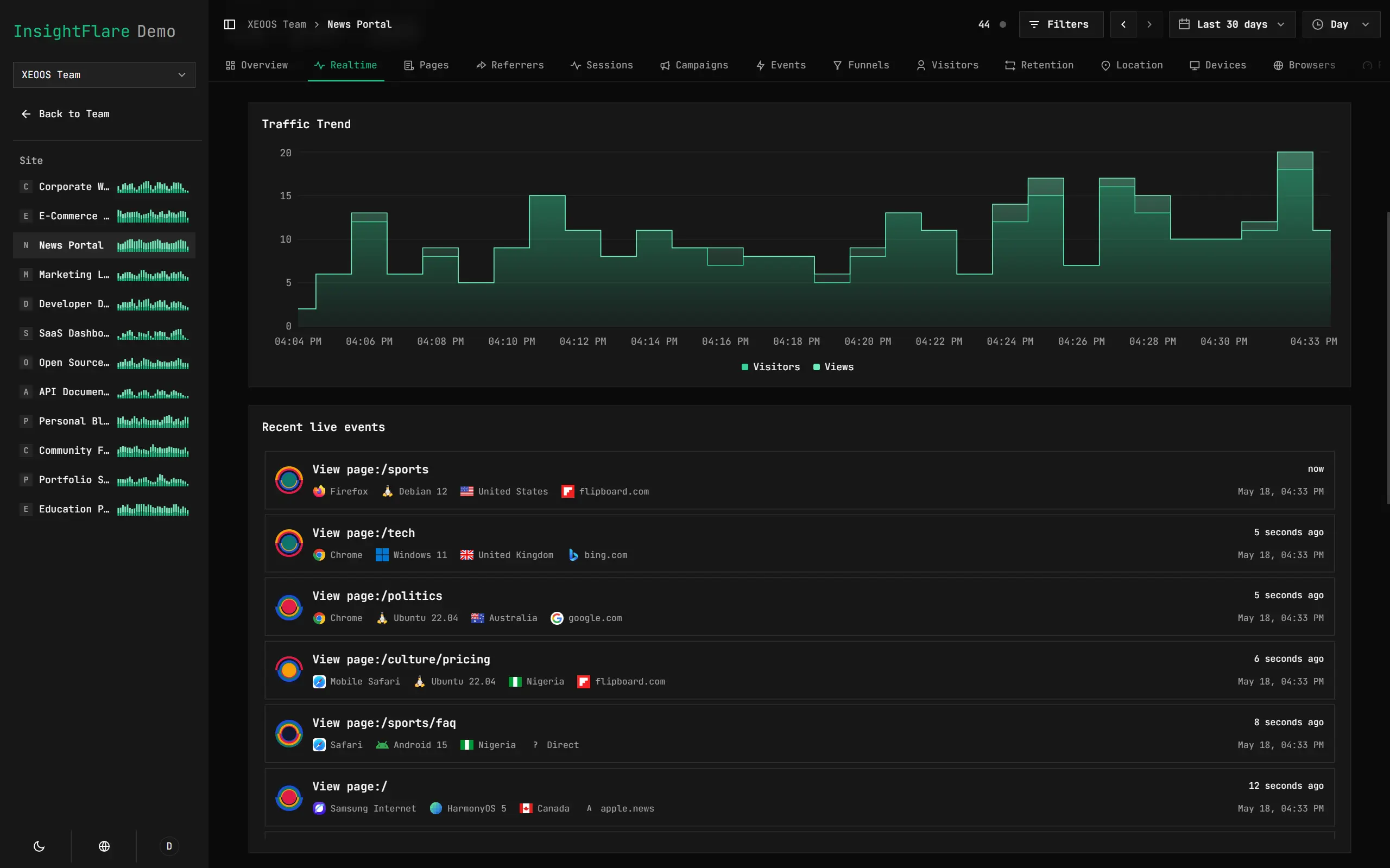
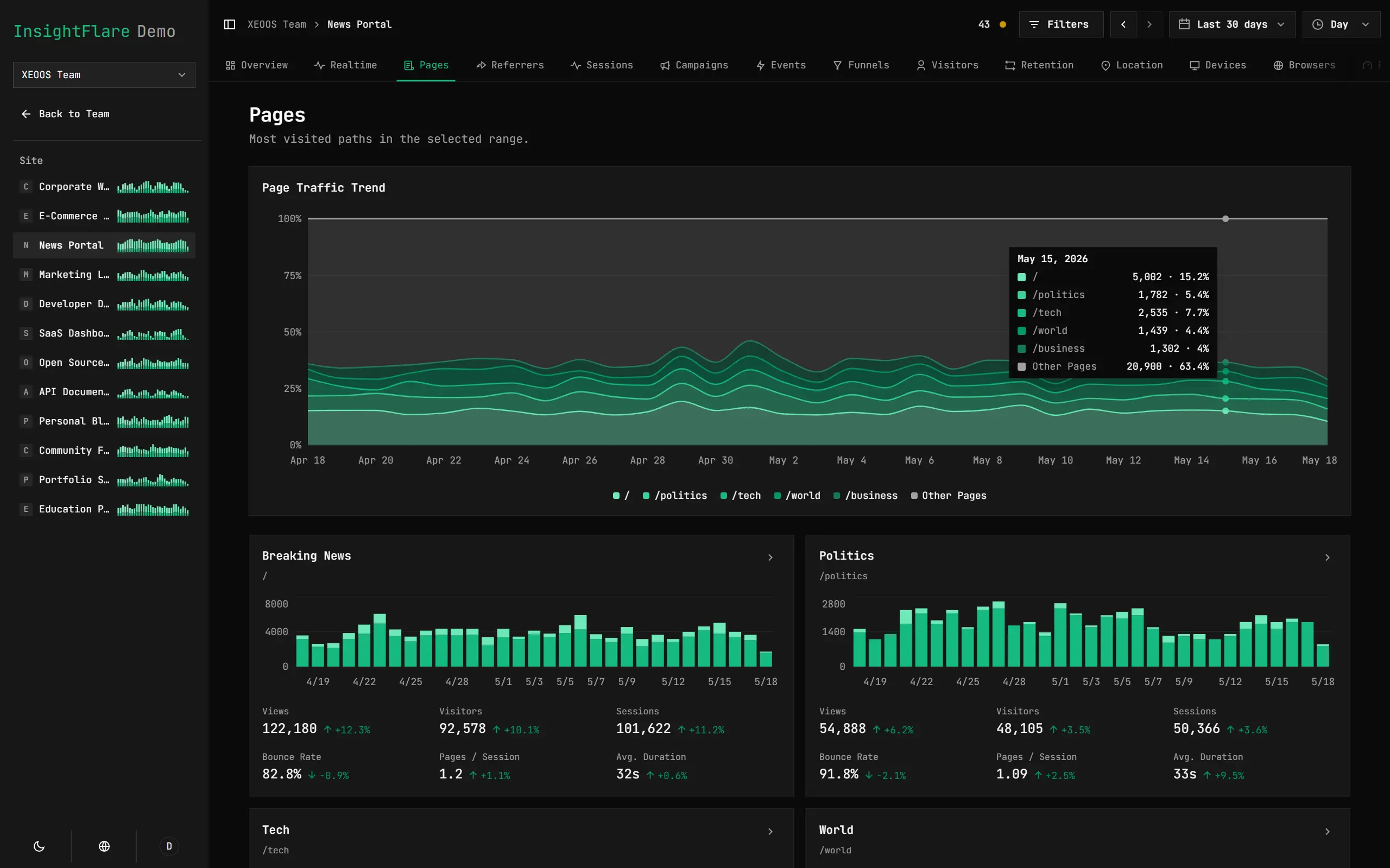
Page-Level Traffic Analytics
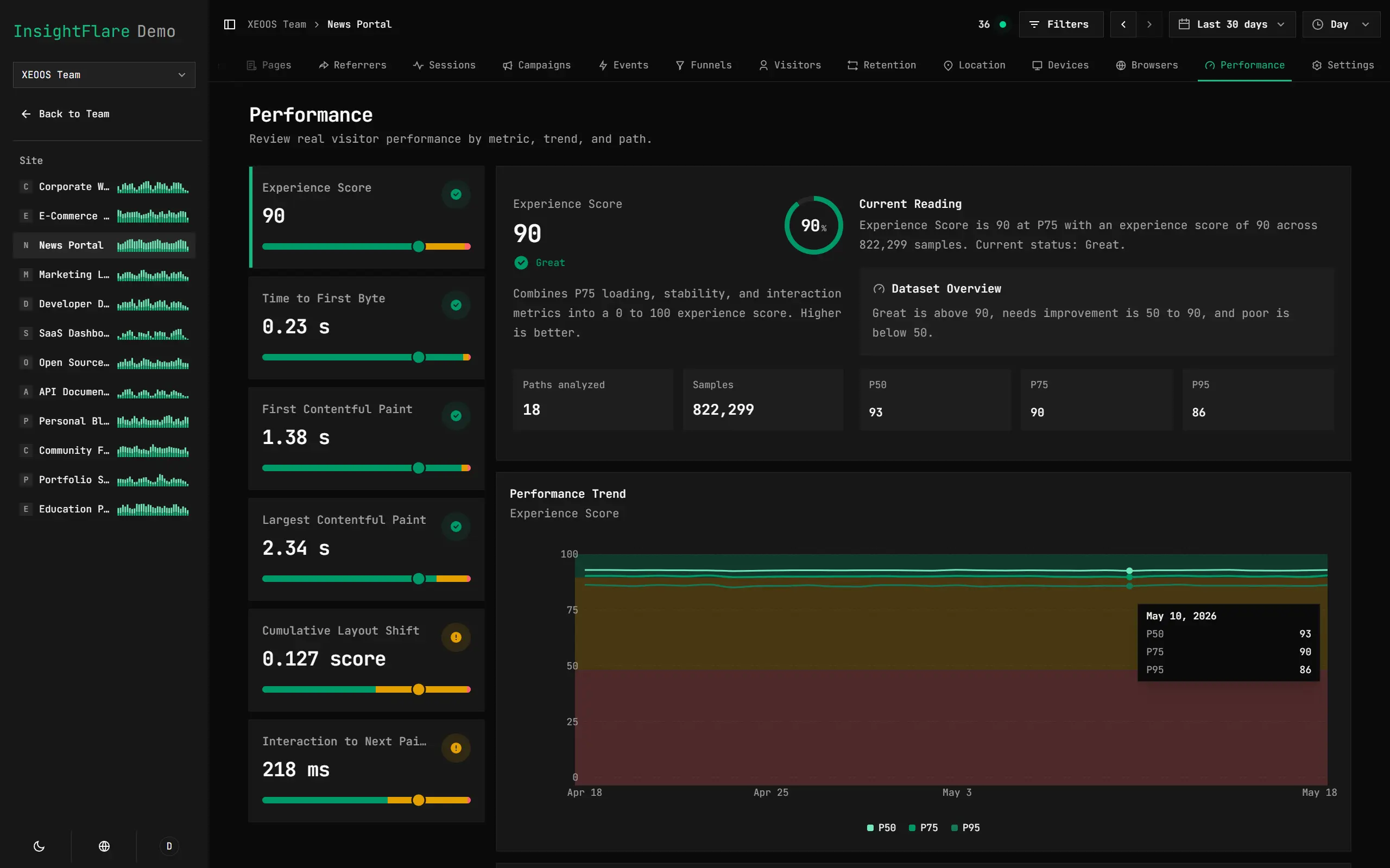
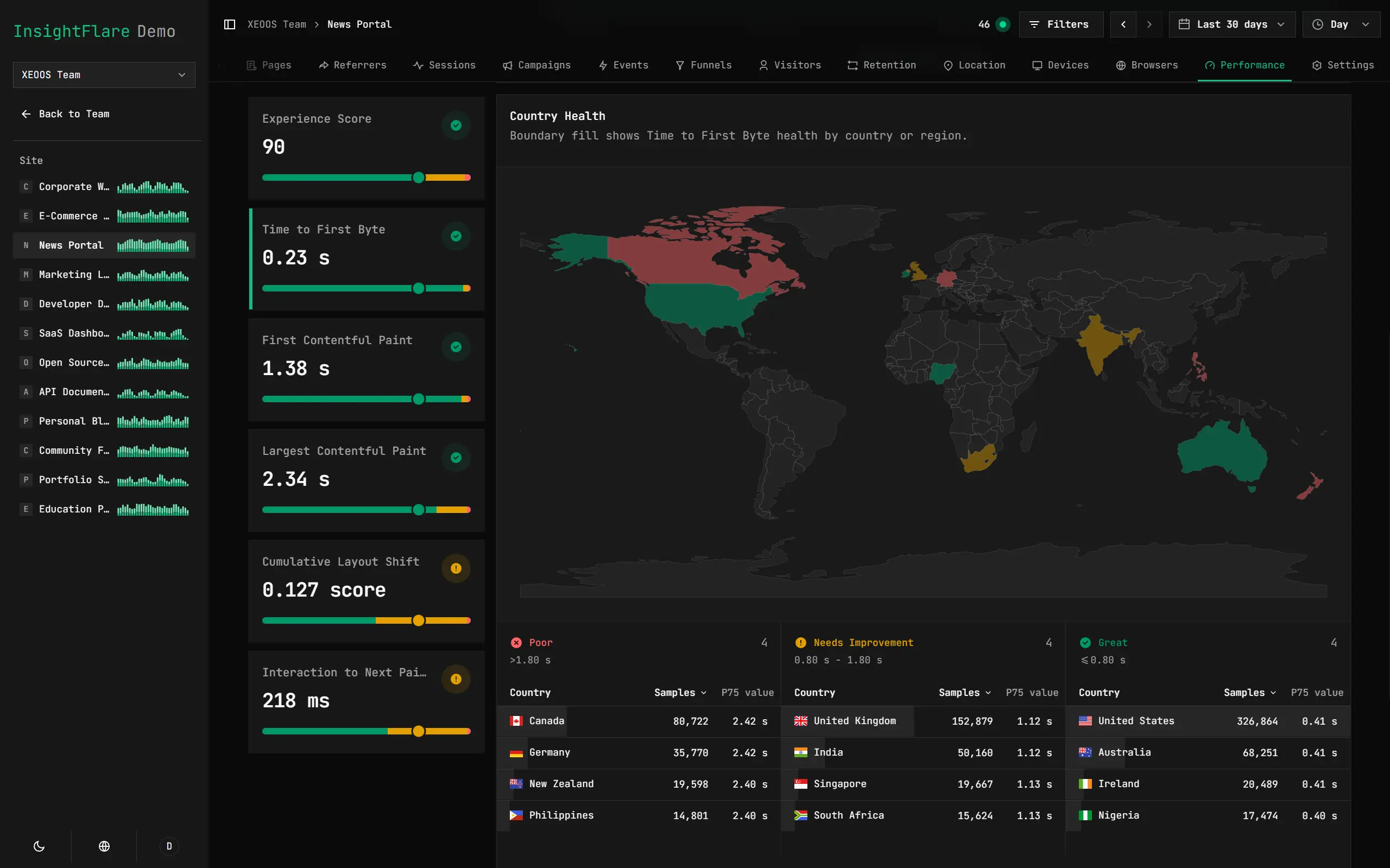
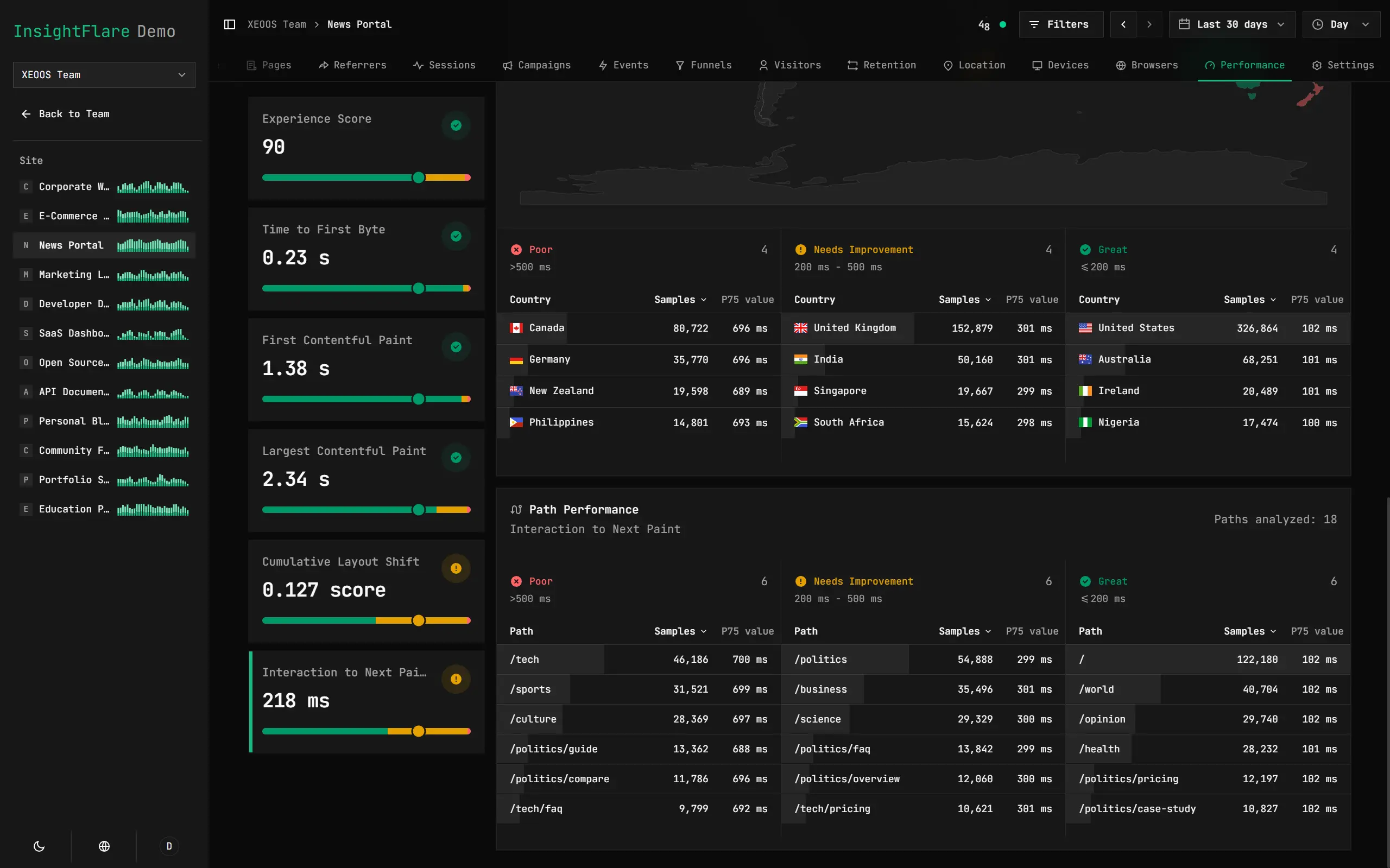
Track Real Visitor Performance
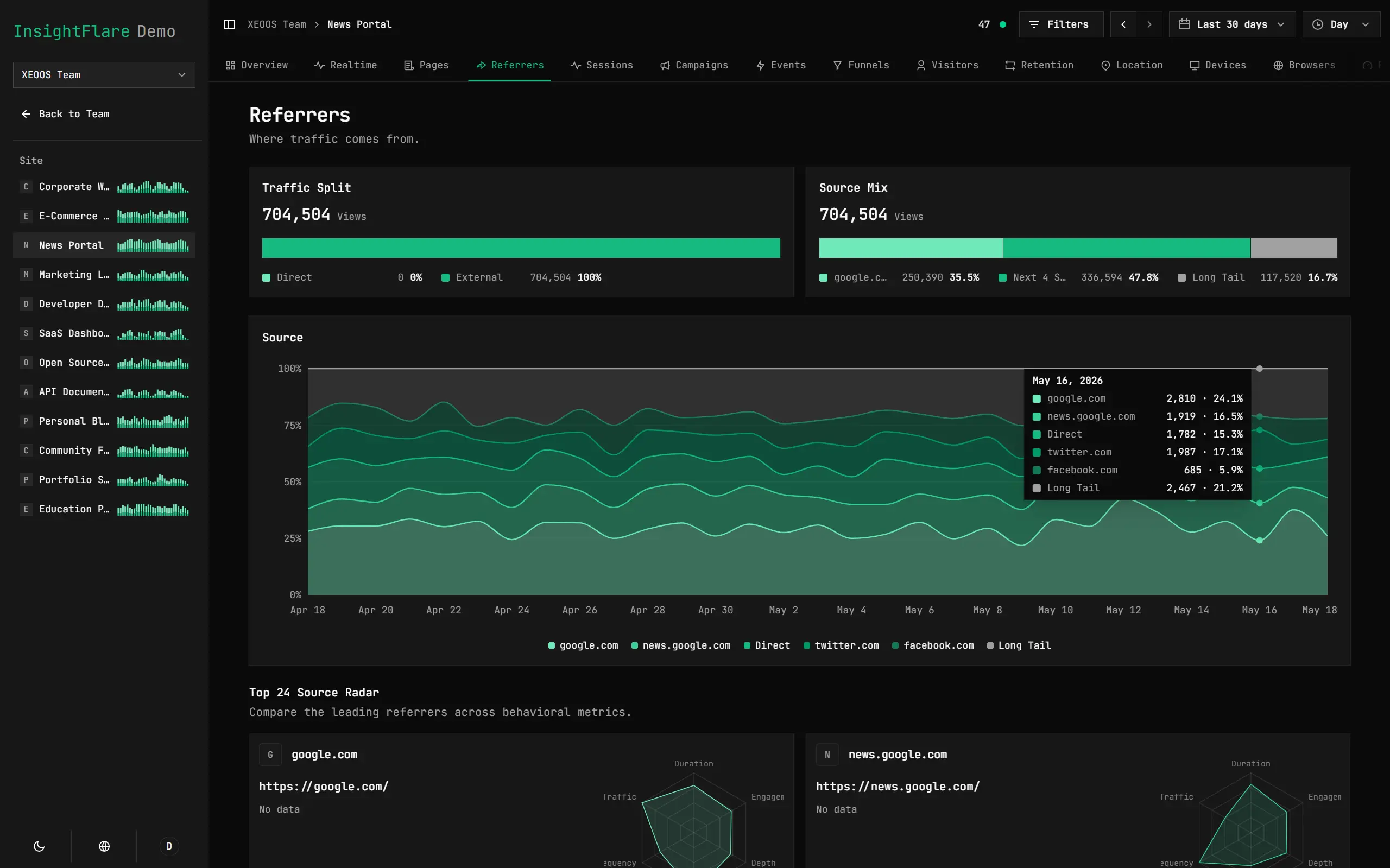
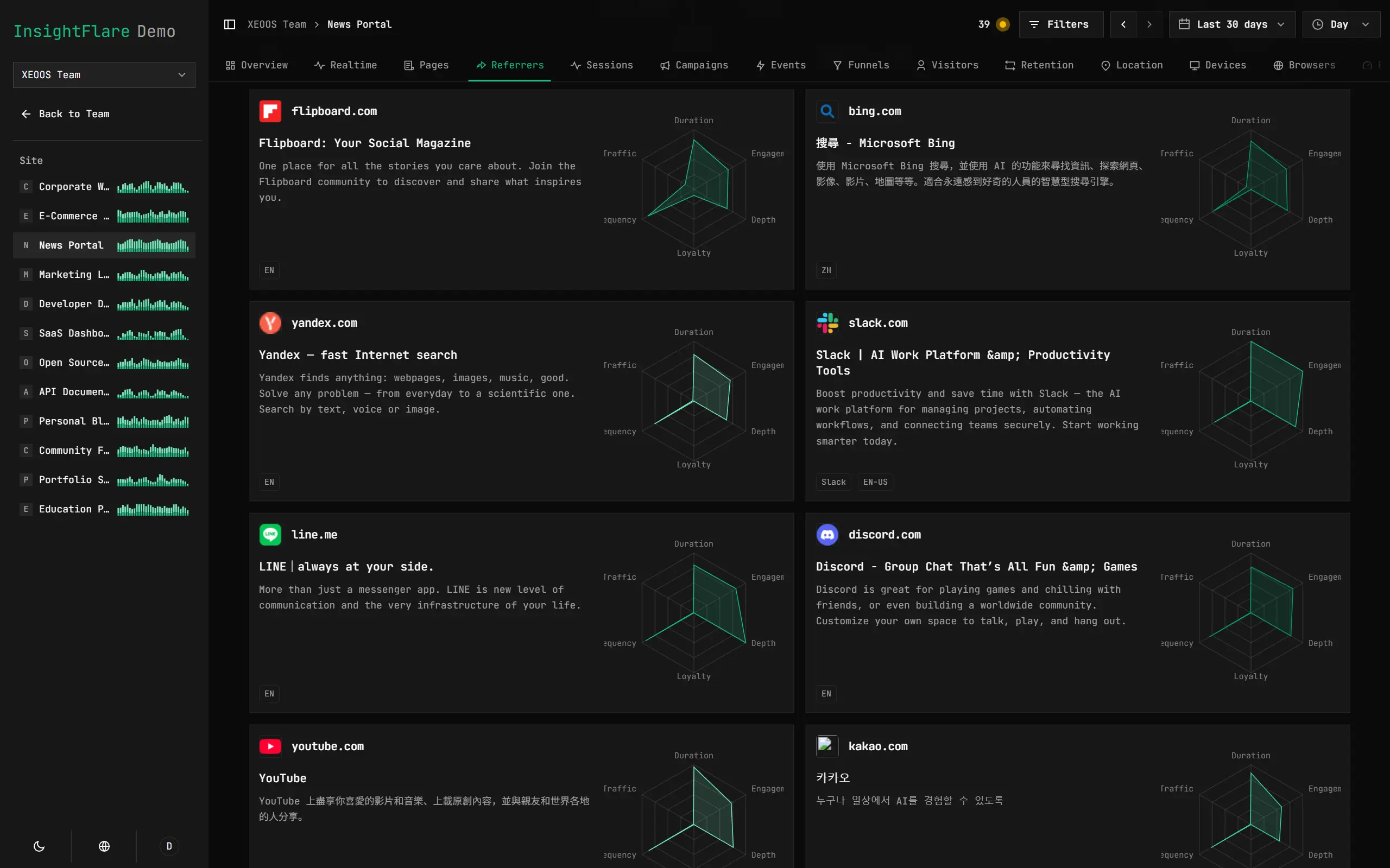
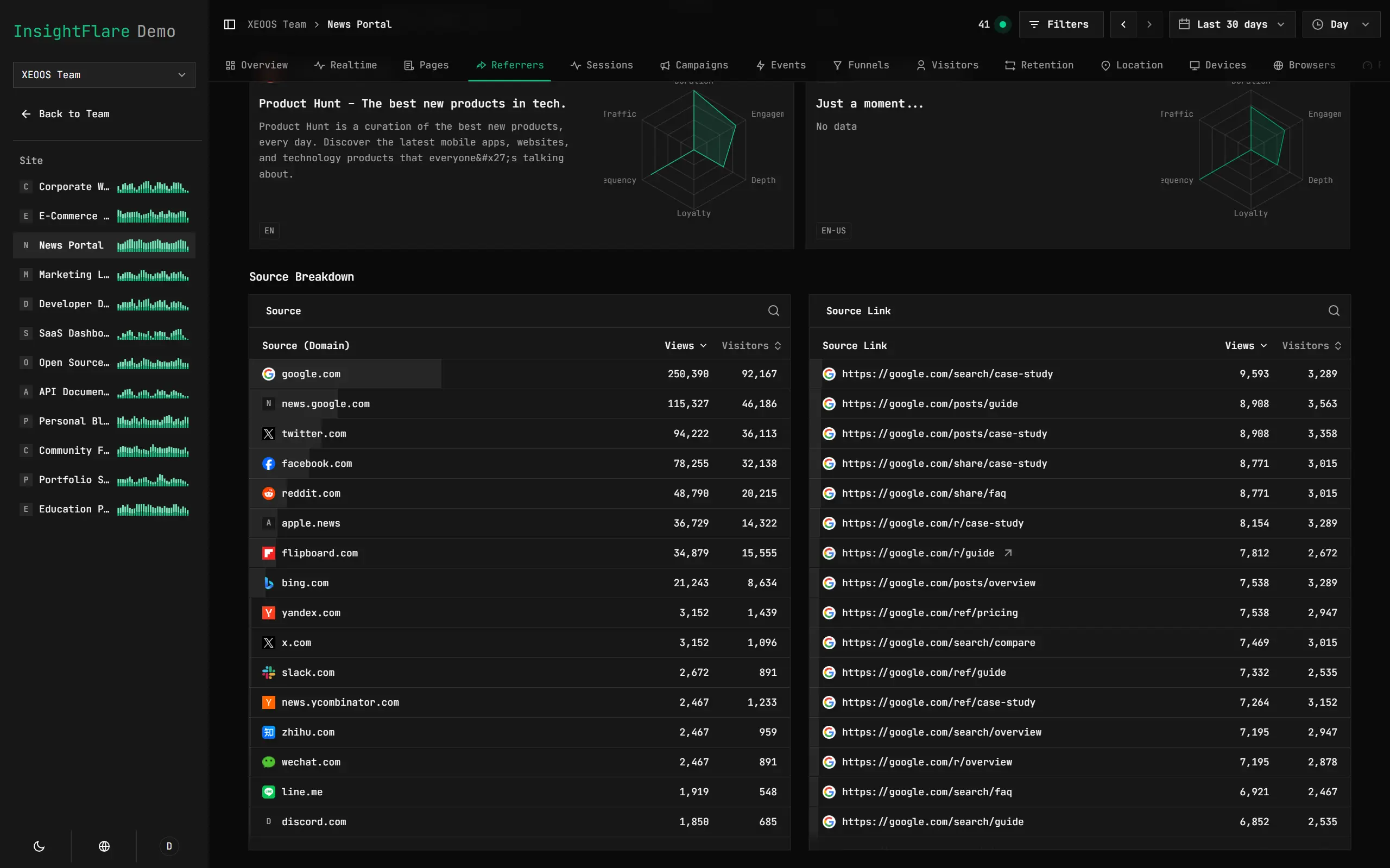
Compare Traffic Quality Across Sources
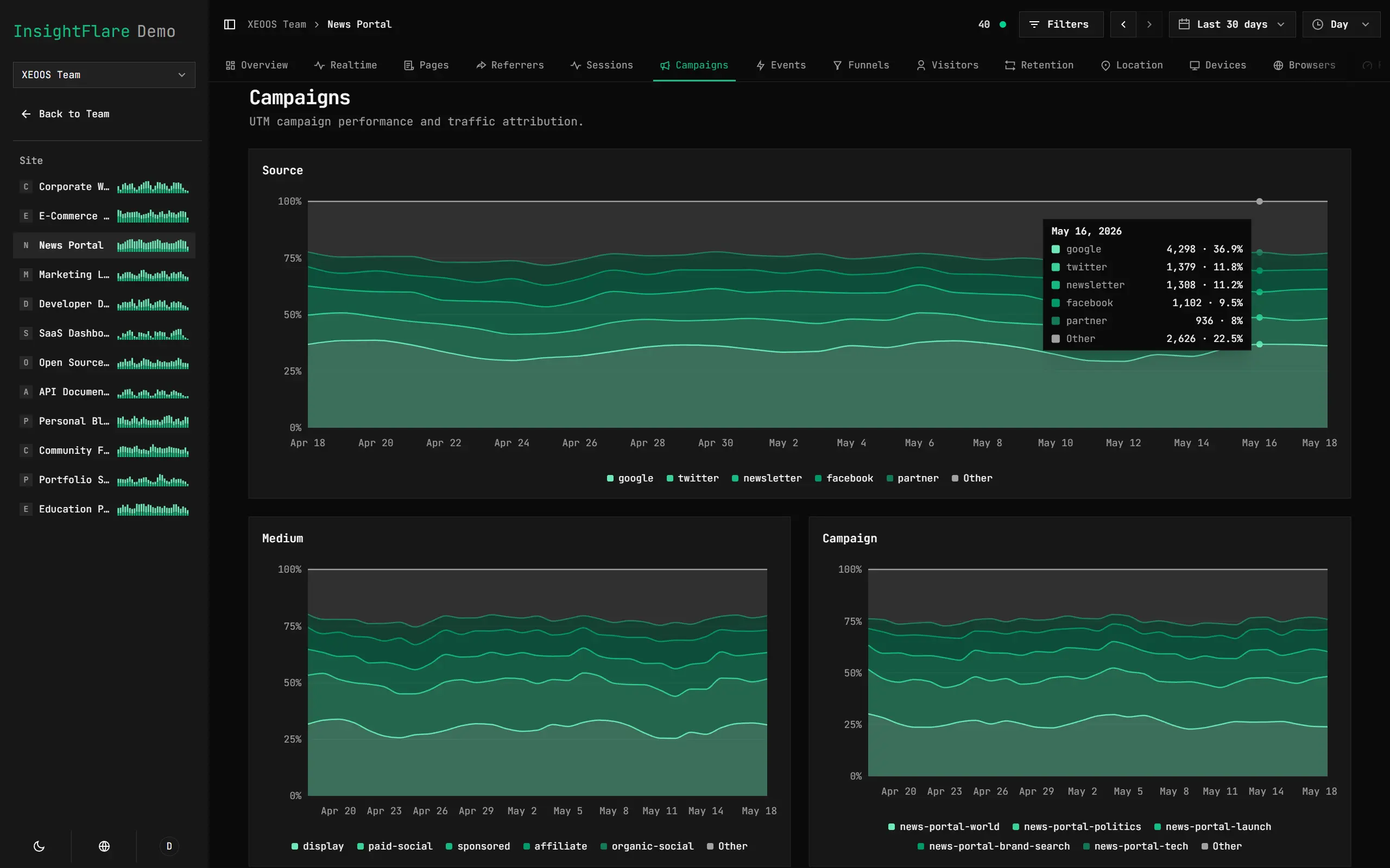
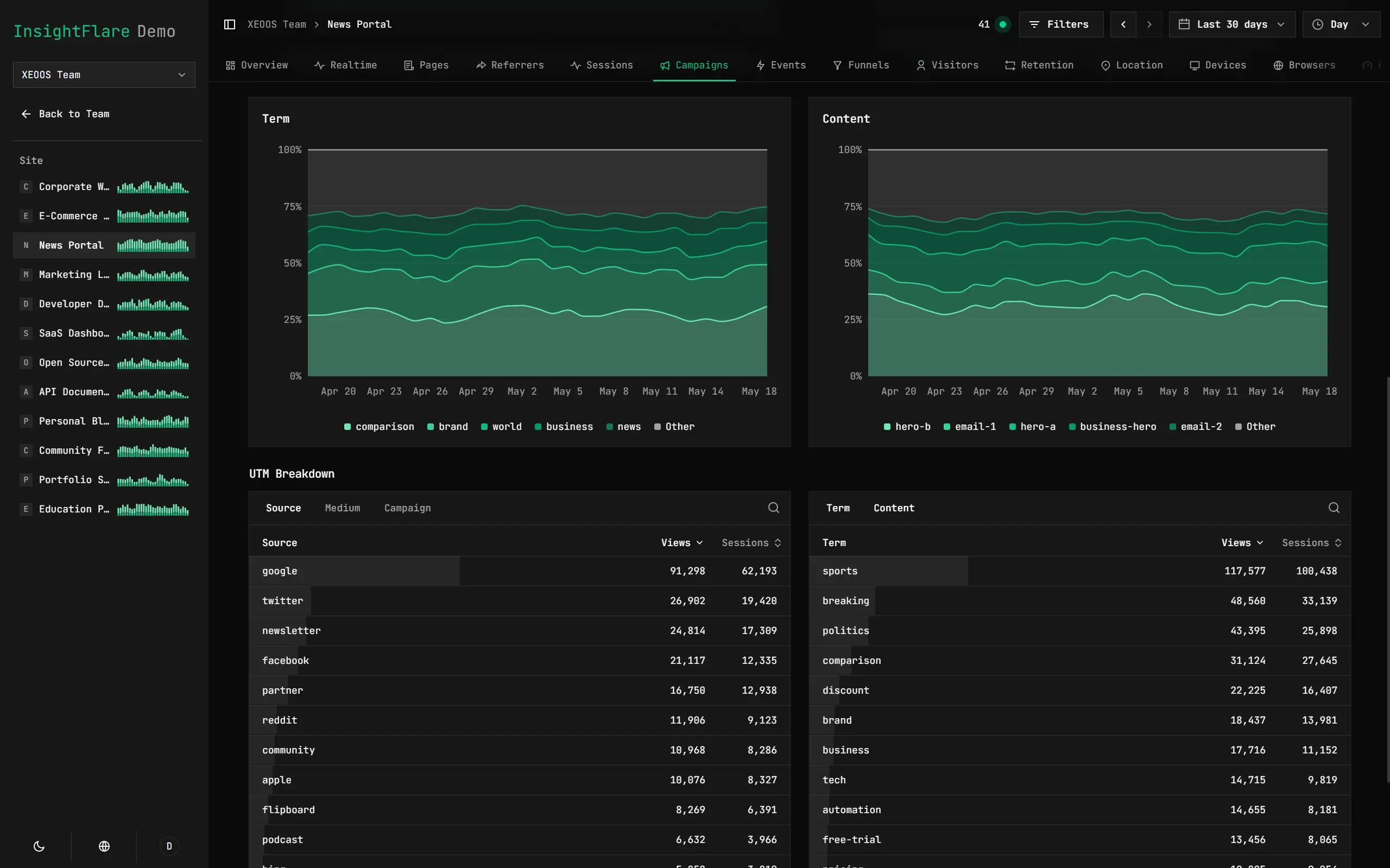
Track UTM Campaign Performance
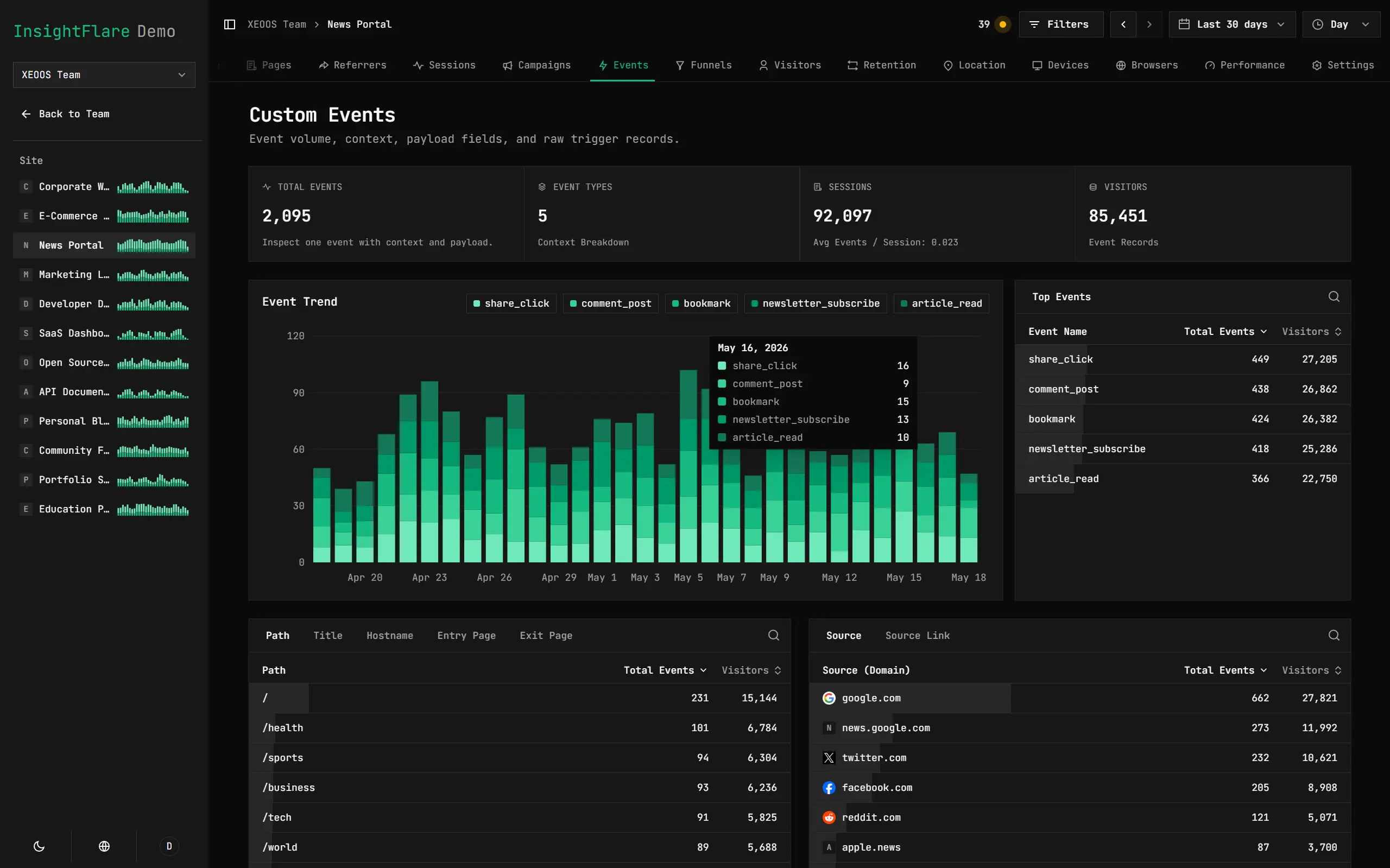
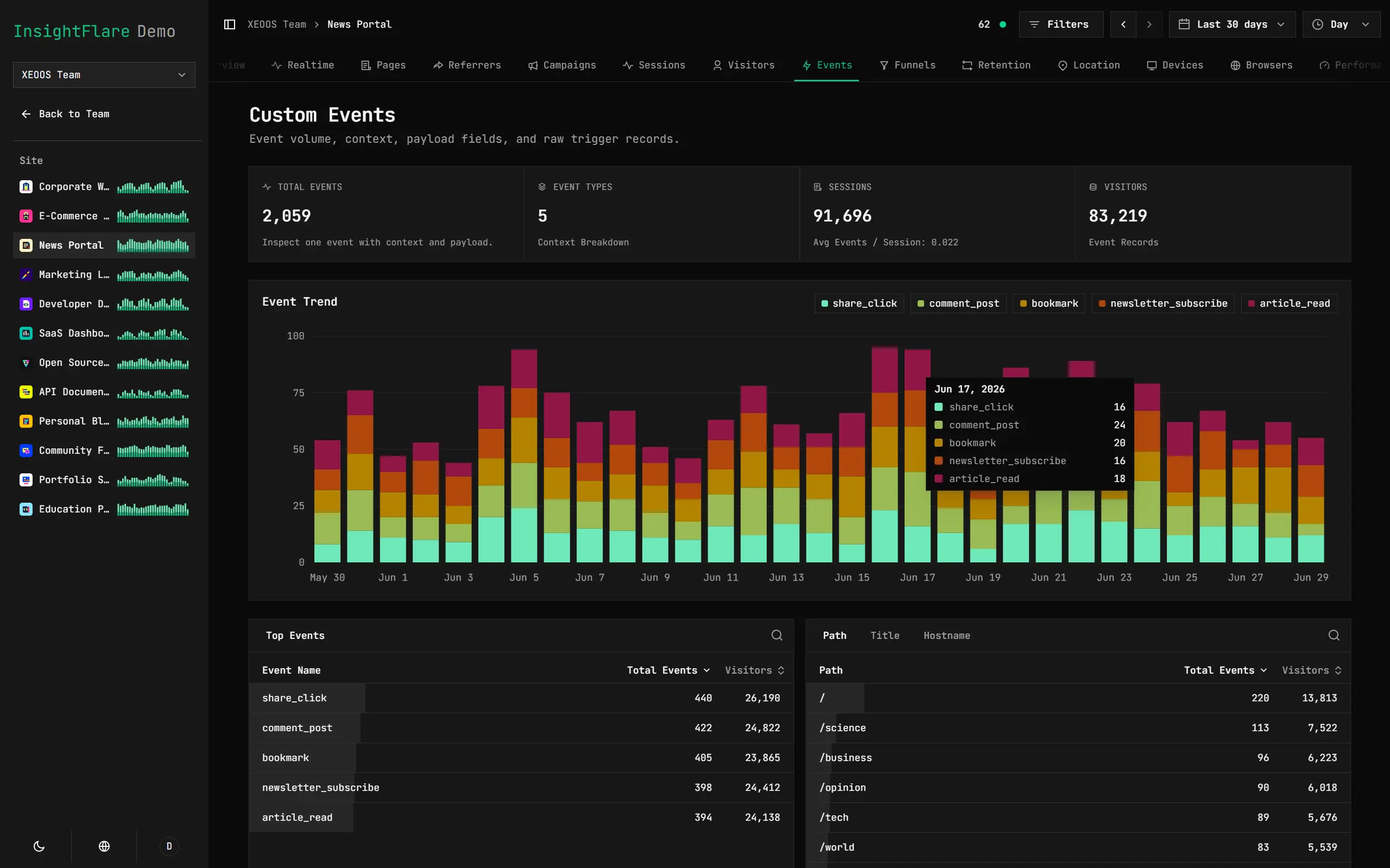
Record and Analyze Custom Events
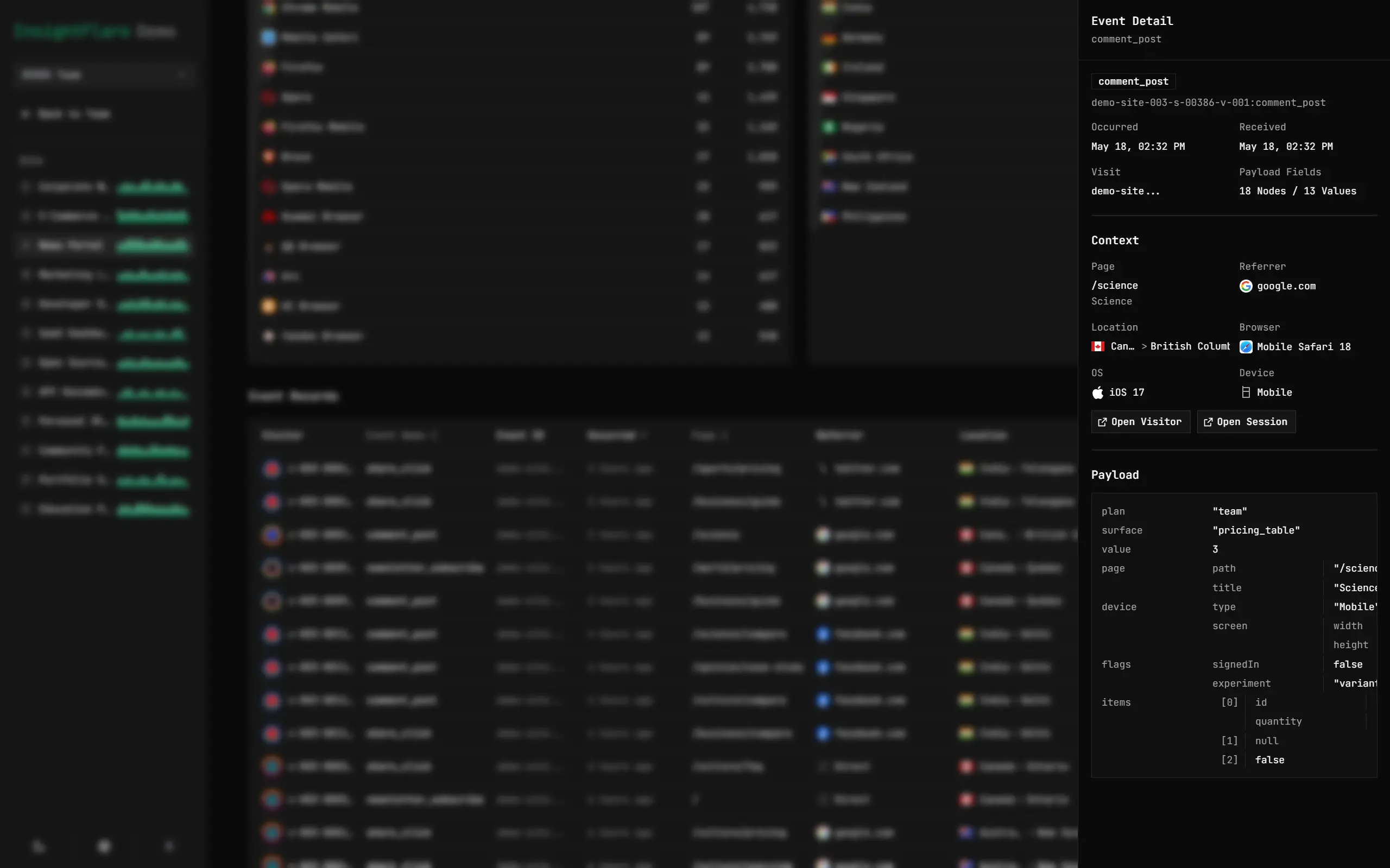
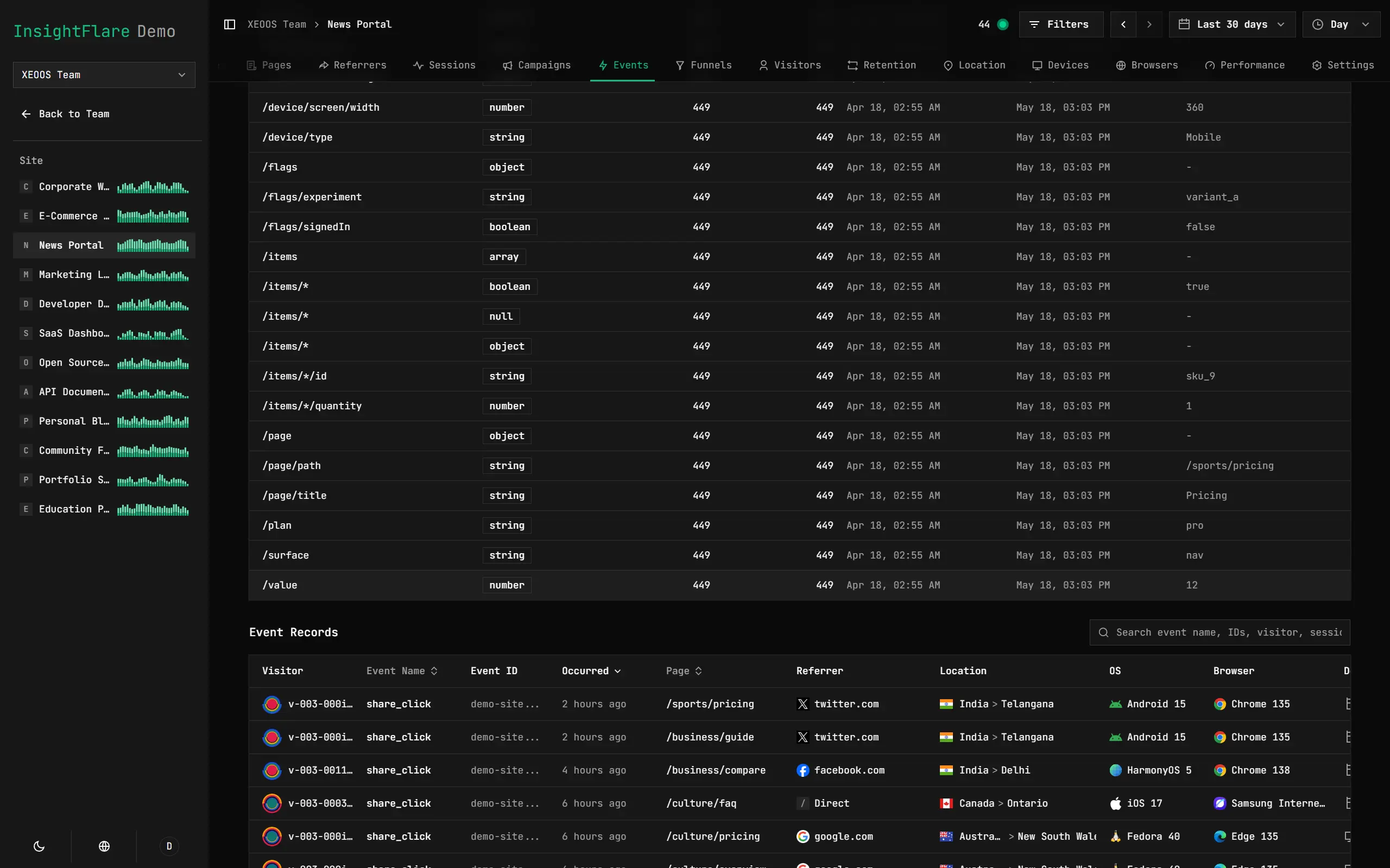
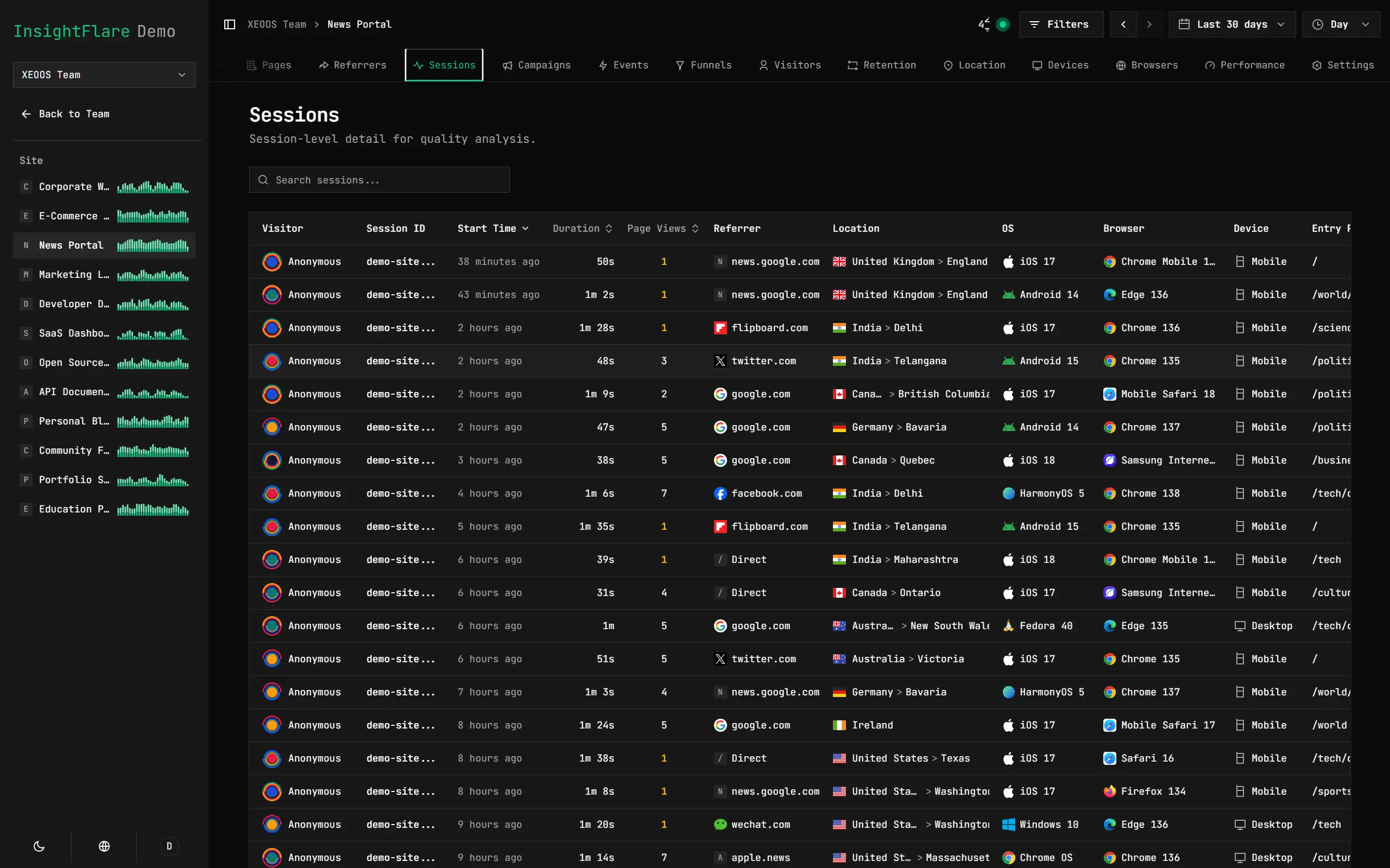
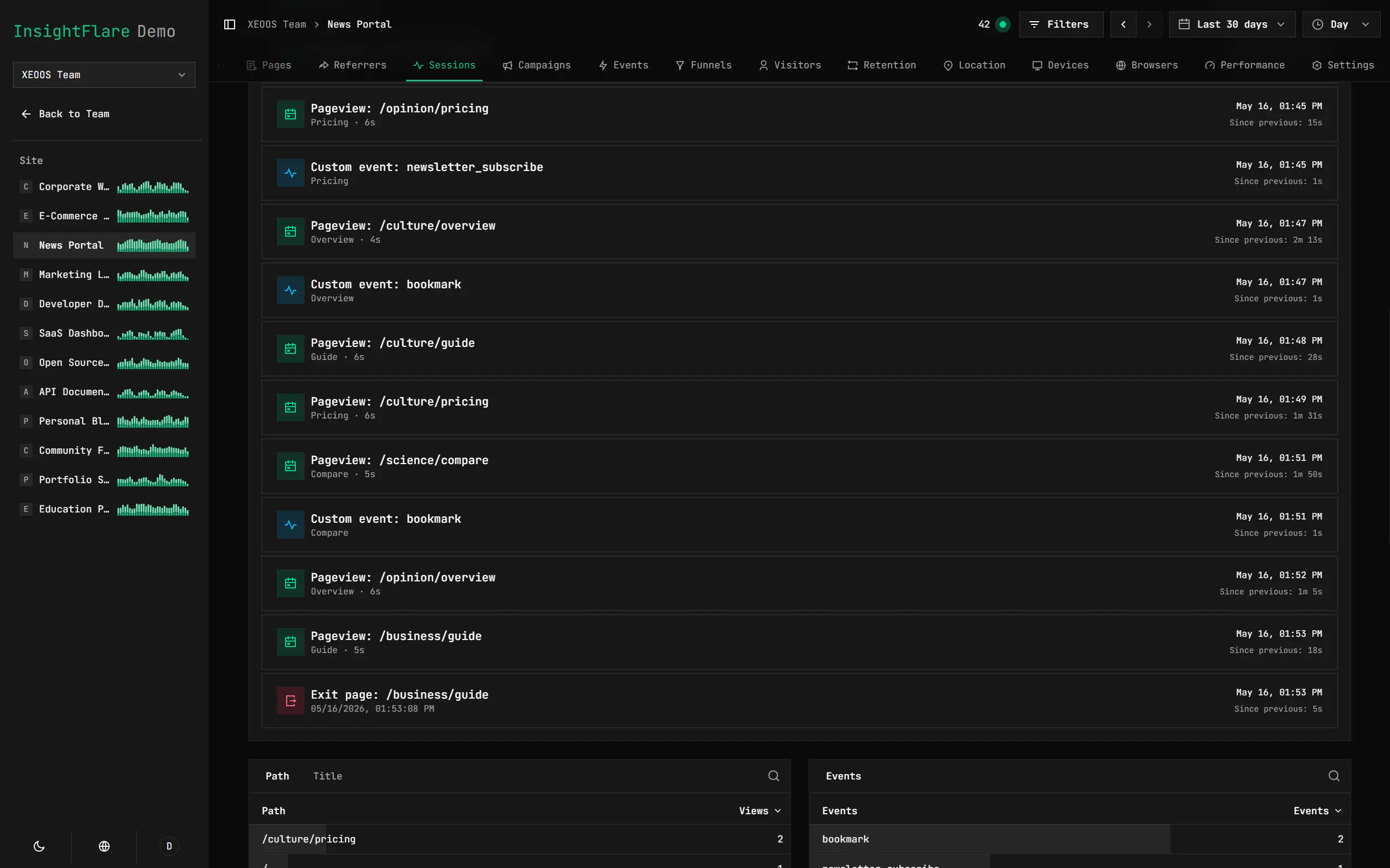
Inspect Every Session
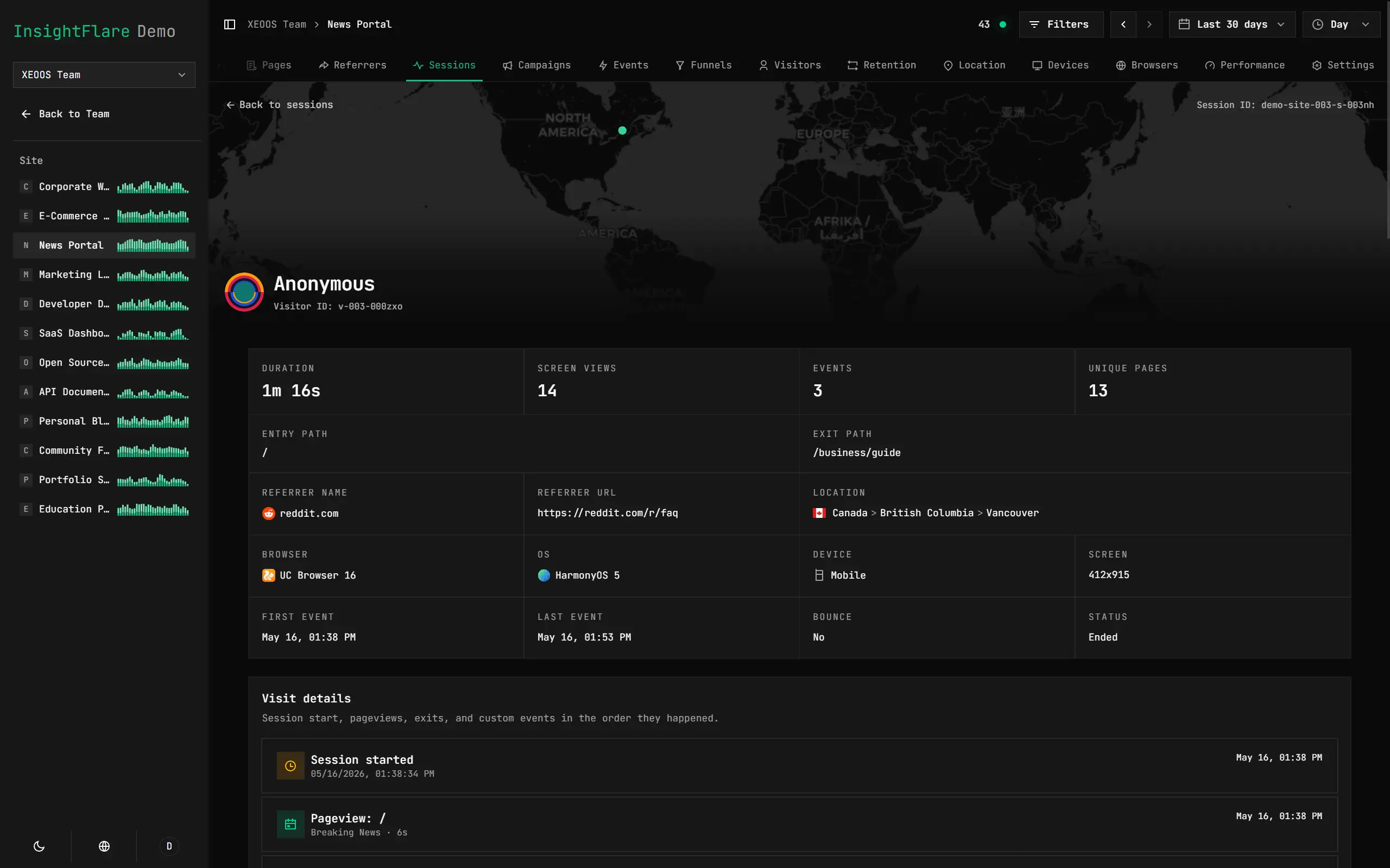
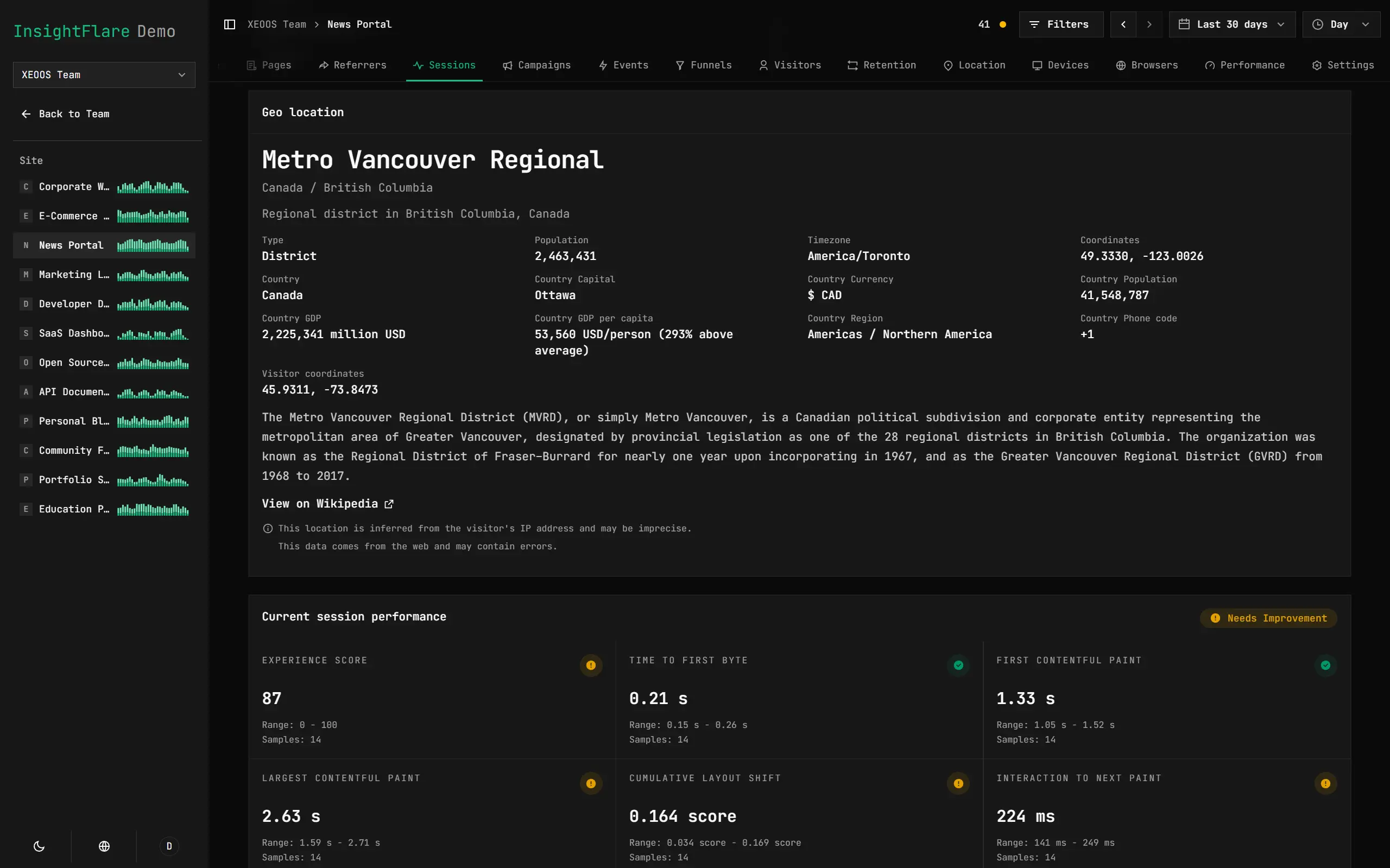
Understand Every Visitor
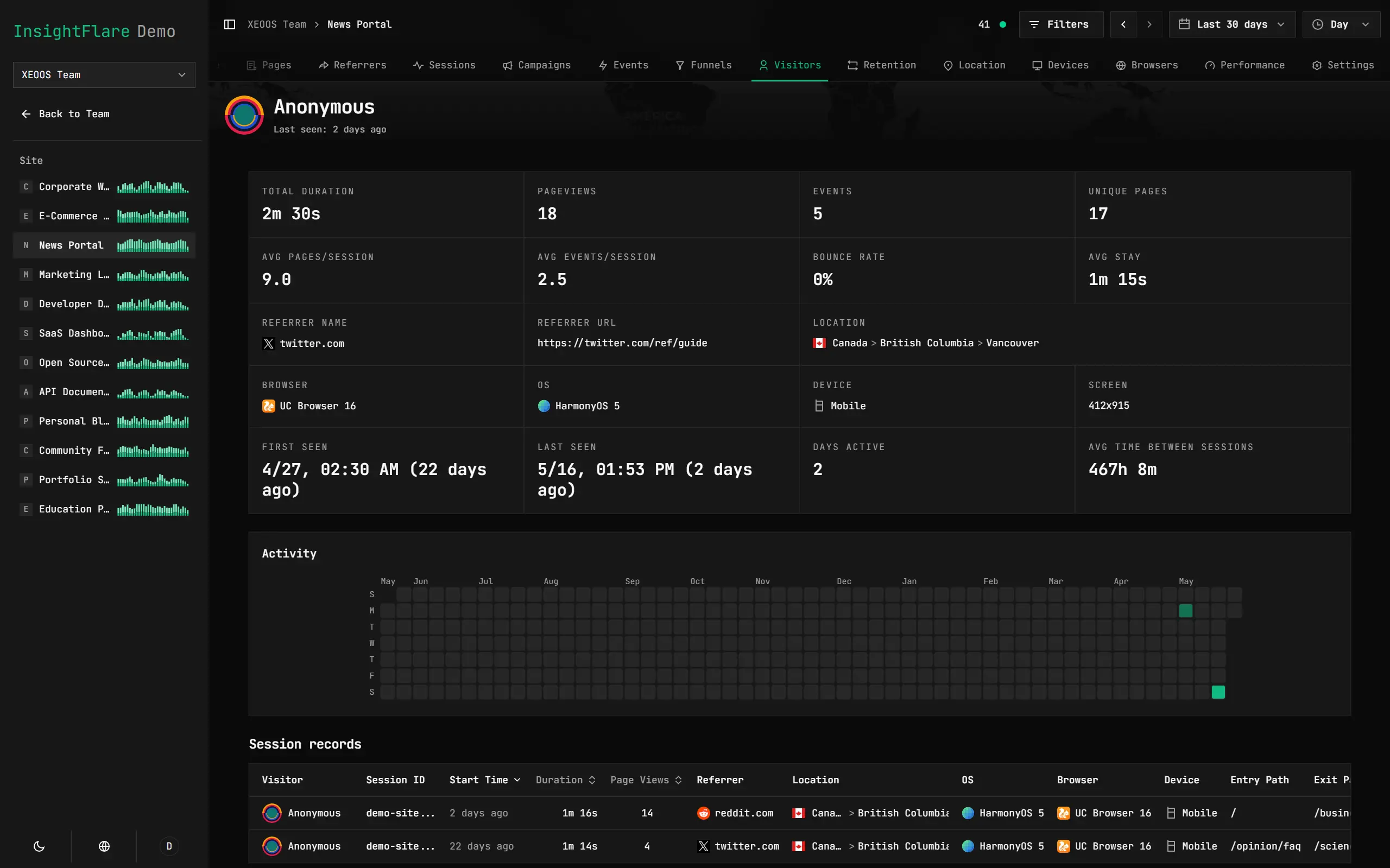
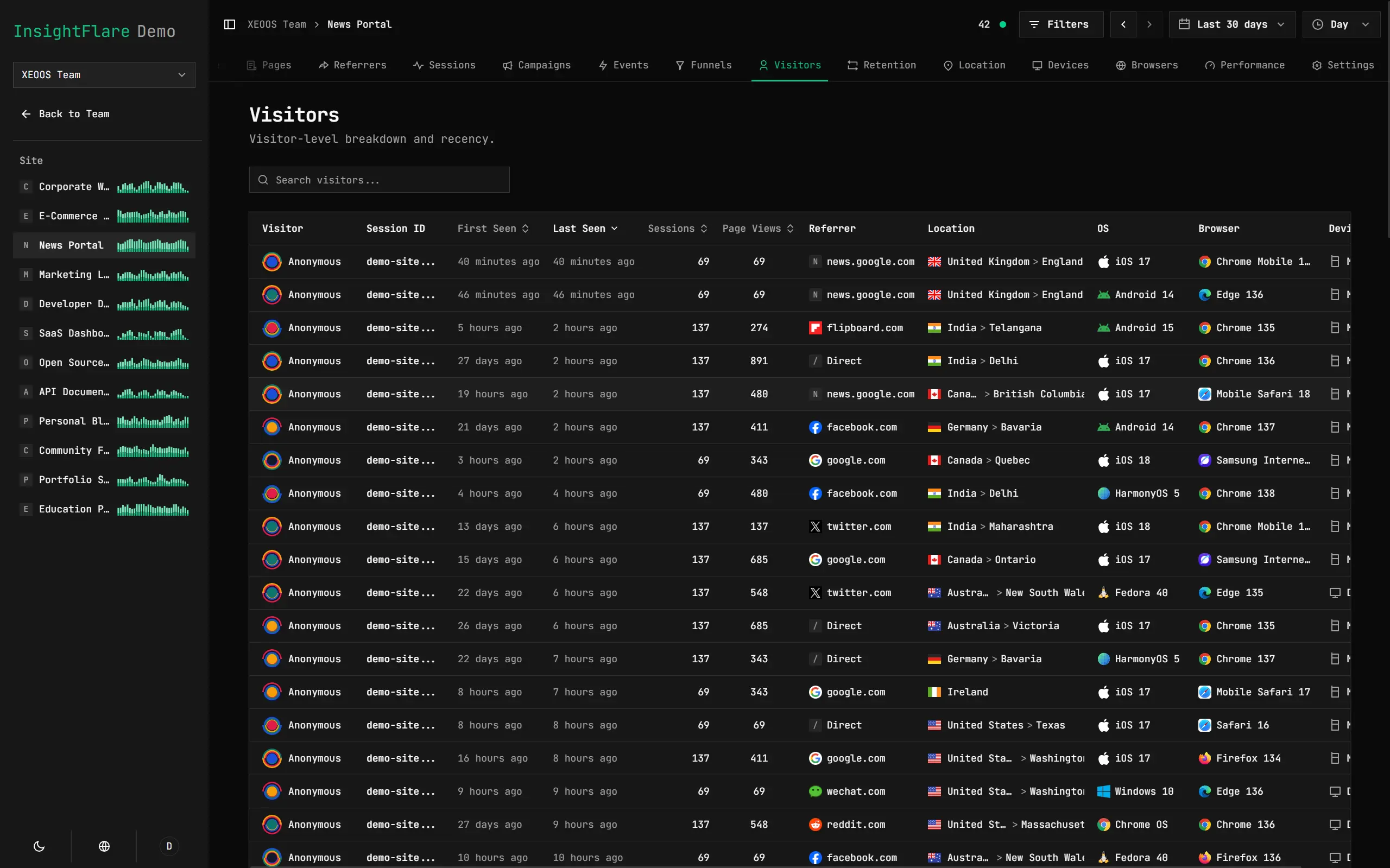
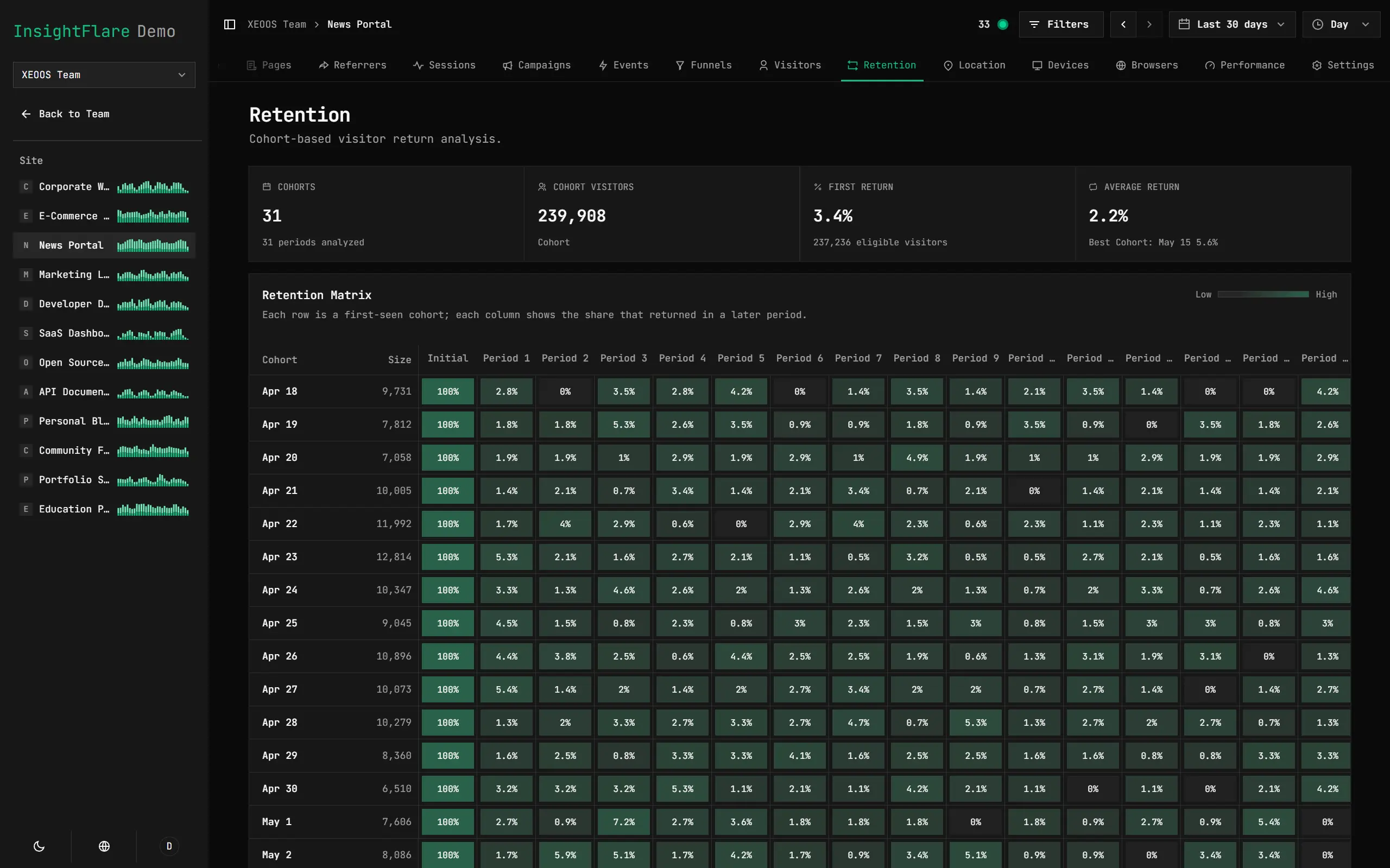
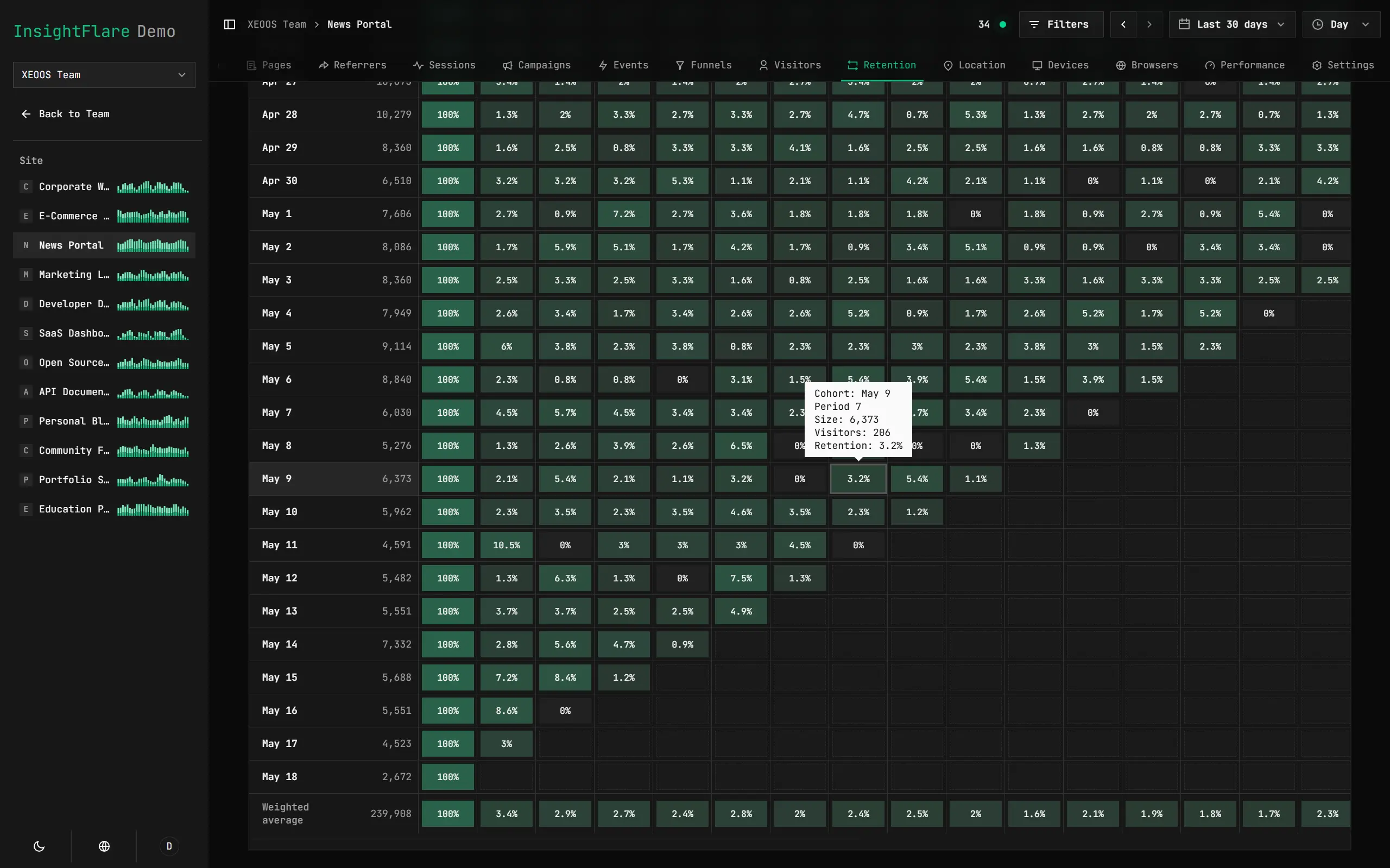
Track Return Visits
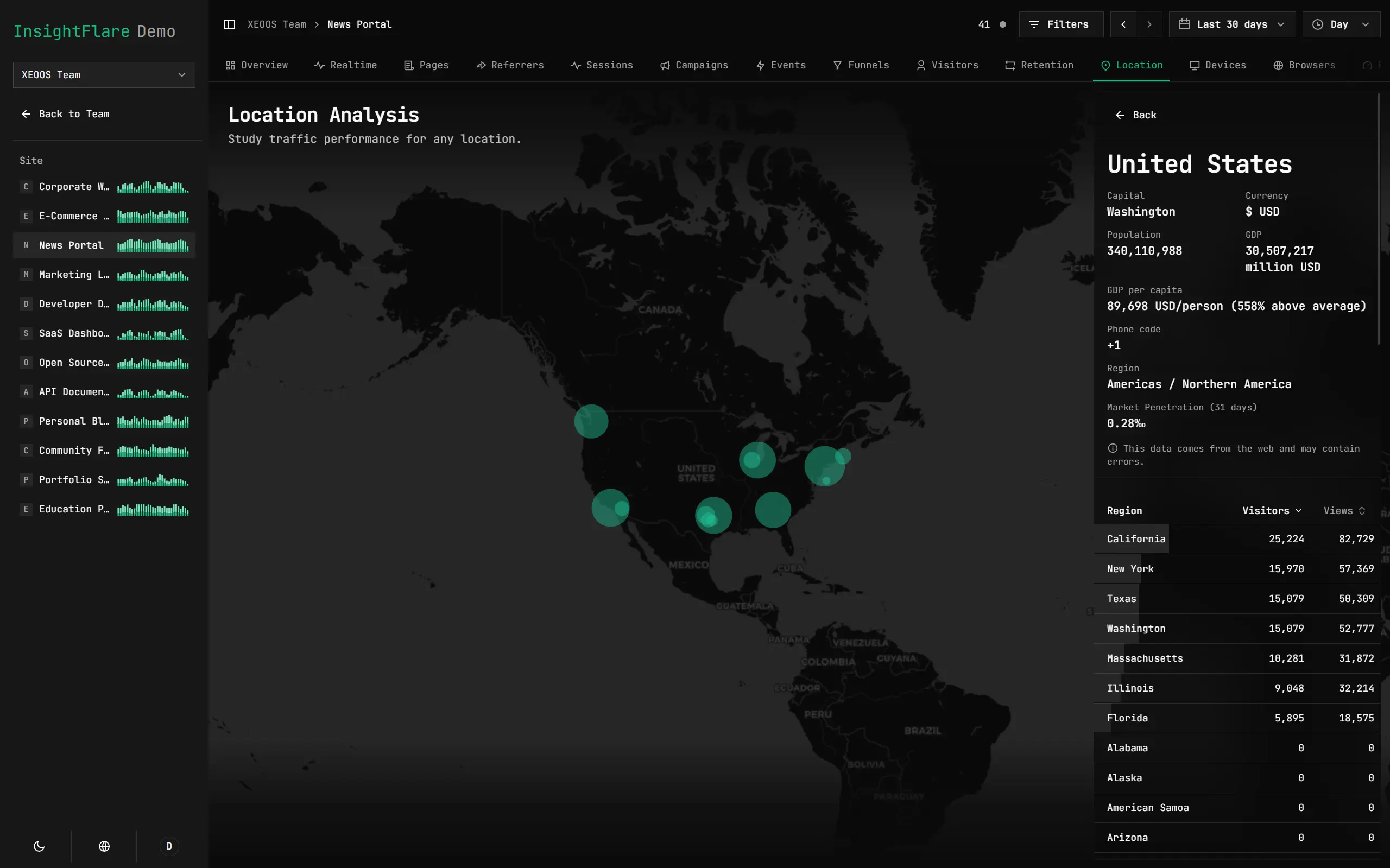
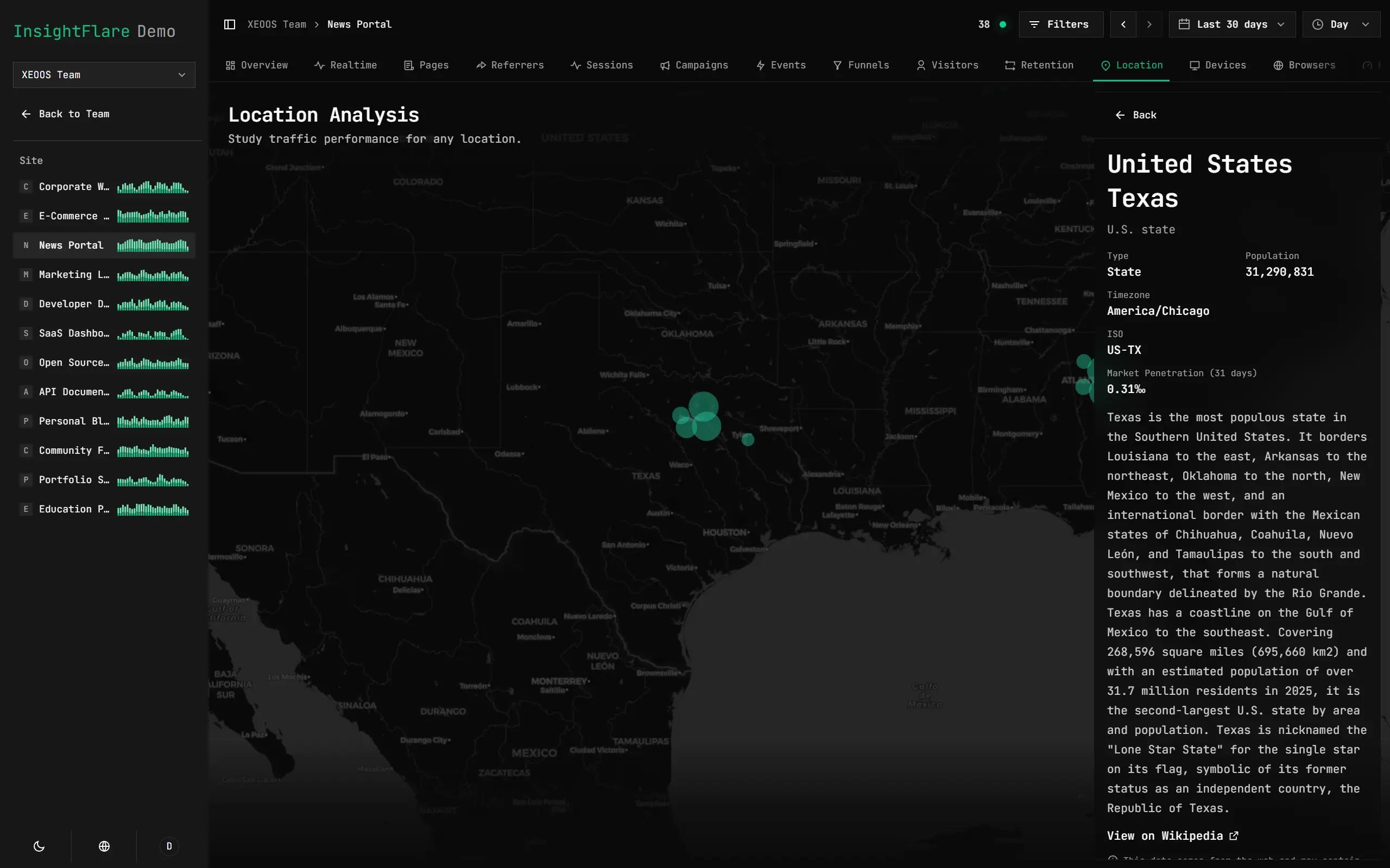
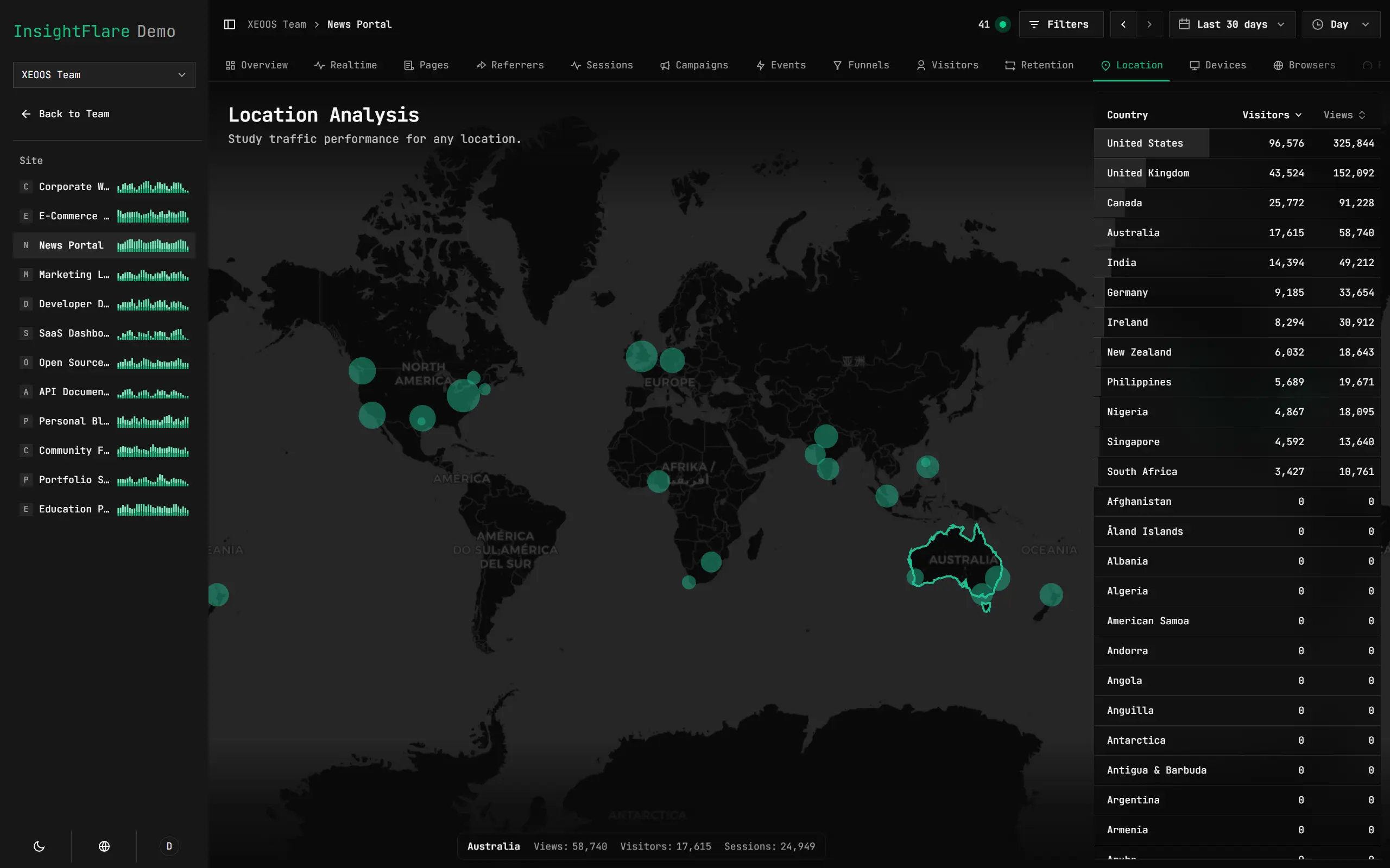
Understand Geographic Distribution and Market Intelligence
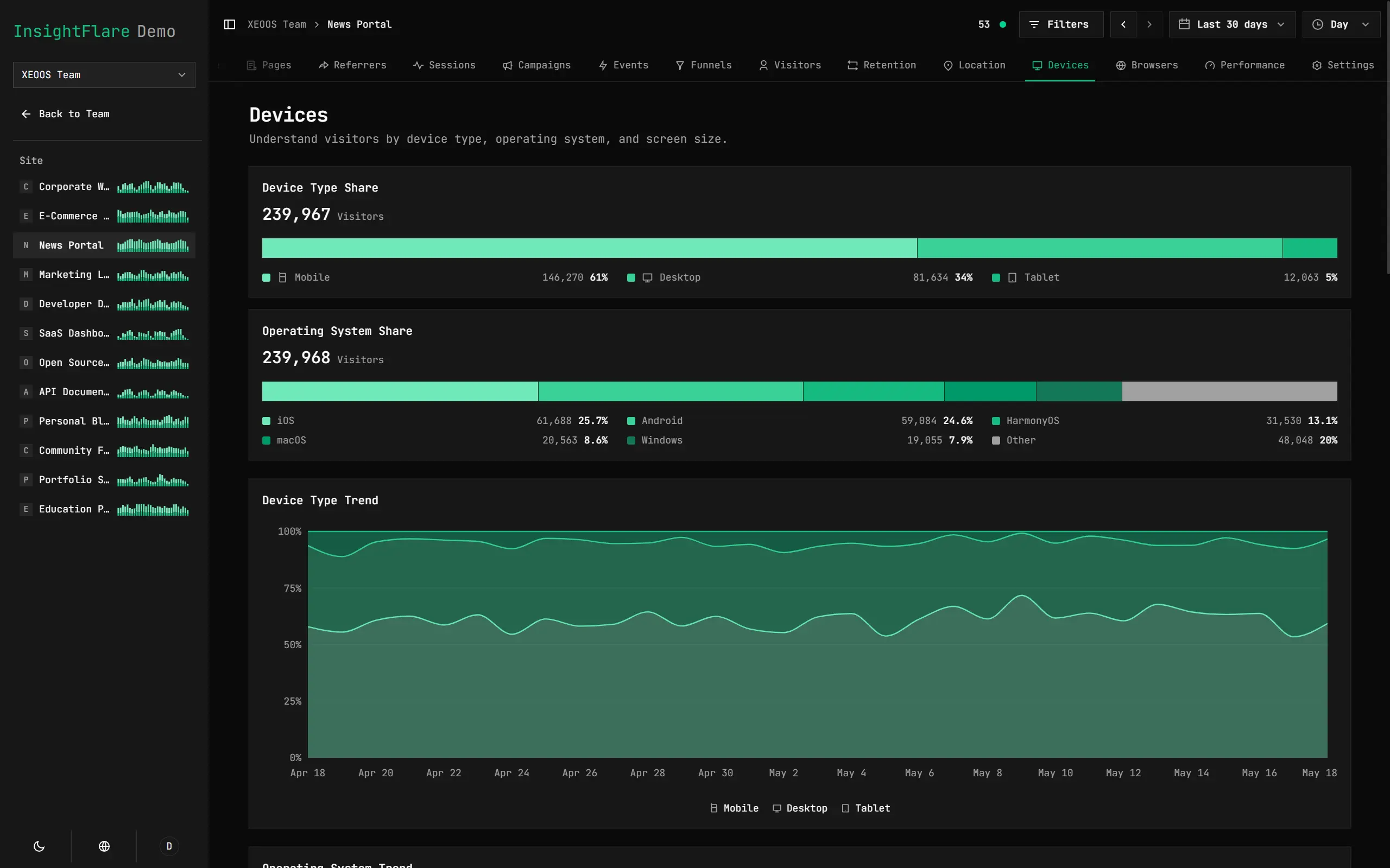
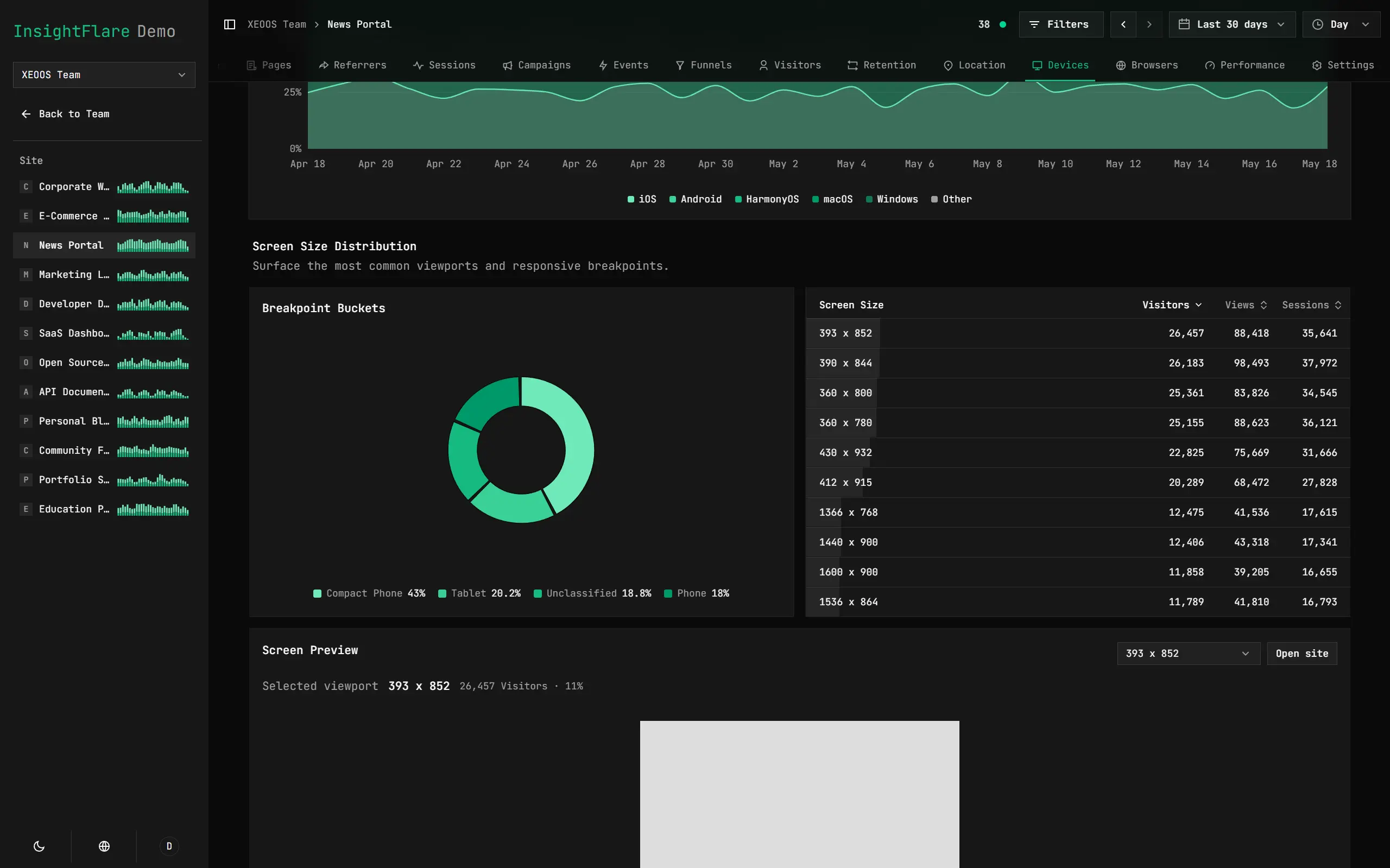
View Visitor Device Details
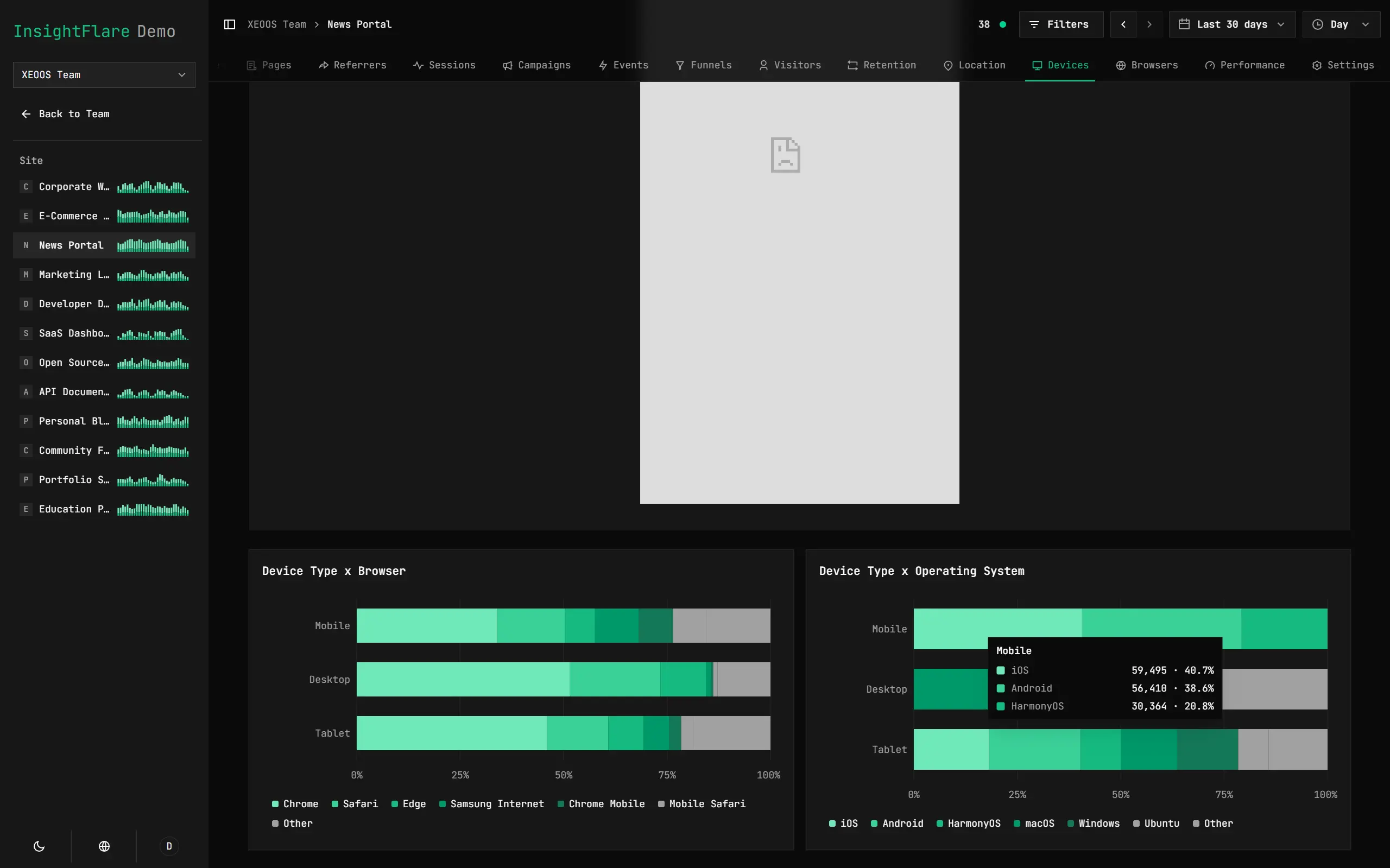
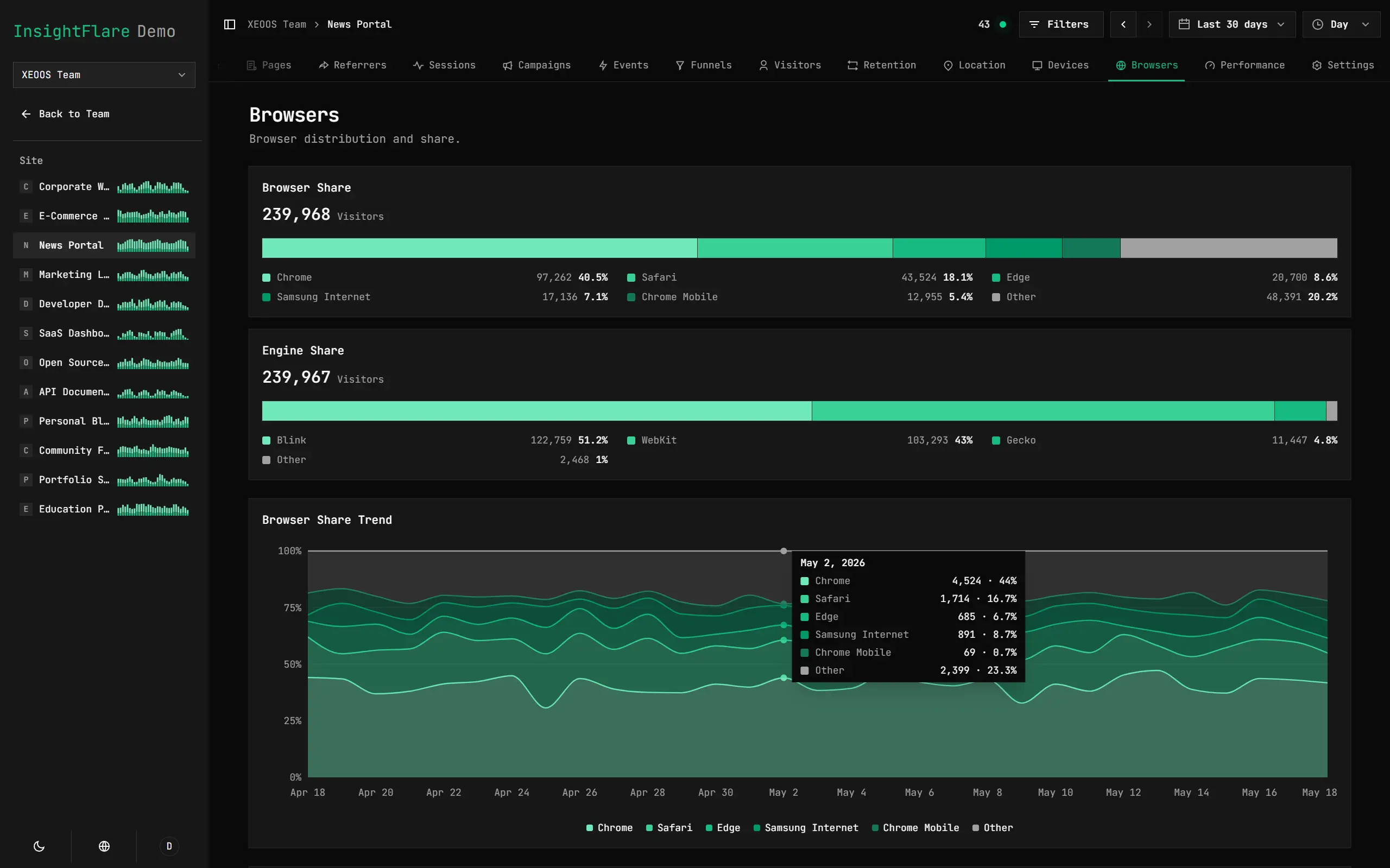
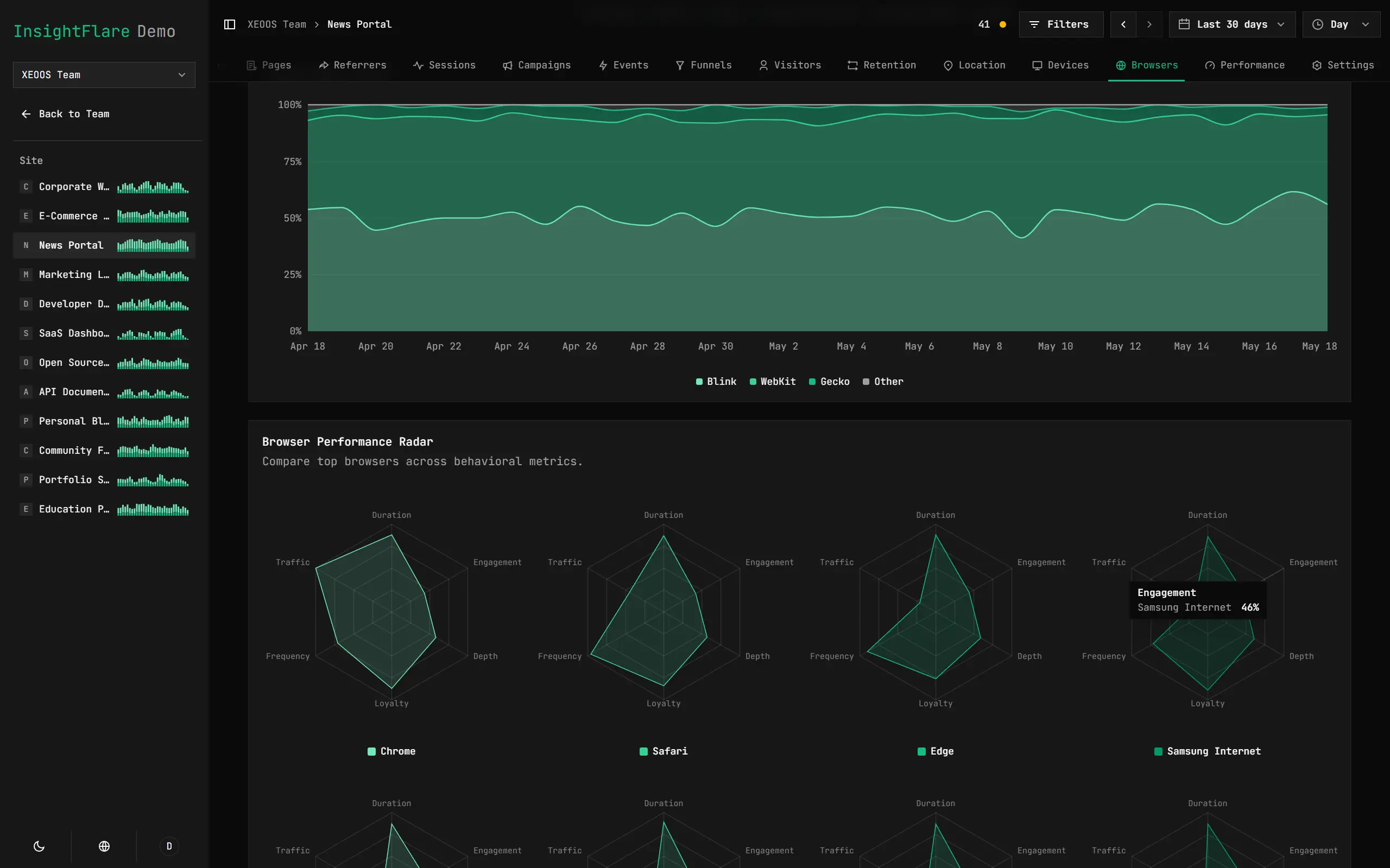
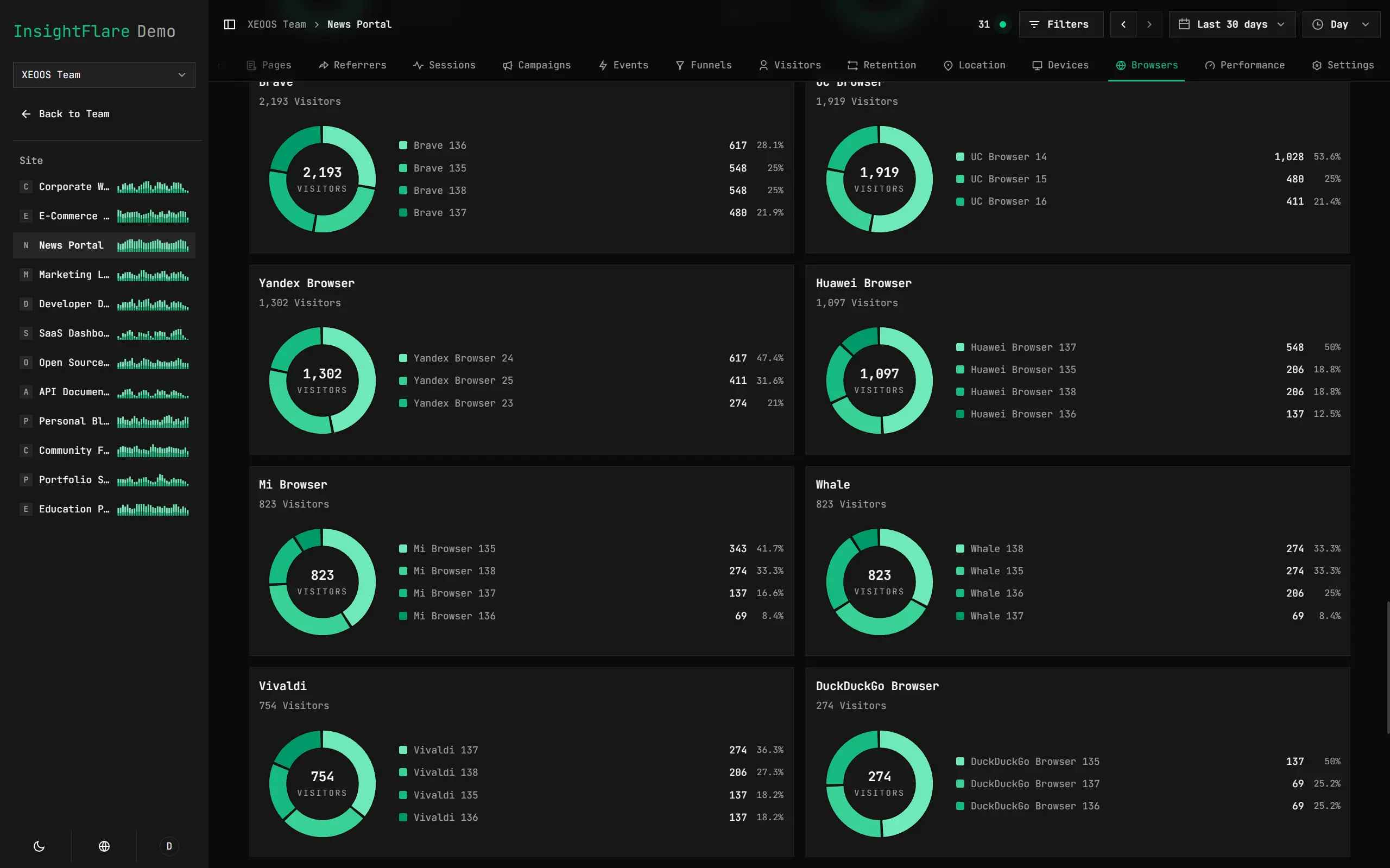
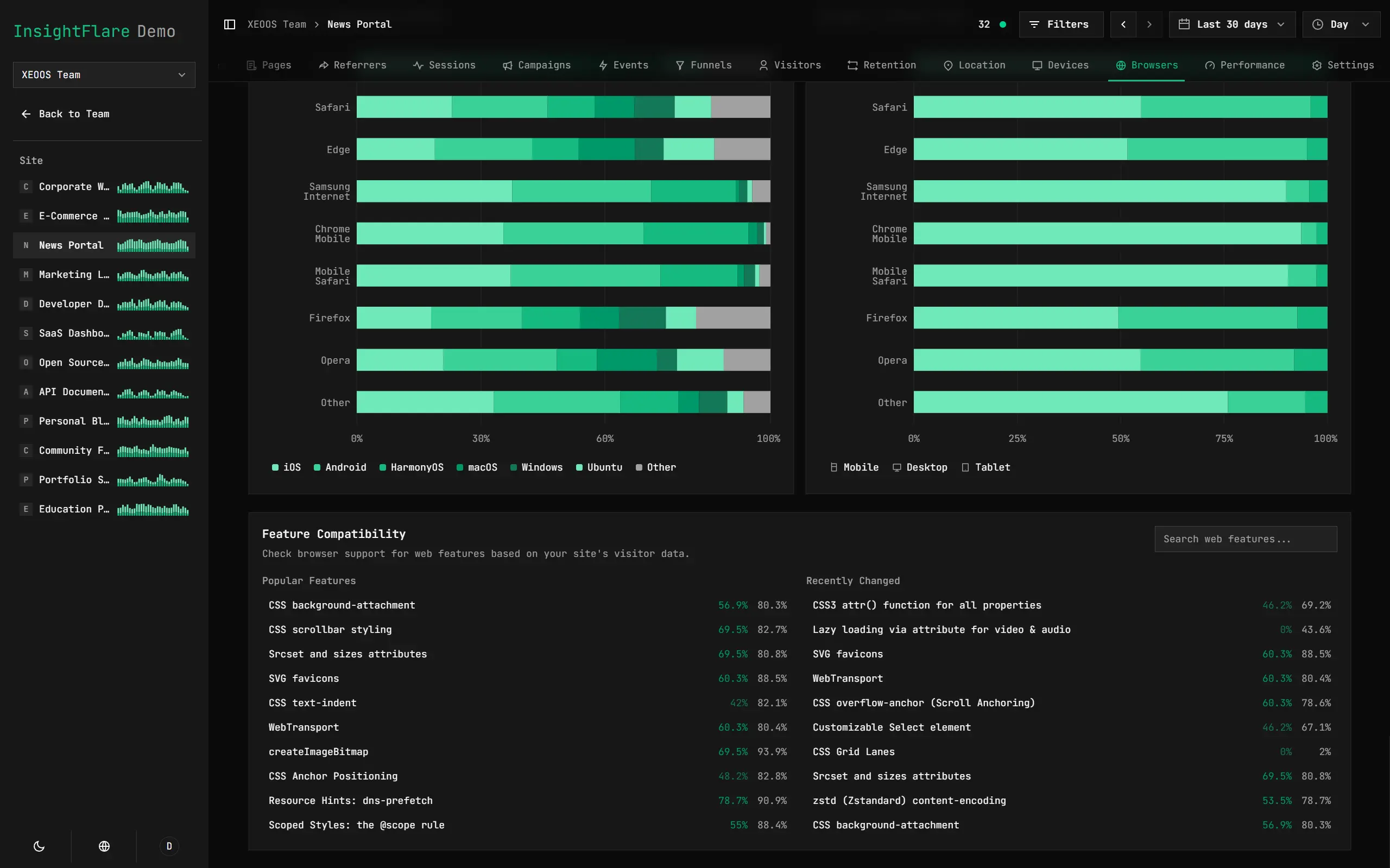
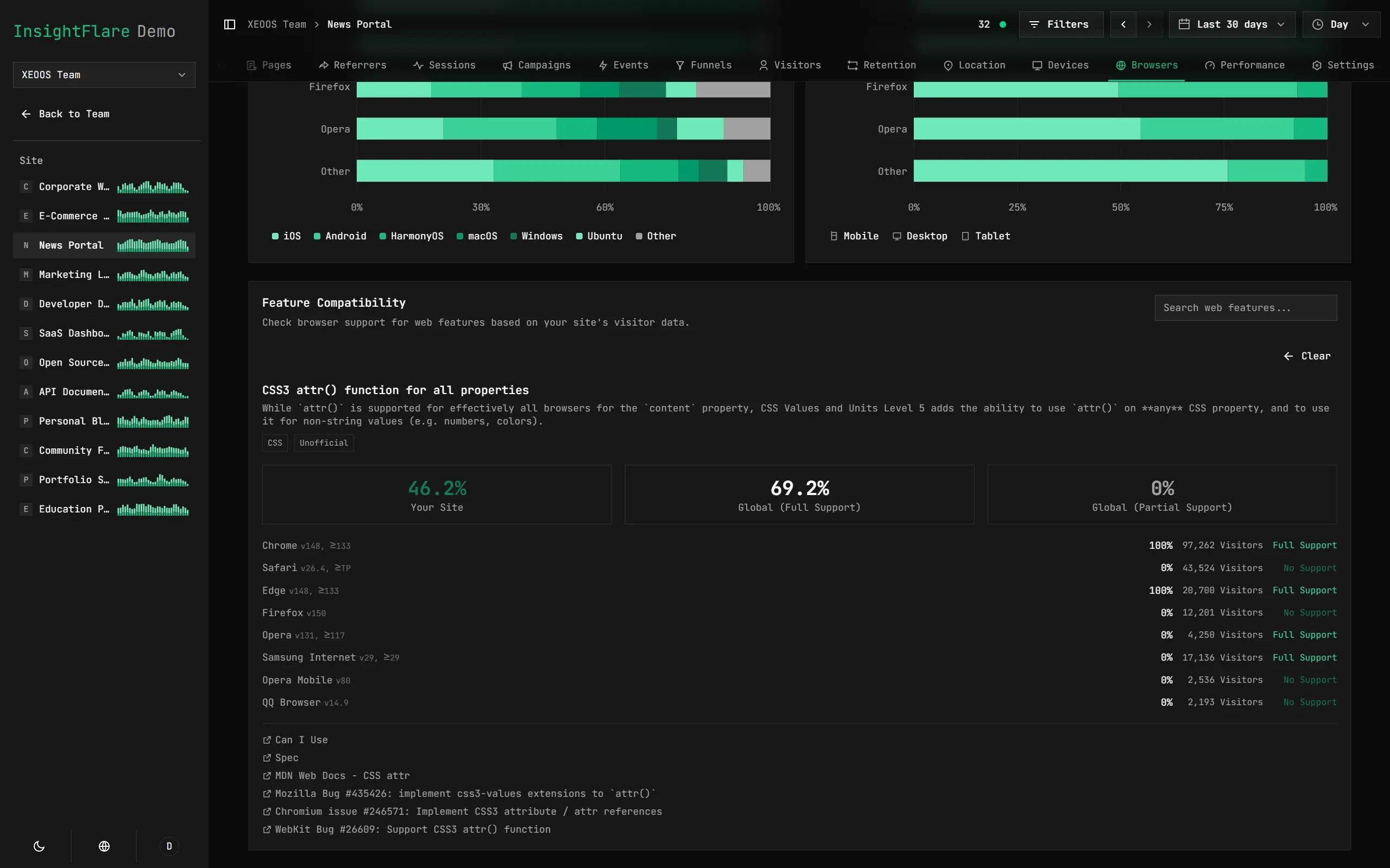
Understand Browsers and Their Capabilities
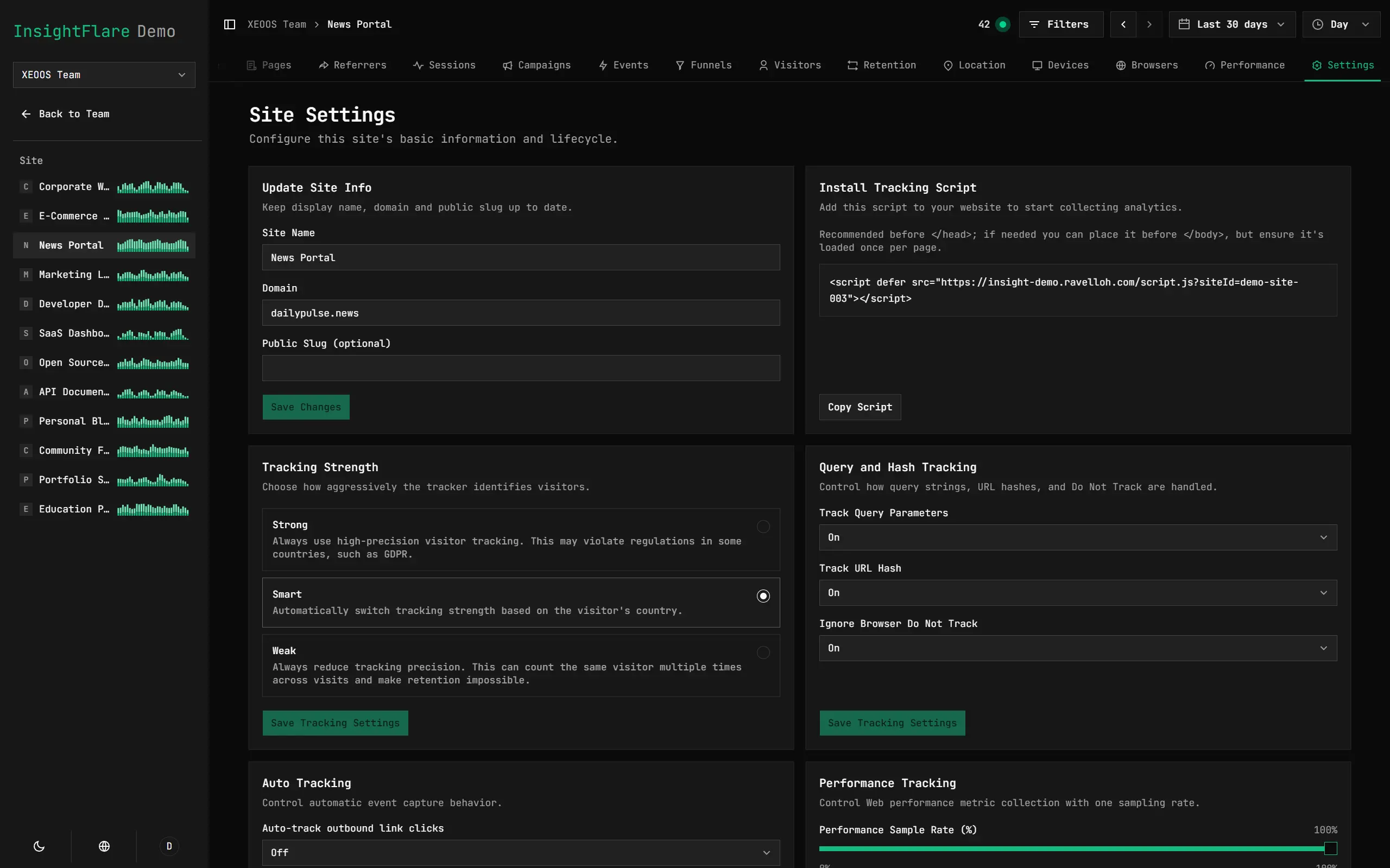
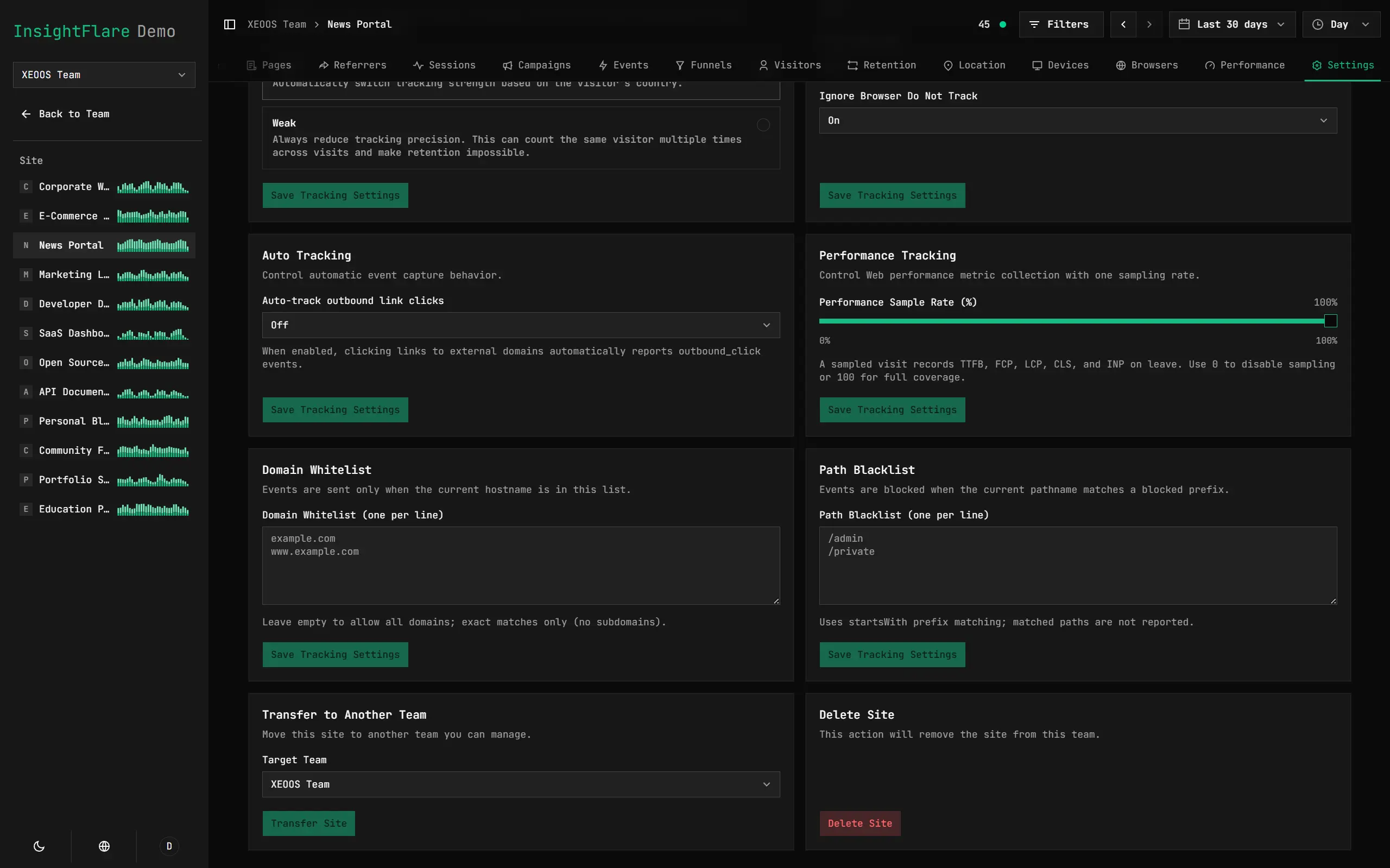
Adjust Tracking Settings Anytime, Without Changing the Frontend SDK
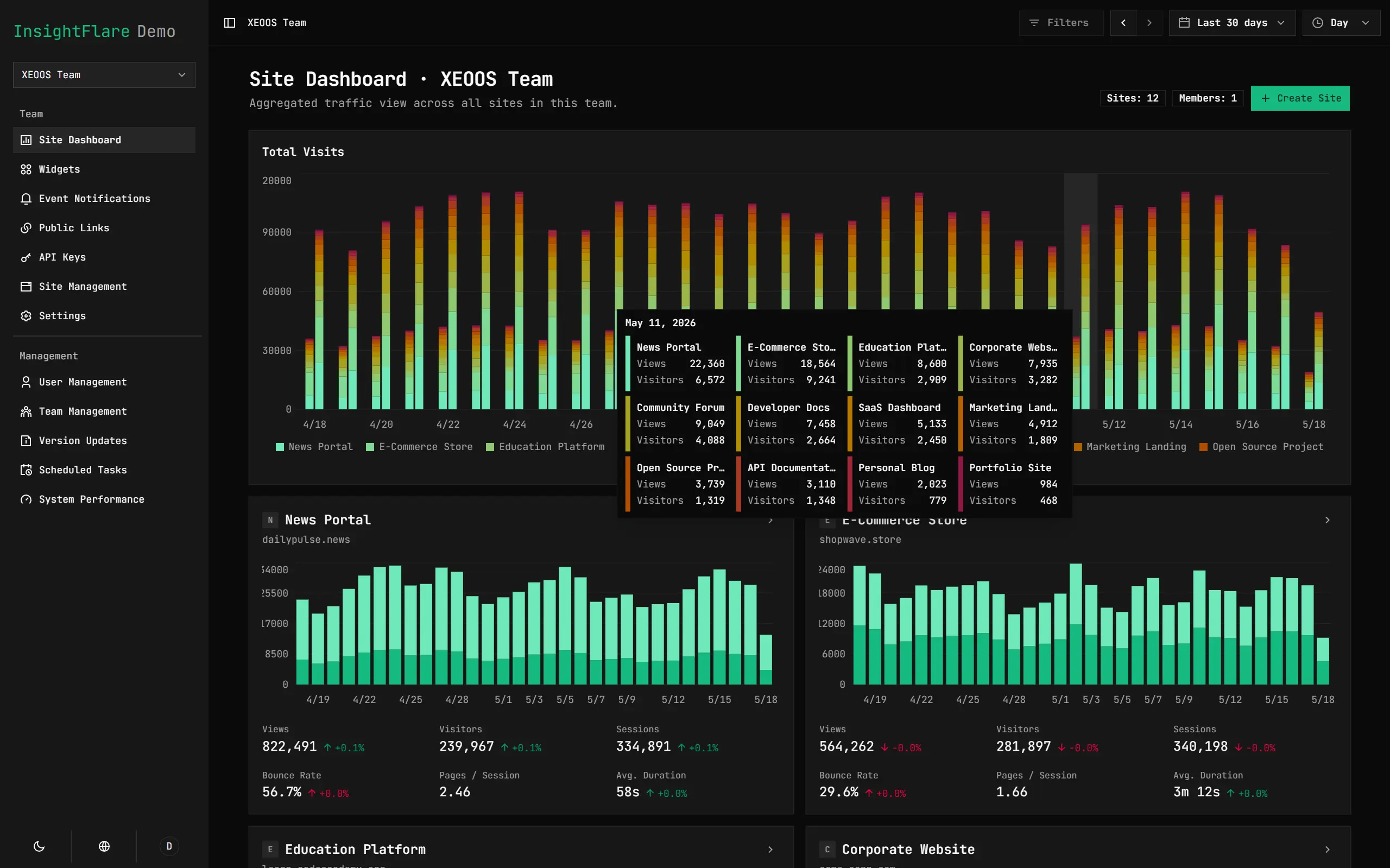
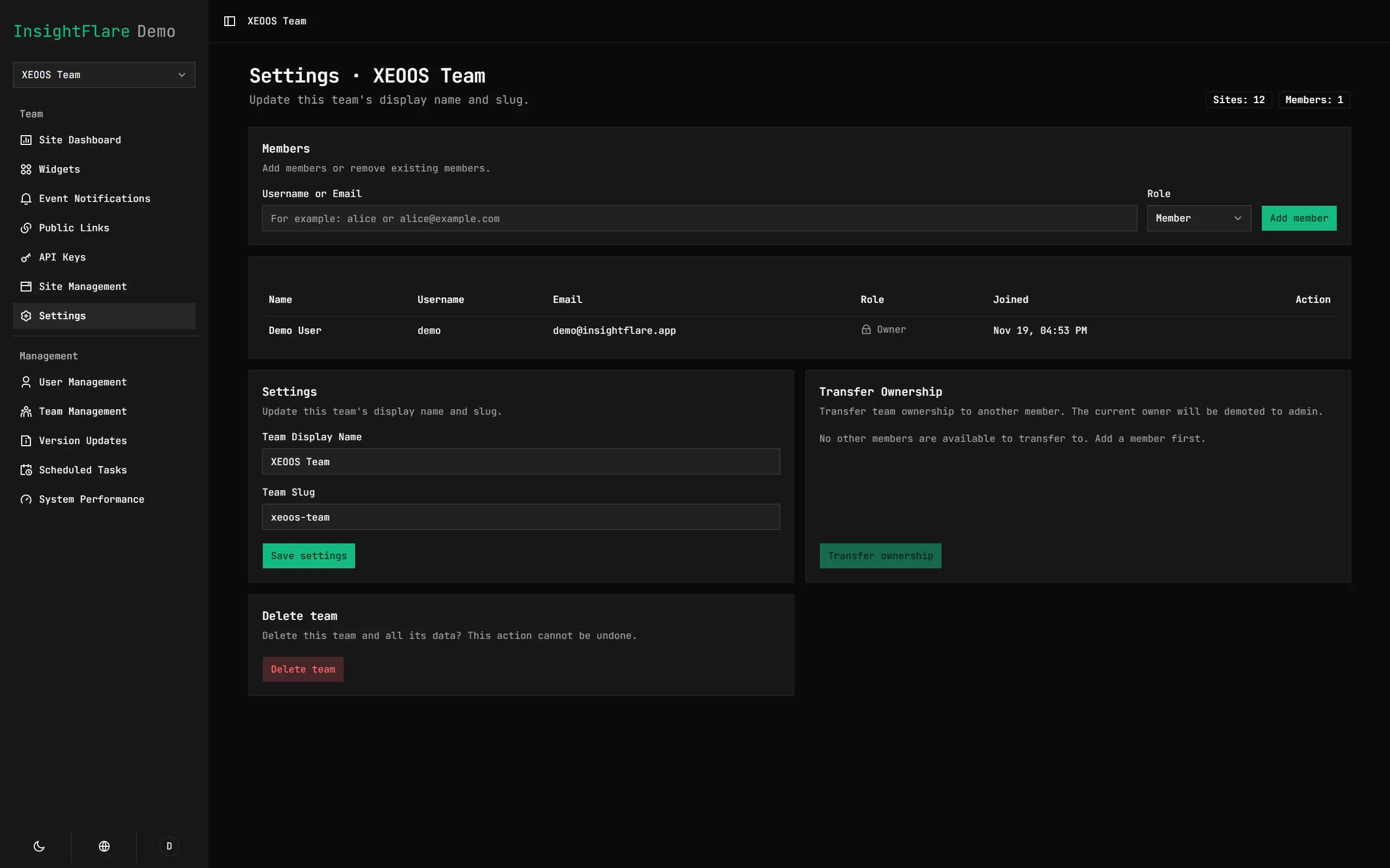
Designed for Team Collaboration
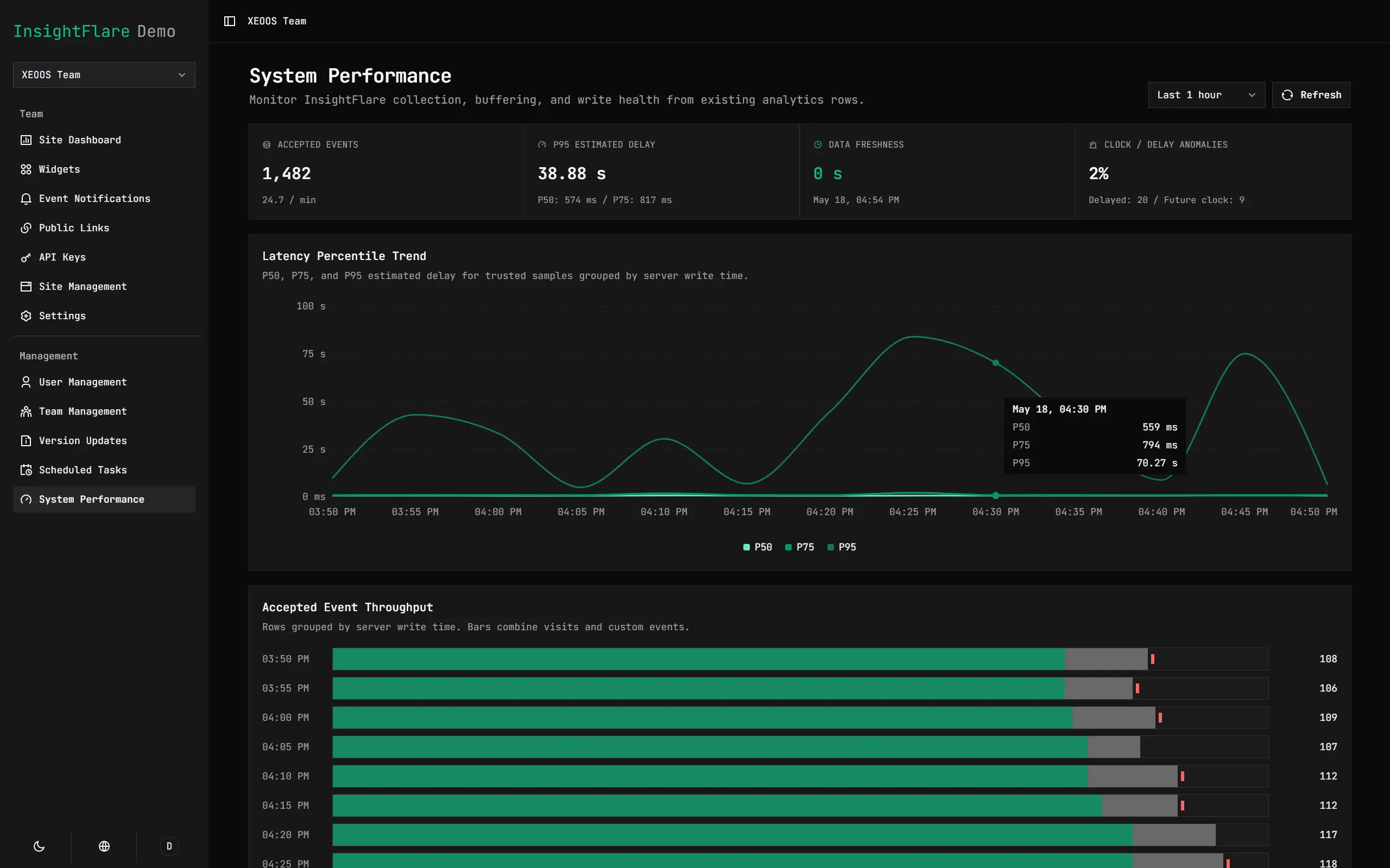
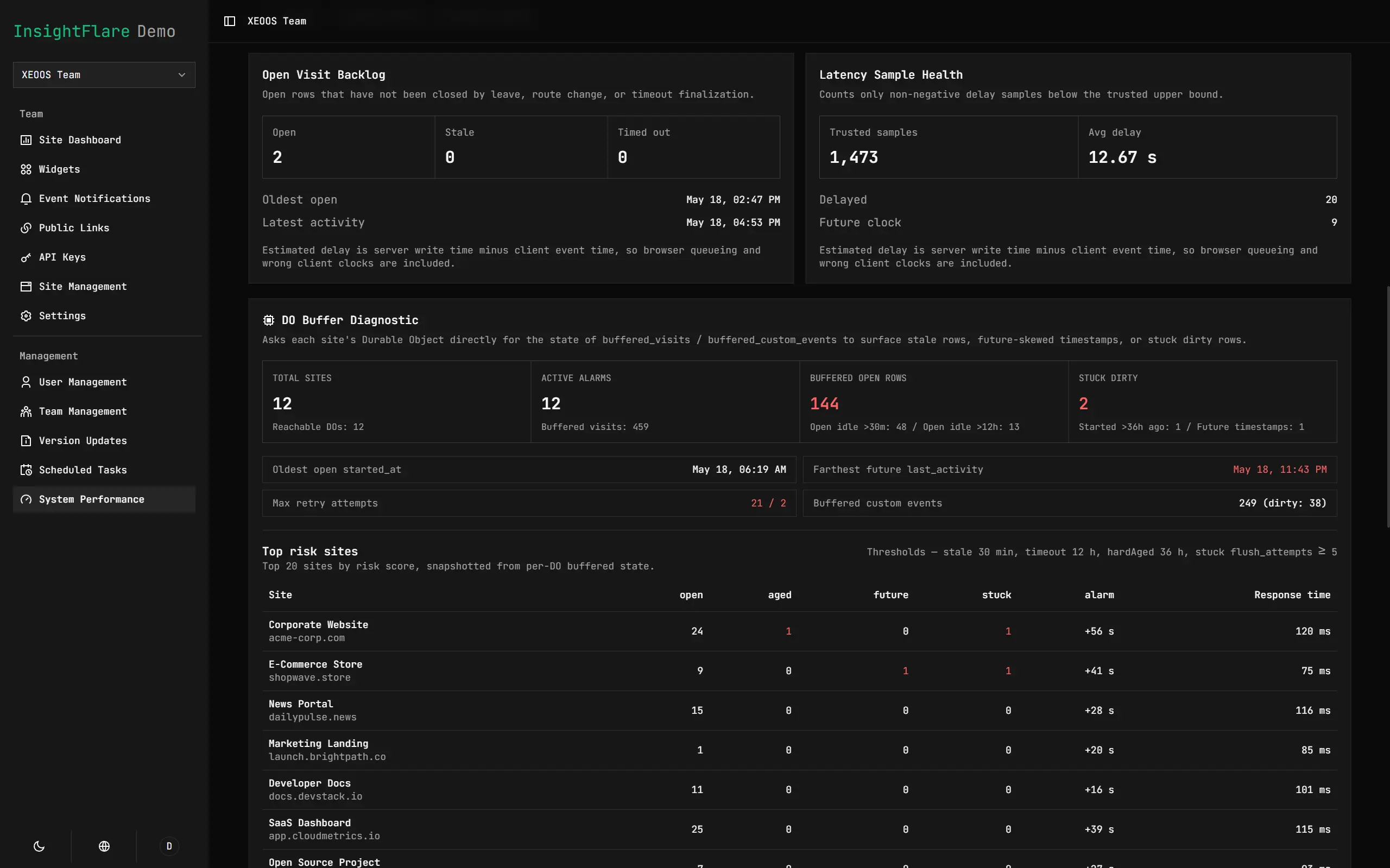
Understand System Health at a Glance
Complete Multilingual Translation
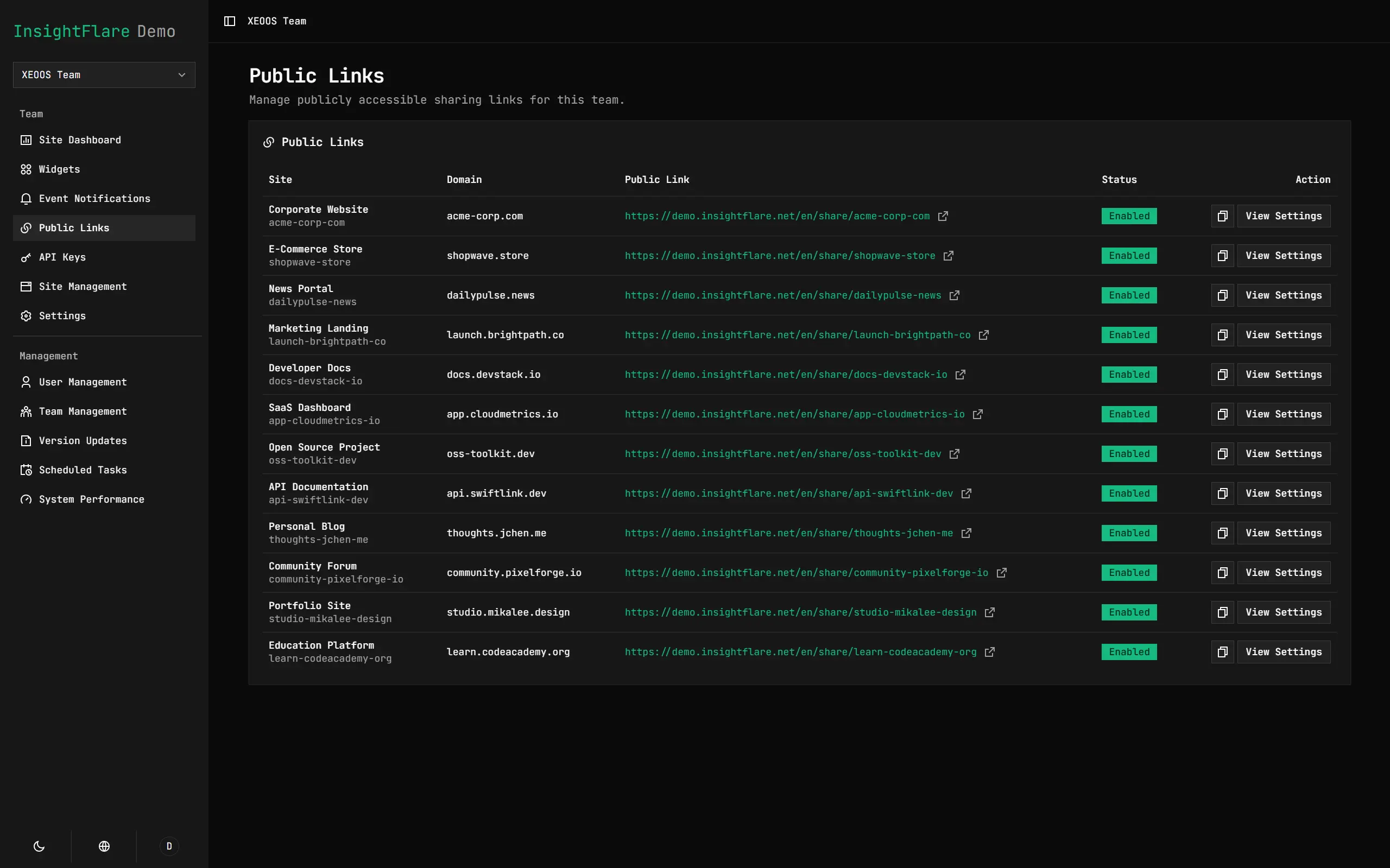
Public Sharing System
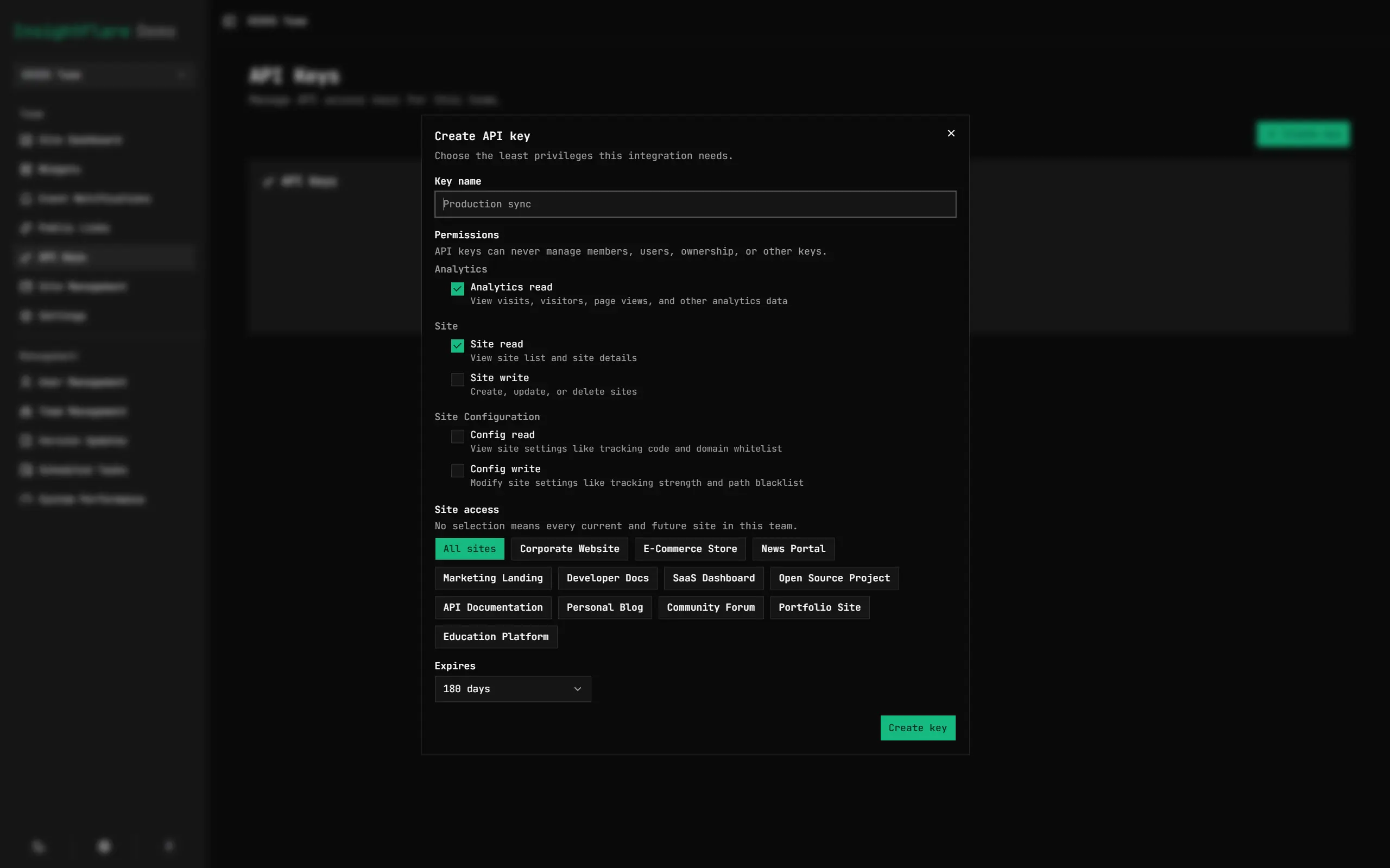
Clearly Scoped API System
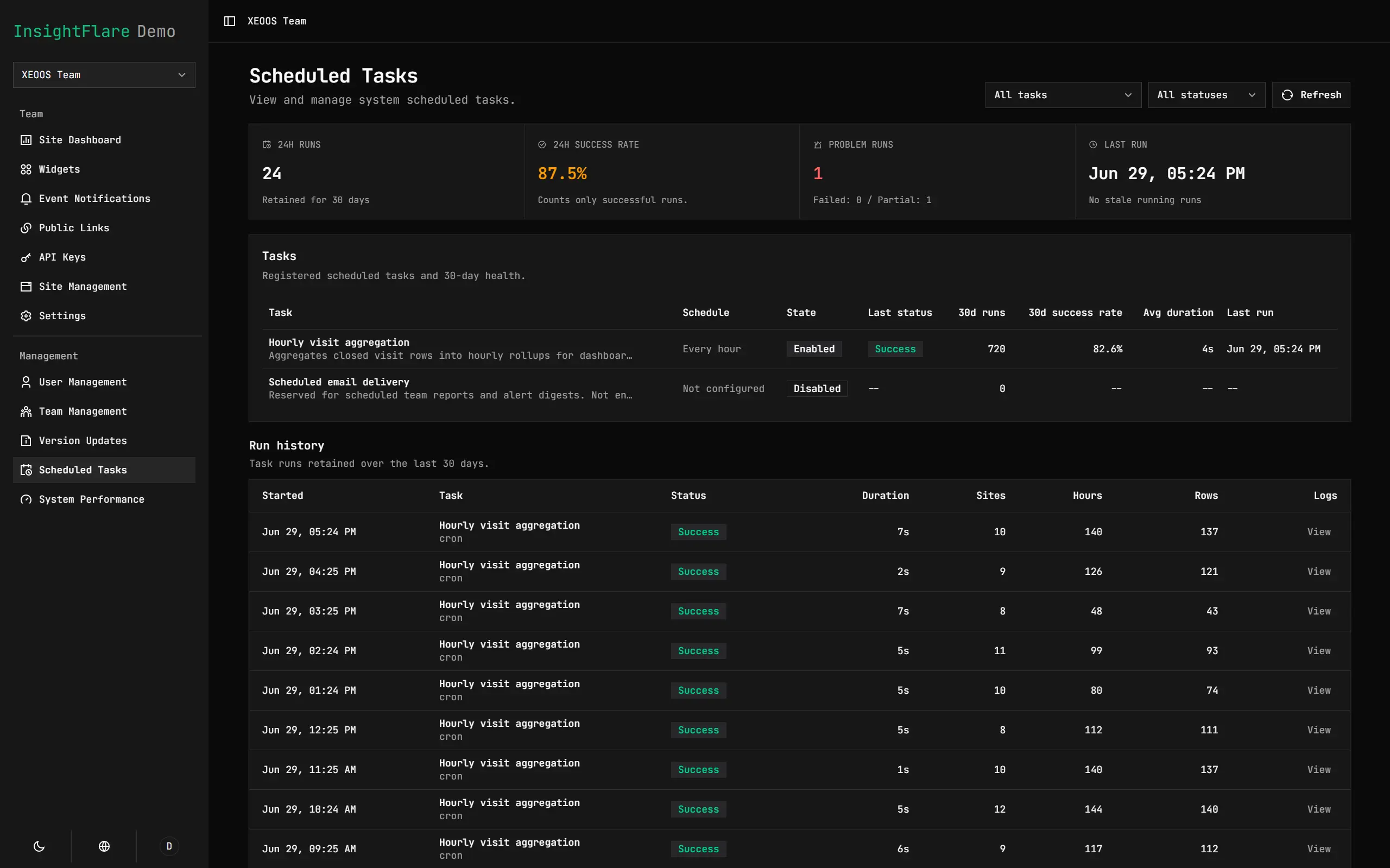
Scheduled Tasks
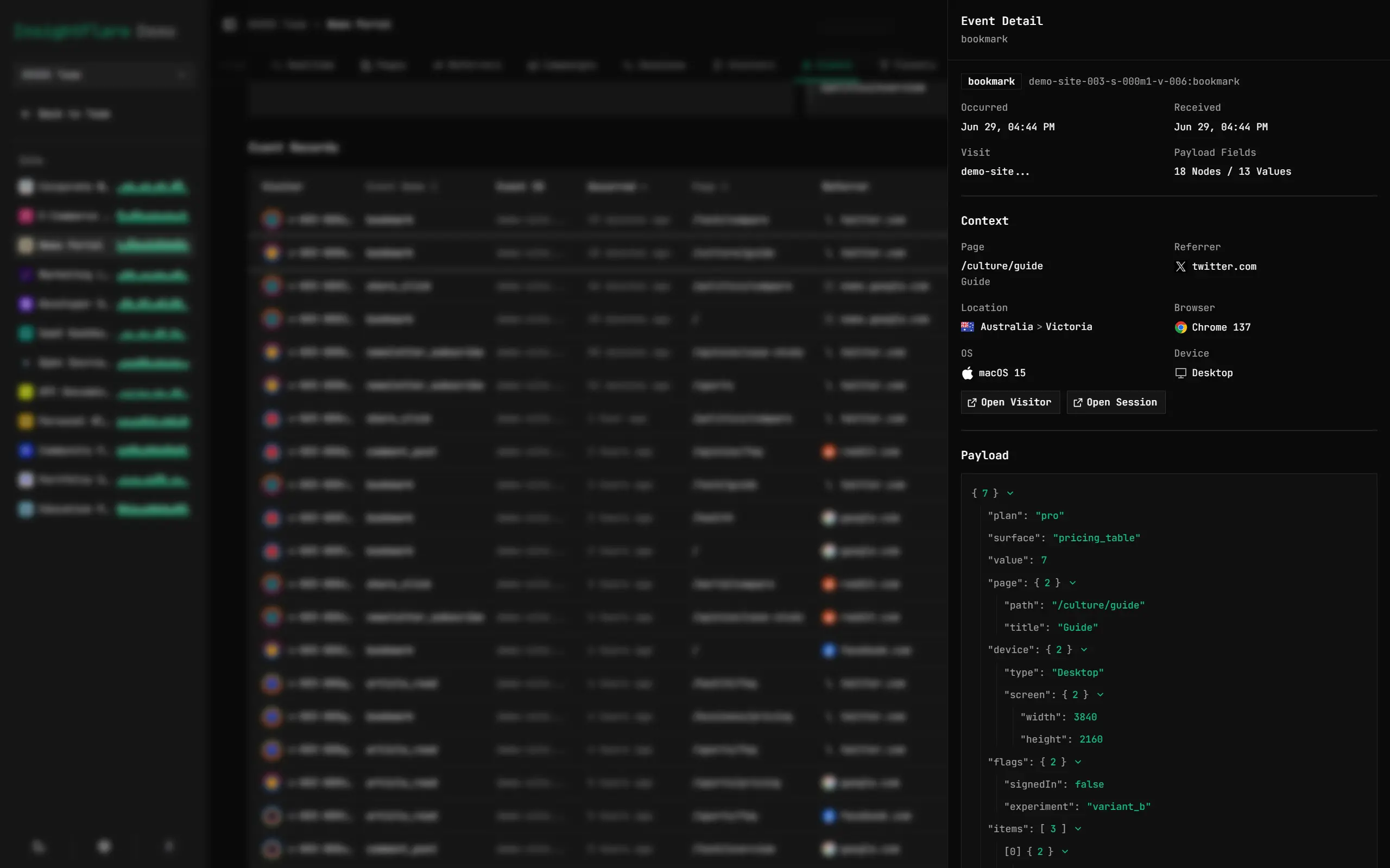
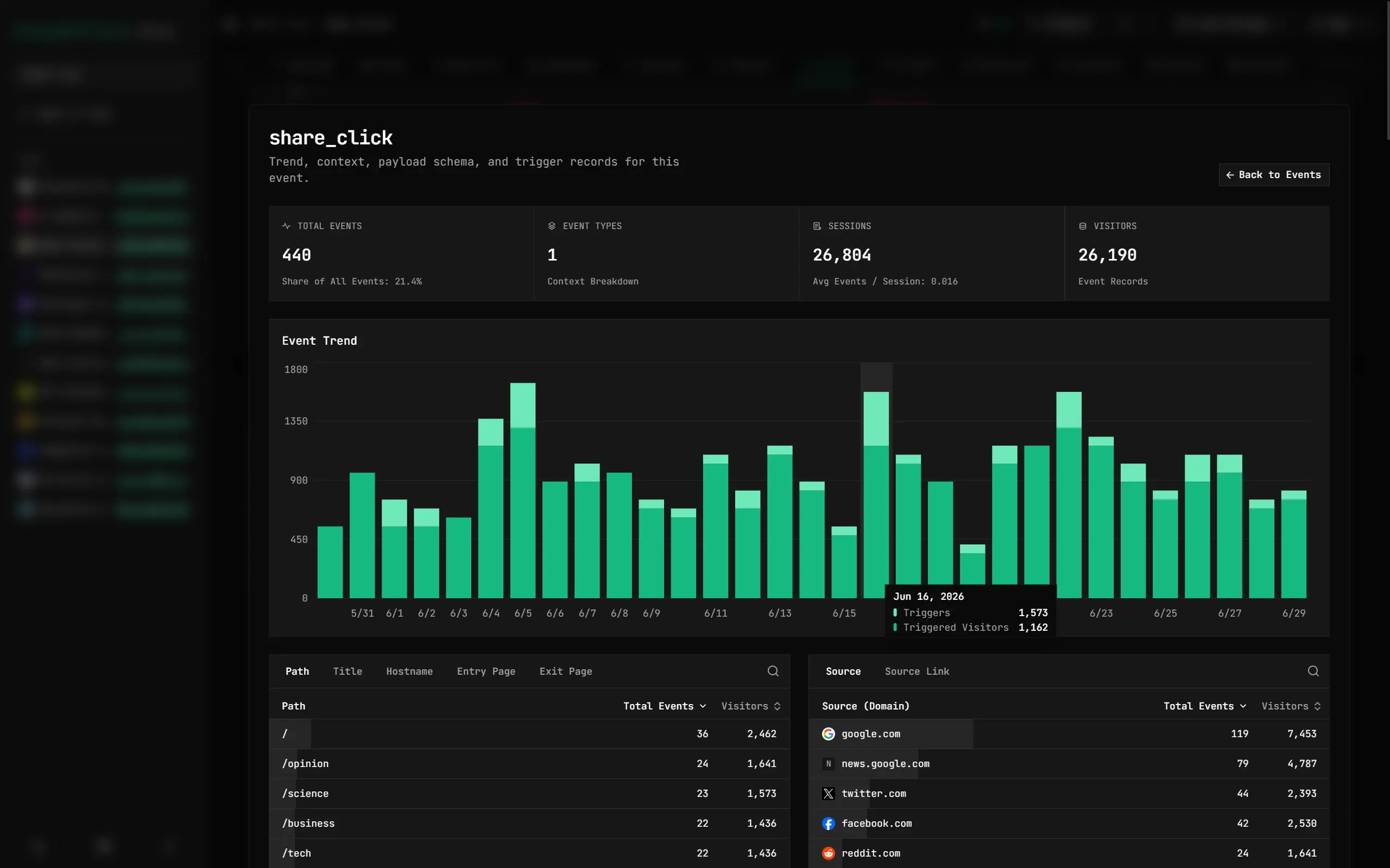
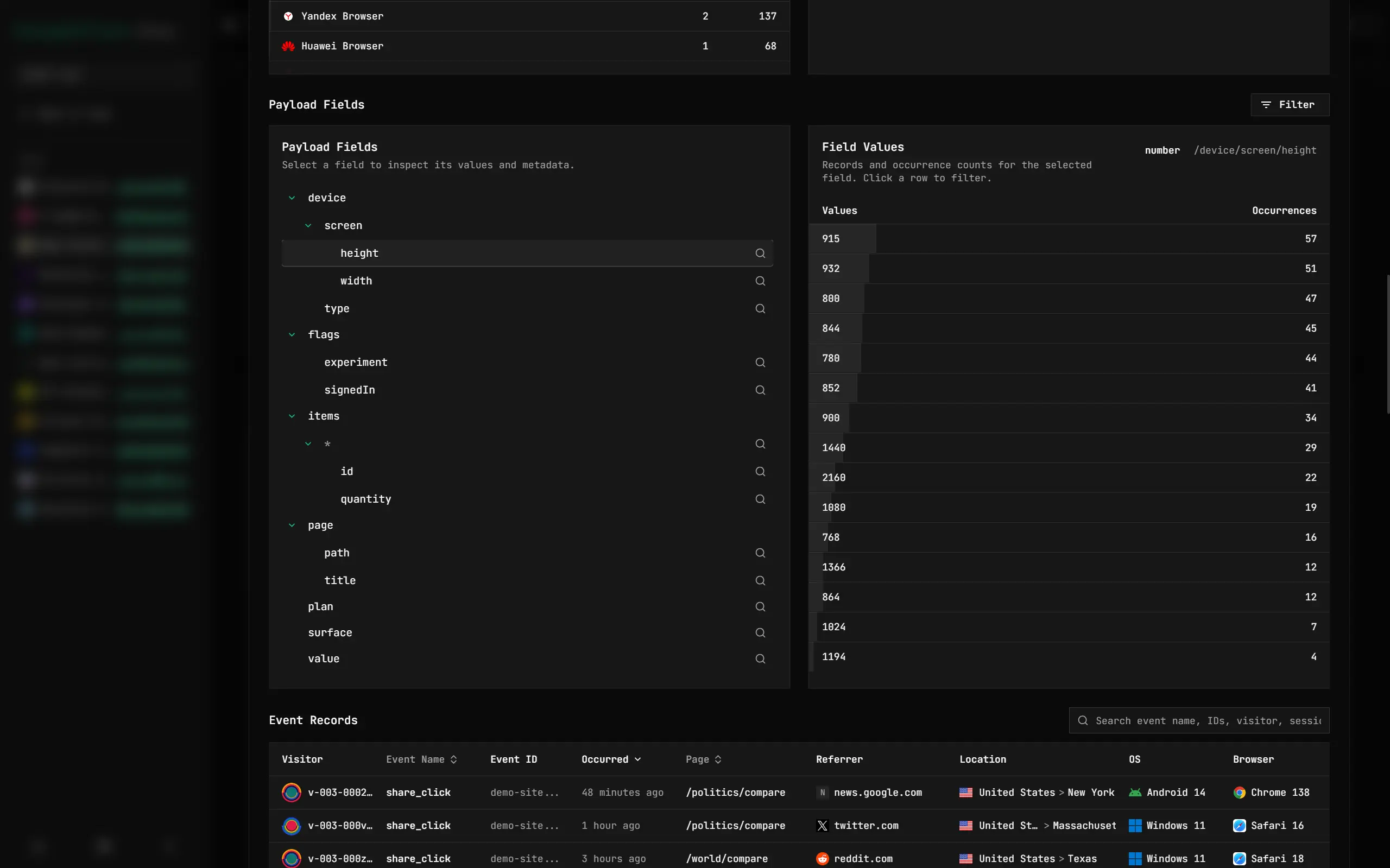
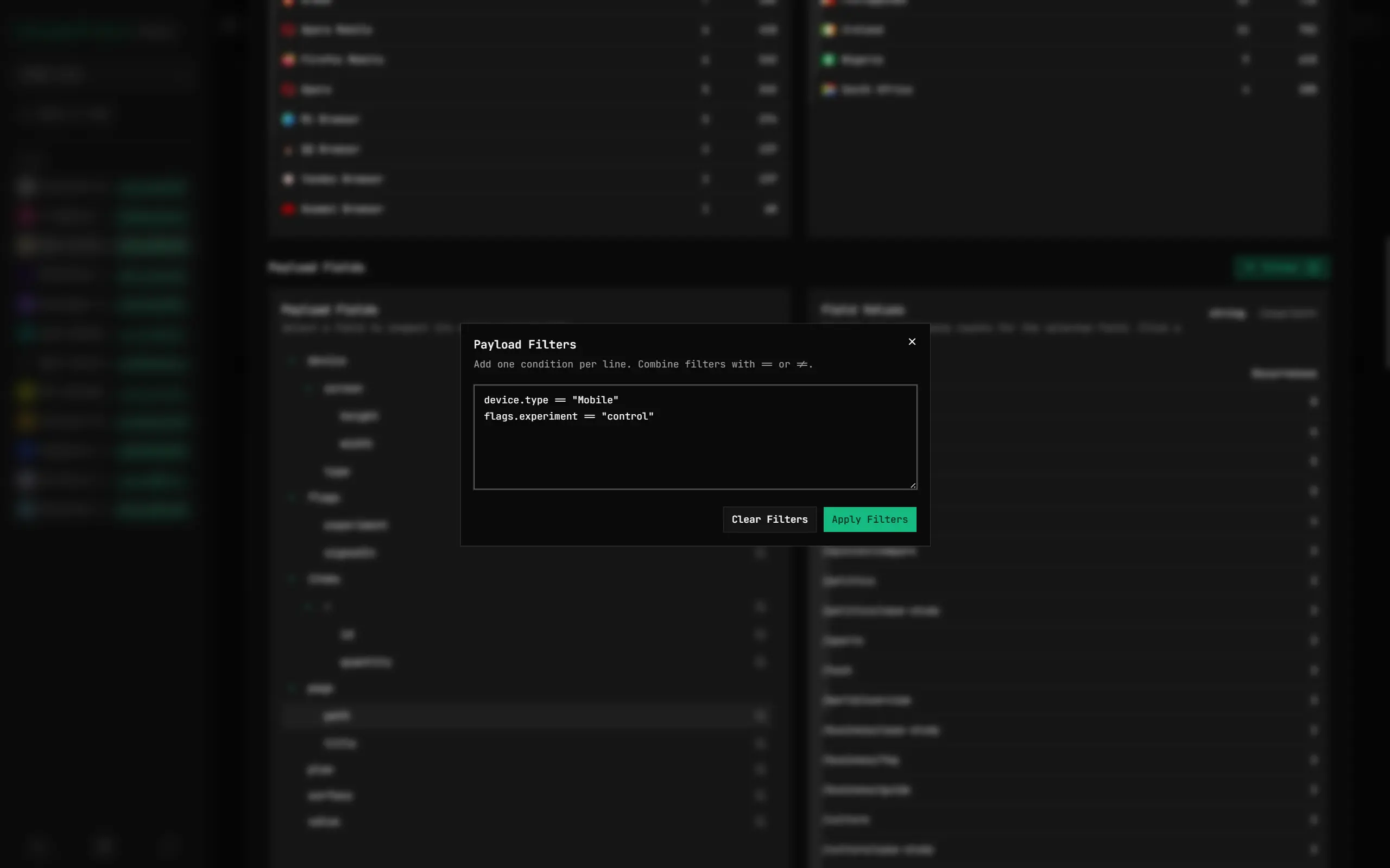
Deep Analysis for JSON Custom Events
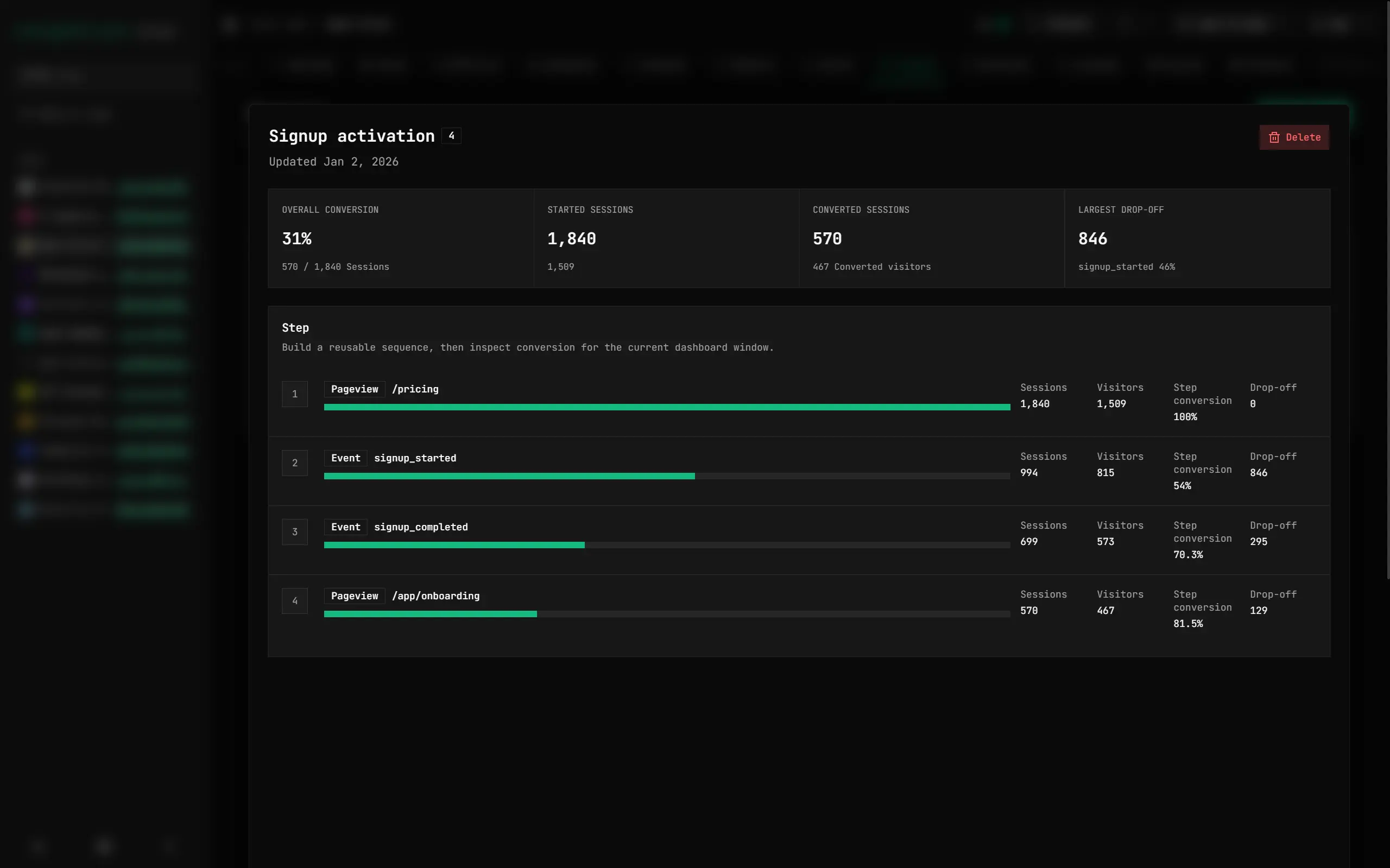
Analyze Visits and Events with Funnels
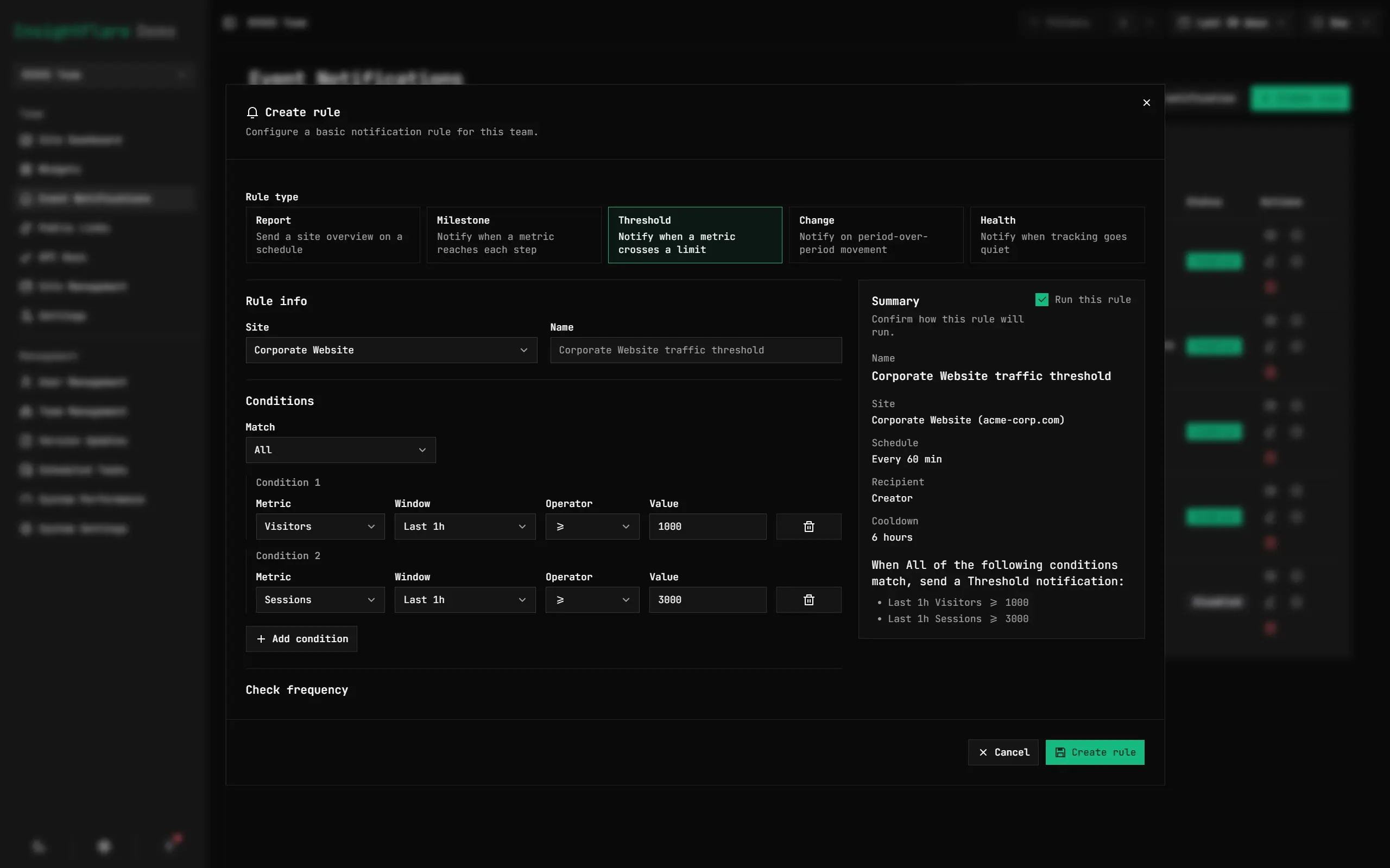
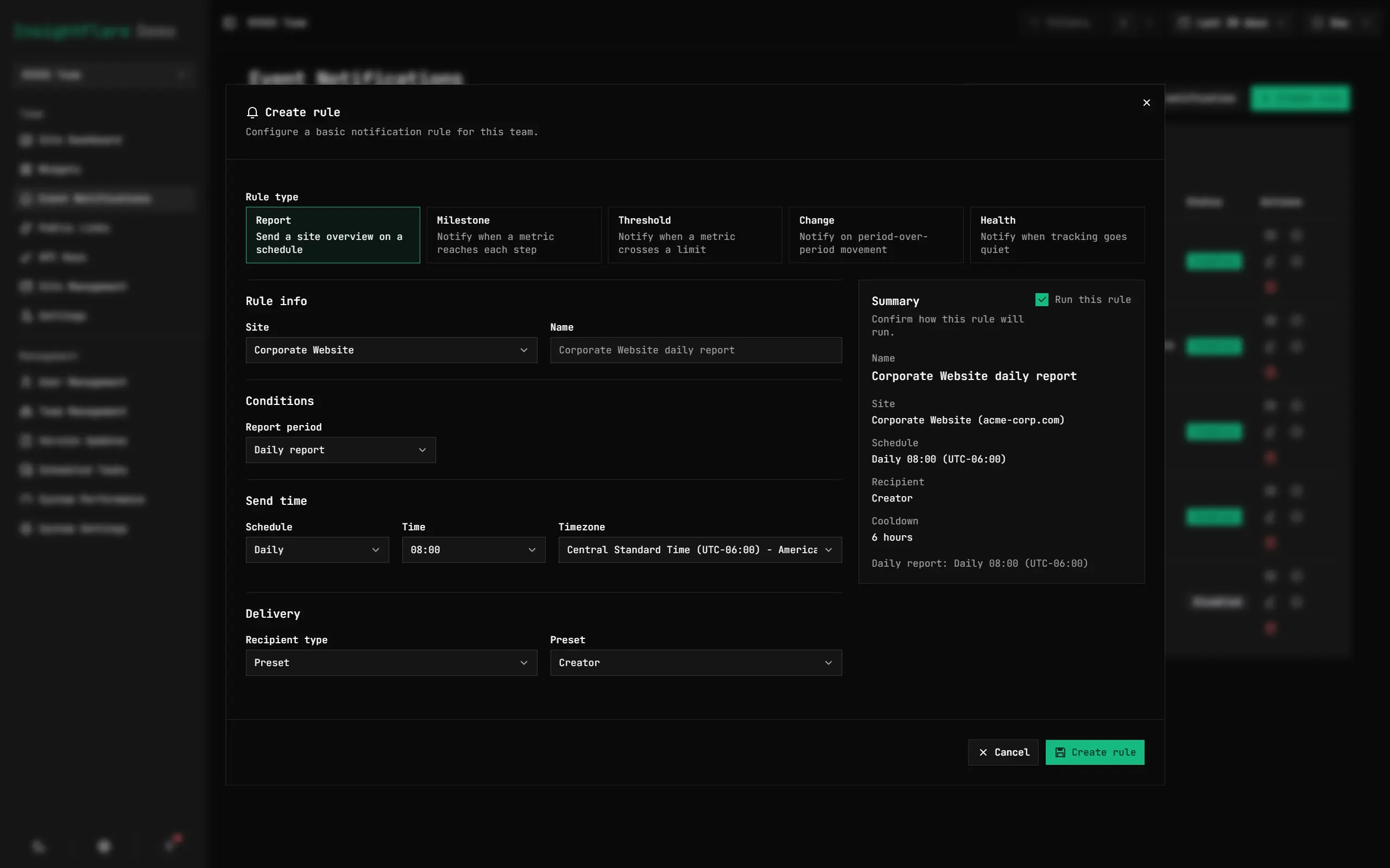
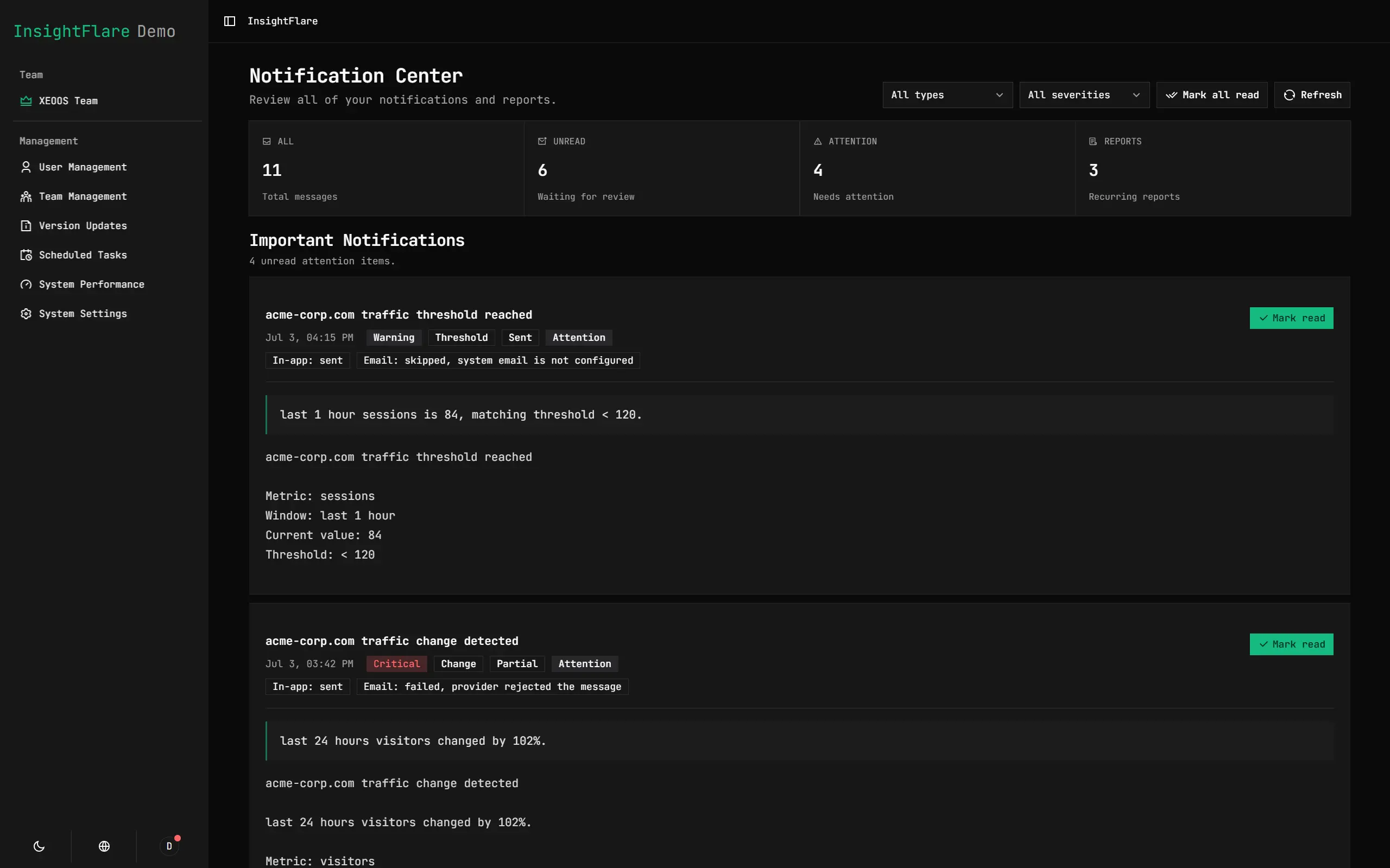
Receive Scheduled or Conditional Email Notifications
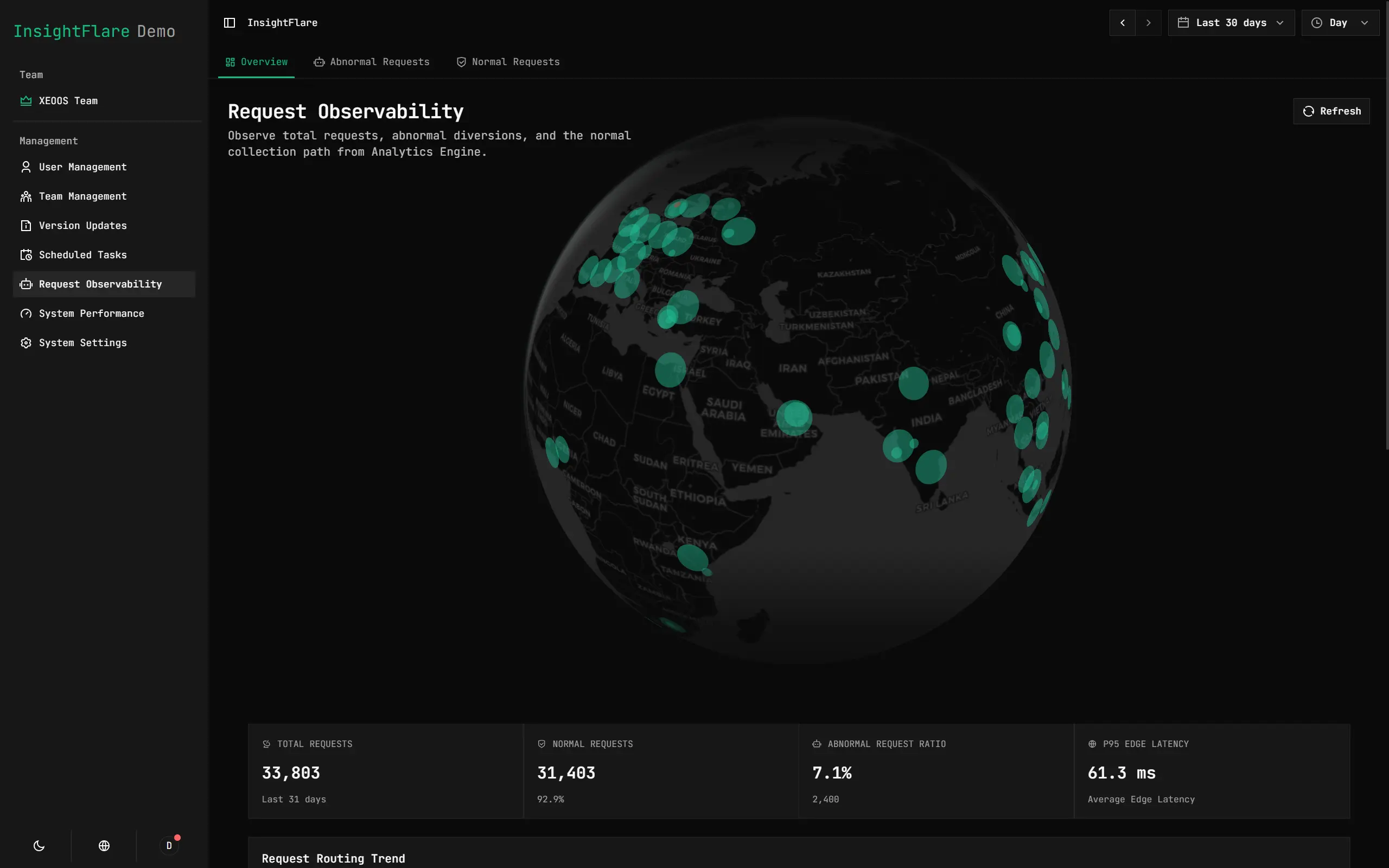
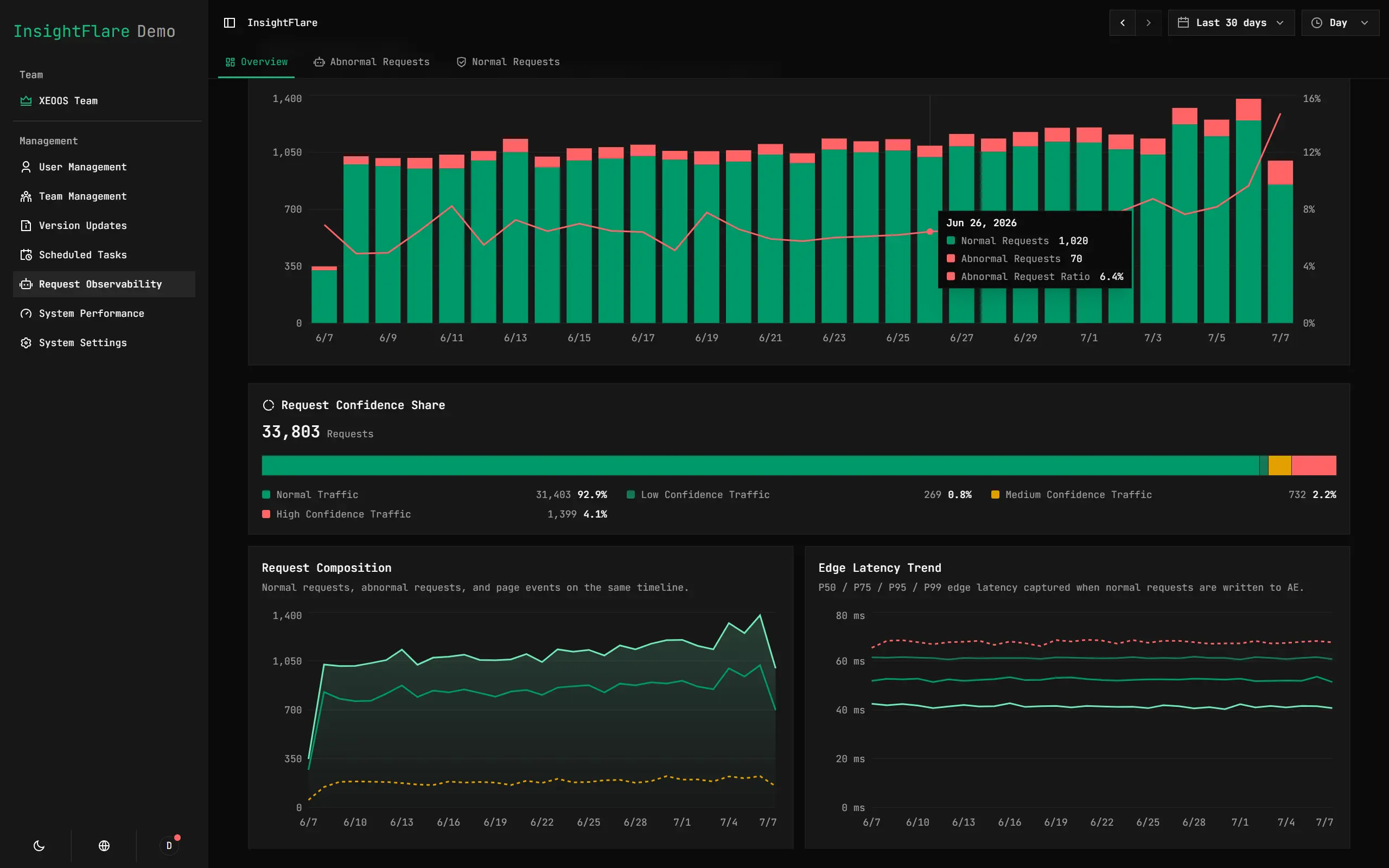
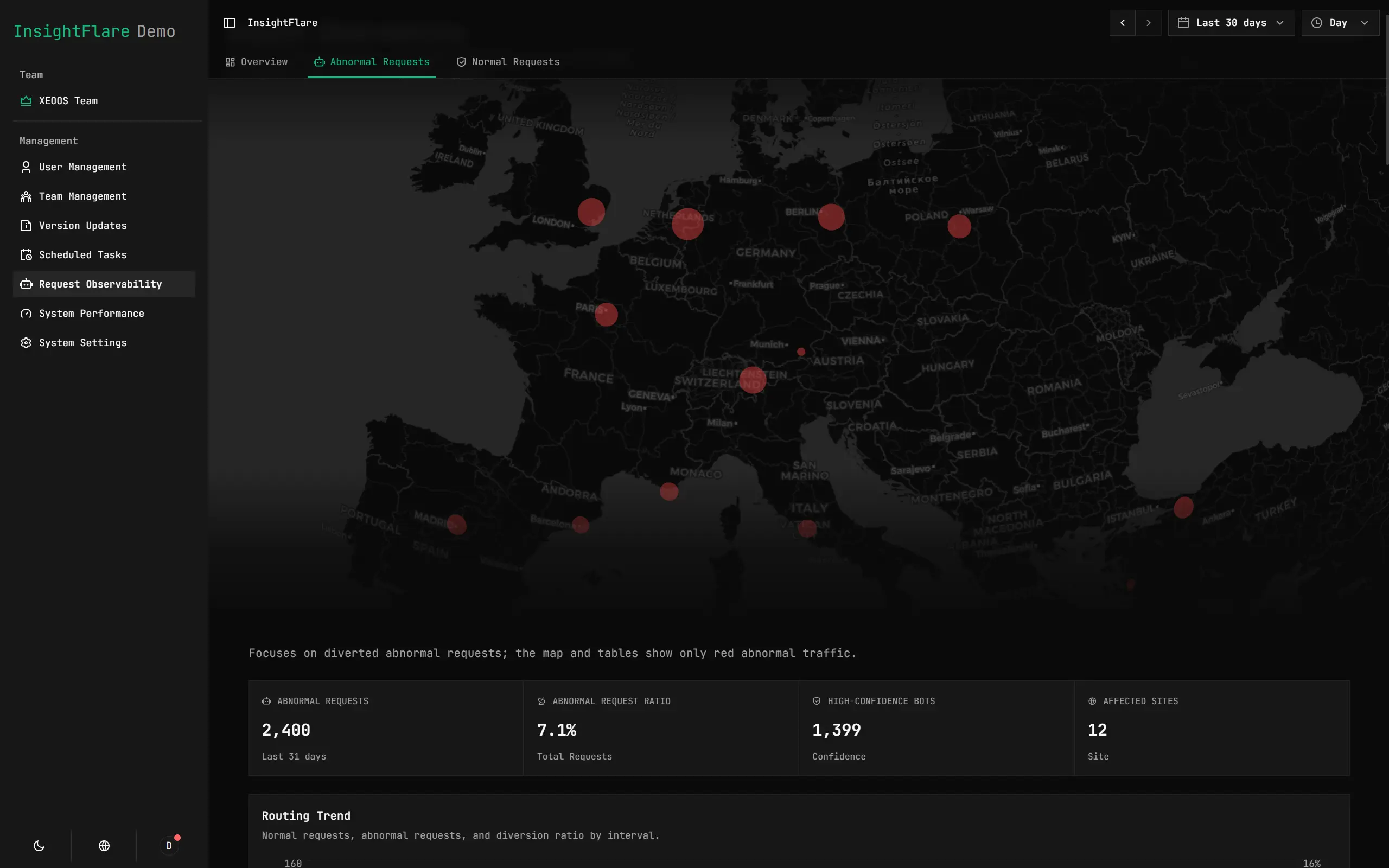
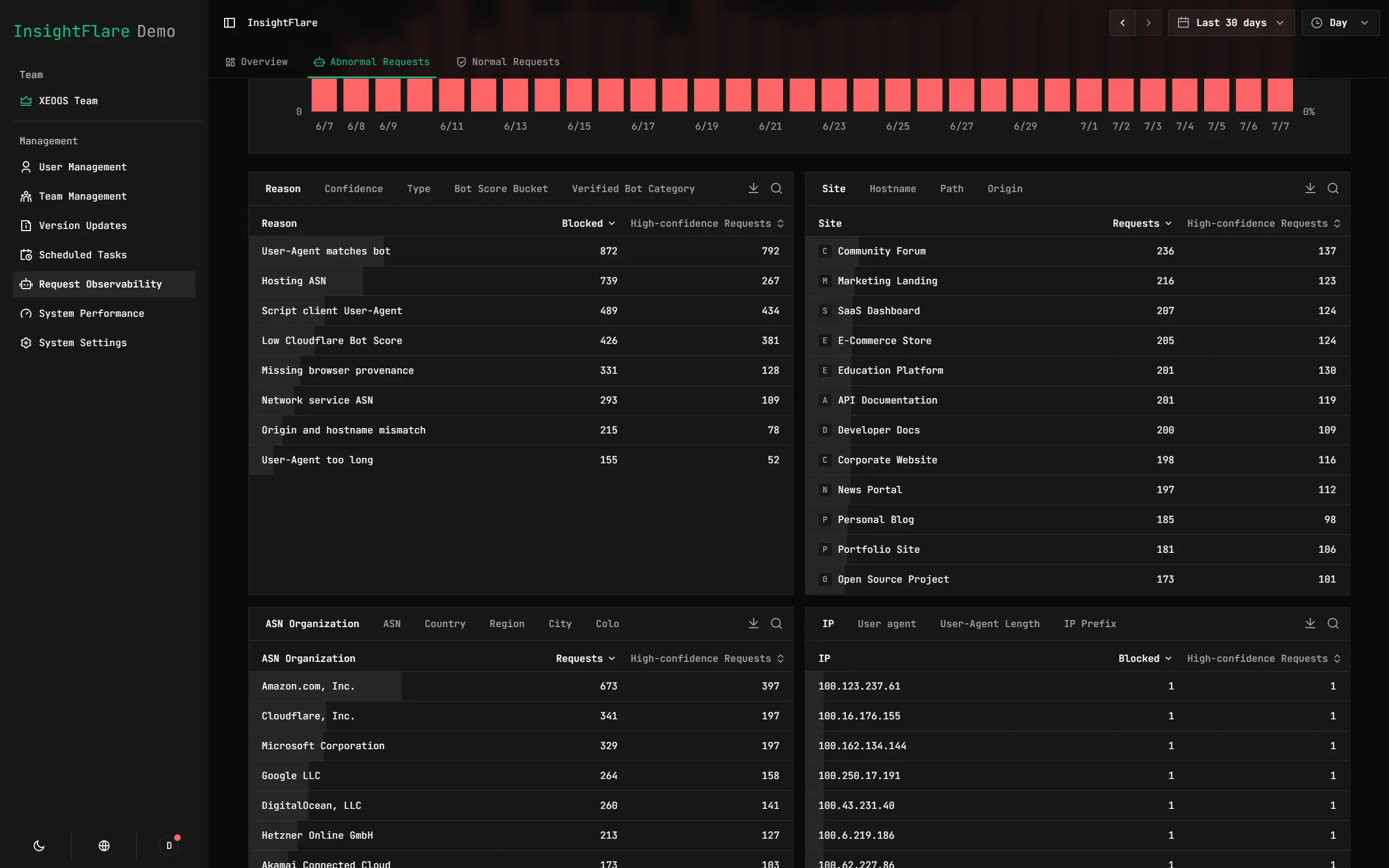
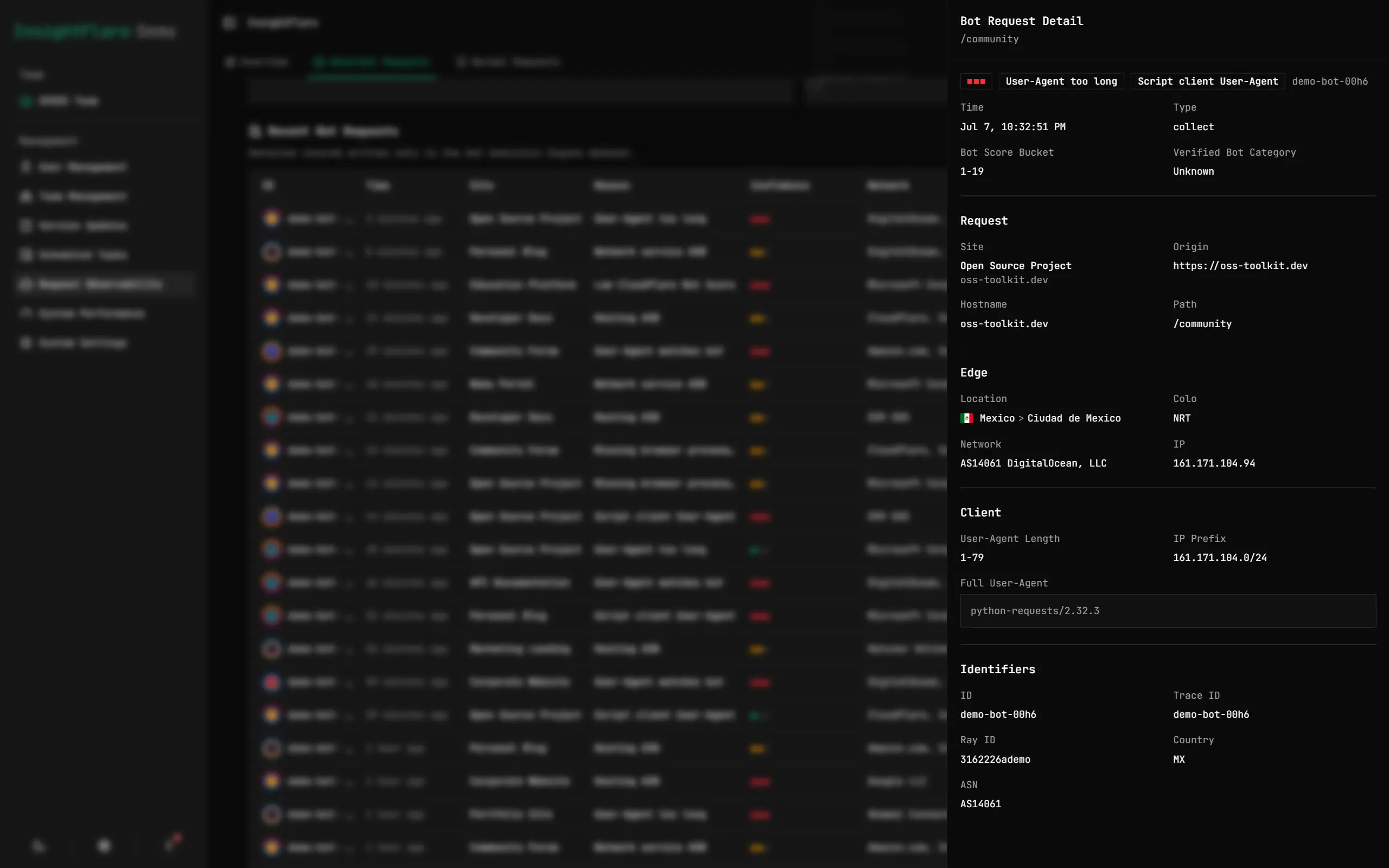
Multi-Dimensional Bot Protection and Request Observation
Advanced Configuration
Enable Analytics Engine for Deep Analysis
Analytics Engine is InsightFlare's optional high-throughput analytical layer. It keeps request observability and future traffic/event projections separate from the primary database:
REQUEST_ANALYTICS→ request observation and abnormal trafficTRAFFIC_ANALYTICS→ sampled traffic factsEVENT_ANALYTICS→ sampled custom-event facts
This requires enabling Analytics Engine manually. Open the Cloudflare Dashboard and click the "Enable" button on the right. After that, InsightFlare will automatically bind Analytics Engine to your Cloudflare account during deployment.
Once enabled, InsightFlare writes the three datasets above. The current version uses the new REQUEST_ANALYTICS dataset for the Request Observation page; the Traffic and Event datasets are accumulated for future Analytics Engine providers. Reading the datasets requires an API Token. In system settings, enter your Cloudflare Account ID and an API Token with the "Account Analytics" read permission. Reader configuration remains in the primary D1 database. See the "Guide" button in the InsightFlare dashboard settings page for details.
Connect AI Agents for Analysis
InsightFlare exposes Skills for AI Agents. You can connect your InsightFlare deployment to agents such as OpenClaw, Codex, Claude Code, and others, so they can access InsightFlare data directly for analysis and report generation.
Send the following instruction to your Agent, replacing the domain with your deployed InsightFlare instance. Your Agent will guide you to the dashboard to create a dedicated API key for accessing InsightFlare data.
Read https://<your InsightFlare domain>/.well-known/skills.json, connect to this web analytics system, and guide me through authorization.
Then you can ask your Agent questions in natural language, for example:
"How did my site perform last month? Where did most visitors come from among the highest-traffic sites? Which pages were the most popular?"
Override Wrangler Configuration with Cloudflare Variables
In Cloudflare build environments, you can use project variables and secrets to override deployment-specific values from wrangler.toml. build:pre reads these values before deployment, writes them into the active Wrangler config, and the following wrangler deploy uses the resolved config.
Common variables:
| Name | Overrides |
|---|---|
INSIGHTFLARE_WORKER_NAME |
Worker name |
INSIGHTFLARE_D1_DATABASE |
D1 database name |
INSIGHTFLARE_D1_DATABASE_ID |
D1 database ID for the DB binding |
INSIGHTFLARE_SITE_SETTINGS_KV_ID |
KV namespace ID for SITE_SETTINGS_KV |
INSIGHTFLARE_ARCHIVE_BUCKET_NAME |
R2 bucket for ARCHIVE_BUCKET |
INSIGHTFLARE_ARCHIVE_PREVIEW_BUCKET_NAME |
R2 preview bucket |
SESSION_WINDOW_MINUTES |
Session window in minutes |
SCRIPT_CACHE_TTL_SECONDS |
/script.js CDN cache TTL |
PARQUET_WASM_URL |
Parquet wasm URL |
INSIGHTFLARE_EDGE_URL |
InsightFlare service base URL |
You can also write arbitrary [vars] entries with INSIGHTFLARE_VAR_<NAME>. For example, INSIGHTFLARE_VAR_FEATURE_FLAG=1 becomes FEATURE_FLAG = "1". When deploying with --env production, environment-specific names such as INSIGHTFLARE_PRODUCTION_D1_DATABASE_ID and INSIGHTFLARE_PRODUCTION_VAR_INSIGHTFLARE_EDGE_URL target [env.production].
Configure an R2 Bucket for Cold Archive
You only need to manually create an R2 bucket if you want to enable cold archive to R2. By default, traffic data is retained for 1 year. Expired data is compressed and retained so trends and data can still be viewed, but it cannot be filtered. R2 is optional, and the Deploy Button does not require an R2 binding by default. After R2 is enabled, you can run detailed queries on data older than 1 year.
Create a bucket named insightflare-archive in Cloudflare. Then uncomment [[r2_buckets]] in wrangler.toml as shown below:
[[r2_buckets]]
binding = "ARCHIVE_BUCKET"
bucket_name = "insightflare-archive"
preview_bucket_name = "insightflare-archive-preview"
Stay Updated
InsightFlare includes a pioneering GitHub App based automatic update system to provide the simplest update experience.
Keeping your deployment updated only takes two steps:
- Install the GitHub App for your repository. This is only required once. Only select the repository where you deployed InsightFlare: Install InsightFlare Sync
- When upstream updates are available, a PR will be submitted to your repository automatically. You only need to merge that request.
Want to make your own project easy to sync downstream? Implementation details: RavelloH/upstream-sync-bot (open source template) + RavelloH/InsightFlare-Bot (this project's bot instance).
Custom Event Reporting
The InsightFlare frontend SDK supports reporting custom events either through manual calls or automatically through DOM attributes.
Manual Calls
<script defer src="/script.js?siteId=YOUR_SITE_ID"></script>
<script>
  window.addEventListener("DOMContentLoaded", () => {
    window.insightflare.track("signup_click", {
      plan: "pro",
      source: "pricing",
    });
  });
</script>
Available methods:
track(eventName, eventData?): Report a custom event.trackOnce(eventName, eventData?): Report the same event name only once during the current page lifecycle.setGlobalProperties(props): Add shared properties to subsequent events.clearGlobalProperties(): Clear shared properties.
Identify Users
Associate the current visit with a signed-in user without changing the anonymous visitor boundary:
<script>
  window.insightflare.identify("user-123", { name: "Alice" });
</script>
Call identify after sign-in so the current and subsequent visits can be analyzed together. Calling it before the first page view is also supported. On logout, call reset() to end the current identity, create a new anonymous visitor boundary, and prevent later events from inheriting the old account:
window.insightflare.reset();
window.insightflare.identify("user-456", { name: "Bob" });
Use reset() before switching accounts. Calling identify("user-456") alone does not create a new visitor boundary.
Automatic Reporting via DOM Attributes
<!-- 1. Default click trigger -->
<button data-insightflare-event="signup_click">Sign up now</button>
<!-- This reports: { eventName: "signup_click" } -->

<!-- 2. Click trigger with extra fields through data-insightflare-event-* -->
<button
  data-insightflare-event="signup_click"
  data-insightflare-event-plan="pro"
  data-insightflare-event-source="pricing"
>
  Sign up now
</button>
<!-- This reports: { eventName: "signup_click", eventData: { plan: "pro", source: "pricing" } } -->

<!-- 3. Click trigger with JSON extra fields -->
<button
  data-insightflare-event="signup_click"
  data-insightflare-event-data='{"plan":"pro","source":"pricing"}'
>
  Sign up now
</button>
<!-- This reports: { eventName: "signup_click", eventData: { plan: "pro", source: "pricing" } } -->

<!-- 4. Form submit trigger -->
<form
  data-insightflare-event="contact_submit"
  data-insightflare-event-trigger="submit"
  data-insightflare-event-data='{"plan":"pro","source":"landing"}'
>
  ...
</form>
Tech Stack
| Layer | Technologies |
|---|---|
| Frontend | TanStack Start 1, TanStack Router, Vite 8, React 19, Tailwind CSS 4, Radix UI, shadcn, Recharts, deck.gl, maplibre-gl, Motion |
| Backend | Cloudflare Workers, Durable Objects, D1, R2, KV |
| Build | Cloudflare Vite Plugin, Wrangler 4, TypeScript 5 |
Manual Deployment
If you do not use the deploy button, deploy with the steps below:
- Fork or clone this repository to your GitHub account
- Create the following resources in Cloudflare:
- D1 database
- KV namespace
- R2 bucket (optional, only required for cold archive to R2)
- Edit
wrangler.tomland bind the D1 and KV resources to the Worker - Fill in environment variables by referring to
.dev.vars.example - Import this repository from the Worker page
Local Development
- Clone this repository locally:
git clone https://github.com/RavelloH/InsightFlare - Install dependencies:
pnpm install - Create the local database:
pnpm run db:migrate:local - Set environment variables by referring to
.dev.vars.example - Start the development server:
pnpm run dev
pnpm run dev:ui starts the Vite development server in Demo Mode and uses frontend mock data for UI testing. To enable Demo Mode with pnpm run dev, set DEMO_MODE=1.
Common Commands
| Command | Purpose |
|---|---|
pnpm run dev |
Vite + Cloudflare Workers local development (use http://localhost:3000) |
pnpm run dev:ui |
Start the Vite dashboard development server in Demo Mode |
pnpm run preview:local |
Build with local resources and run Wrangler preview |
pnpm run build |
Cloudflare managed build entrypoint |
pnpm run build:local |
Local precheck + local D1 migration + build |
pnpm run build:demo |
Demo build without resource bindings |
pnpm run deploy |
Cloudflare managed deploy entrypoint |
pnpm run publish |
Build and publish from an allowed Cloudflare environment |
pnpm run publish:demo |
Build and publish the demo Worker |
pnpm run check |
Auto-fix format/lint, then run build + typecheck + i18n + tests + spec checks |
pnpm run check:verify |
Run the full check suite without automatic fixes |
pnpm run typecheck |
TypeScript type checking |
pnpm run lint / lint:fix |
ESLint |
pnpm run format / format:check |
Prettier |
pnpm run check:i18n |
Validate translation key completeness |
pnpm run db:migrate:local |
Local D1 migration |
pnpm run db:migrate:cf |
Cloudflare D1 migration |
pnpm run db:migration:create |
Create a new migration file |
pnpm run ops:secret:main |
Set the MAIN_SECRET Worker secret |
pnpm run ops:secret:bootstrap-admin-password |
Set the bootstrap admin password secret |
pnpm run ops:tail |
View online Worker logs |
Key Configuration
| Name | Meaning |
|---|---|
SESSION_WINDOW_MINUTES |
Session window in minutes (default 30) |
SCRIPT_CACHE_TTL_SECONDS |
CDN cache TTL for /script.js |
PARQUET_WASM_URL |
Parquet wasm download URL |
INSIGHTFLARE_EDGE_URL |
InsightFlare service base URL |
MAIN_SECRET (Secret) |
Root secret for derived security keys |
BOOTSTRAP_ADMIN_PASSWORD (Secret) |
Initial administrator password |
DAILY_SALT_SECRET (Secret) |
Legacy fallback for MAIN_SECRET |
DASHBOARD_SESSION_SECRET (Secret) |
Optional session signing override |
License
MIT Copyright 2026 RavelloH
Frequently asked about InsightFlare
What is InsightFlare?+
InsightFlare is a self-hosted Google Analytics alternative built on the Cloudflare developer platform. Collect website events and explore traffic, sessions and funnels on Cloudflare.
What does InsightFlare replace?+
InsightFlare is listed as an alternative to Google Analytics. Compare the features and tradeoffs before migrating.
What Cloudflare primitives does InsightFlare use?+
InsightFlare is built on Analytics Engine, D1, Durable Objects, KV, Workers.
How much does InsightFlare cost to run?+
The documented InsightFlare deployment can use Cloudflare Free allowances for a small workload under the request, CPU and service-specific quotas below. This is conditional eligibility, not a measured zero-cost deployment; optional features, domains and external providers can add costs. Workers Free allows 100,000 requests per day shared across the account and 10 ms CPU per invocation; measure CPU-heavy authentication, parsing and rendering before assuming it fits. Keep aggregate D1 use below 5 million rows read/day, 100,000 rows written/day and 5 GB total storage; a request can touch many rows. Keep KV below 100,000 reads/day, 1,000 writes, deletes and list operations/day each, and 1 GB; cache refreshes and backups consume writes. Use the configured SQLite Durable Object classes within 100,000 requests/day, 13,000 GB-s duration/day, 5 million SQL rows read/day, 100,000 written/day and 5 GB storage; active sockets consume duration. Keep Analytics Engine within 100,000 data points/day and 10,000 queries/day; one event can write to multiple datasets. Use a small personal or team workload; domain registration and optional third-party providers are separate costs. Provision your own IDs, secrets and migrations. Check current Cloudflare pricing before deploying.
Is InsightFlare open source?+
The upstream repository declares the MIT license. Read its terms at https://raw.githubusercontent.com/RavelloH/InsightFlare/dbc78f265735b7e32ee8940a02682d9a7dd3a0e5/LICENSE. Source code and contributor credit are available at https://github.com/RavelloH/InsightFlare.
Discussion · 0
sign in to comment →