
Source & license
Upstream license: AGPL-3.0-only
License TL;DR
You can use and change it, even commercially. If people use your modified version over a network, offer them its corresponding source under the AGPL. Sharing copies has source-sharing duties too. Sharing source code is different from sharing users’ content.
Explain AGPL v3 in plain English →Summary of the main license. Separate packages and assets can have different terms.
Inspect repository ↗Read this project’s actual license ↗Repository owner
See the upstream repository for the original creator and contributors.
Maintain this project? Maintainer verification →Cloudflare hosting
Free tier eligible within limits
Cloudflare Workers, D1 and R2 Standard have free allowances suitable for a small deployment only if its CPU, request, database and media usage fit those limits. A fresh zero-cost deployment has not been verified; paid usage may be needed.
Hosting requirements
- Check Worker CPU usage against the Free plan limit before claiming $0 hosting.
- Keep R2 Standard storage within 10 GB-month, Class A operations within 1 million per month and Class B operations within 10 million per month; quotas are shared with other account usage.
- Keep Worker dynamic requests, D1 reads/writes and storage within account free quotas.
- Disable optional billing and email integrations; custom domain registration is a separate cost.
- Create your own D1 database/R2 bucket and replace upstream domains and resource IDs.
- The upstream deployment uses a public R2 CDN; private deployments require a different media access design.
Sources checked 01/10/2026
Repository snapshot: ade77a3. Hosting eligibility reflects the deployment documentation and listed assumptions.
- loom ↗
CaptureFlow records your screen and hands you a share link the moment you stop.
- workers ↗
Cloudflare Workers (OpenNext)
- d1 ↗
"binding": "DB",
- r2 ↗
"binding": "BUCKET",
- free-tier-eligible ↗
Cloudflare Workers (OpenNext)
- free-tier-eligible ↗
"r2_buckets": [
- free-tier-eligible ↗
"d1_databases": [
- free-tier-eligible ↗
**Free** | 100,000 per day | No charge for duration | 10 milliseconds of CPU time per invocation
- free-tier-eligible ↗
Storage | 10 GB-month / month
- AGPL-3.0-only ↗
CaptureFlow is licensed under the GNU Affero General Public License v3.0 (AGPL-3.0-only), reproduced below, with one exception:
- architecture ↗
One unified worker (`captureflow-web`) serves the dashboard, auth, the recording viewer, the screenshot viewer, and all API routes.
- architecture ↗
It is backed by a single D1 database and a single R2 bucket. Cron triggers run an hourly multipart-upload GC and a daily retention sweep.
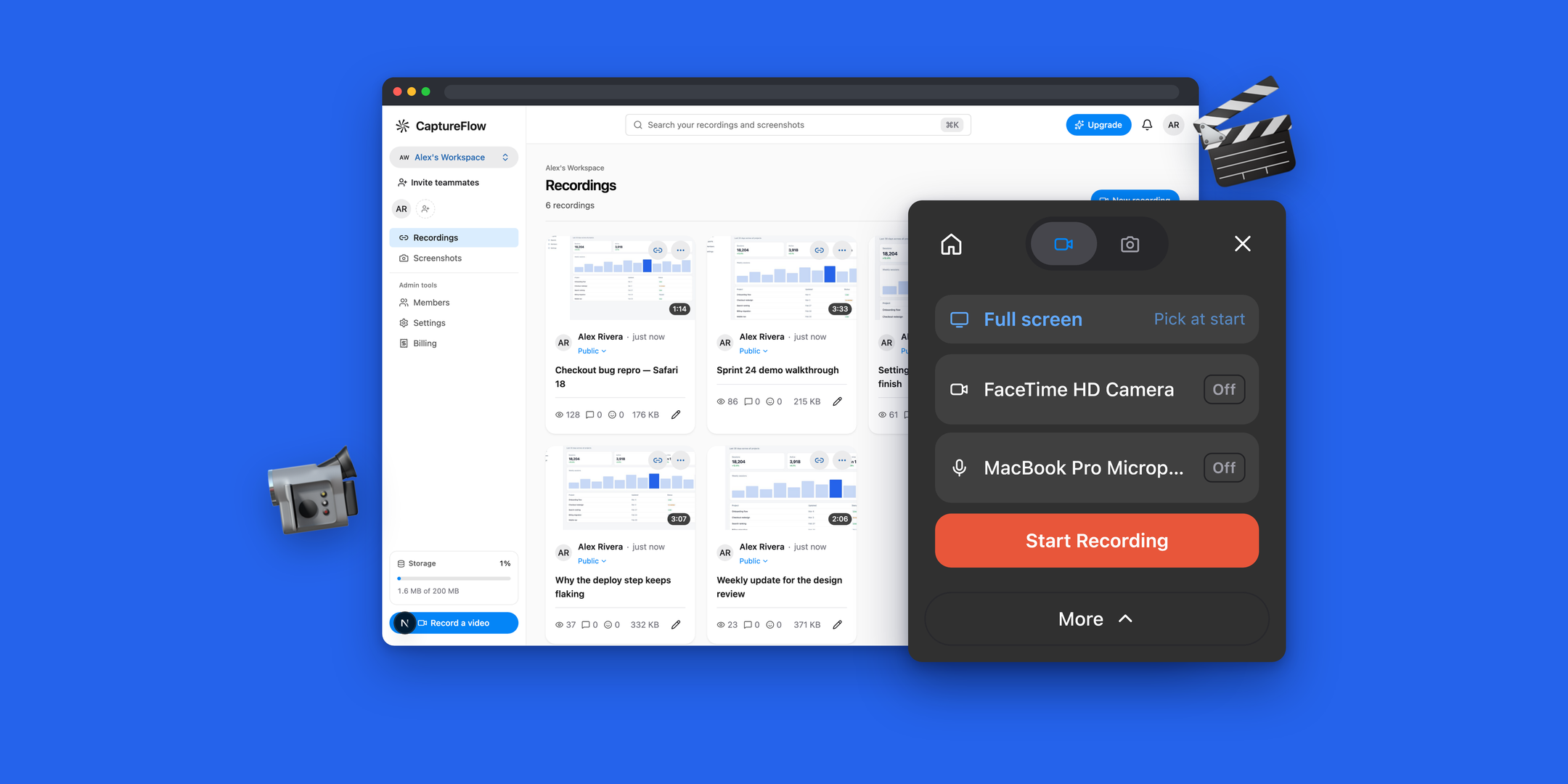
Upstream screenshot · sardorml/captureflow repository contributors ↗. Depicts the upstream project. We have not deployed and tested a fresh installation here.
What it can replace
Compare the workflow you need. These mappings describe overlap; full feature parity requires a separate comparison.
 Loom ↗
screen recording and share links; editorial use-case mapping, feature parity not verified
See supporting source ↗How it works
The shape of CaptureFlow on Cloudflare, and how it stacks up against the rented tools it replaces.
Architecture
Diagram based on the linked repository documentation. See the sources and hosting assumptions above.
View upstream source ↗Configuration and workflow sources
Reviewed commit ade77a3ed3a2. Files were read as data; upstream applications and CI jobs were not executed.
Deployment configuration · 3 files
Cloudflare Workers · compatibility 2025-06-01
captureflow-admin · default
Entrypoint: .open-next/worker.js
Static assets: .open-next/assets
Configured route patterns: admin.captureflow.dev
DB→ D1BUCKET→ R2ASSETS→ Static assets
Cloudflare Workers · example/template, excluded from overview · compatibility 2025-06-01
captureflow-docs · default
Static assets: .vitepress/dist · 404-page
Configured route patterns: docs.captureflow.dev
Static assets→ Static assets
Cloudflare Workers · compatibility 2025-06-01
captureflow-web · default
Entrypoint: worker.ts
Static assets: .open-next/assets
Cron triggers (UTC): 0 * * * * · 0 4 * * *
Configured route patterns: captureflow.dev
DB→ D1BUCKET→ R2ASSETS→ Static assets
Named environments are separate deployments. Bindings are shown only where declared. Configured routes are URL patterns, not verified application endpoints.
Runtime source · handlers, binding usage and workflow steps
Observed TypeScript/JavaScript declarations from Worker entrypoints and resolved relative imports. Calls and workflow steps may run conditionally; their listed order is not a proven end-to-end request flow. Router declarations may be mounted under a prefix or may not be registered. This shows code wiring, not a successful deployment or runtime test. Dynamic wiring, aliases and generated code may not resolve.
- L24 · runHourlyMultipartGc calls (conditional paths may differ): Date.now, all, bind, env.DB.prepare, env.BUCKET.resumeMultipartUpload, upload.abort, console.warn, wc.abort, run
- L80 · runDailyRetentionSweep calls (conditional paths may differ): Date.now, all, bind, env.DB.prepare, createD1Db, env.BUCKET.delete, console.warn, db.deleteRecording
Environment references: env.DB · env.BUCKET
- L125 · createD1Db calls (conditional paths may differ): d1.prepare, run, stmtInsert.bind, first, stmtGet.bind, rowFromD1, Object.keys, sets.push, binds.push, getRecording, sets.join, bind, stmtDelete.bind, all, stmtListForDevice.bind, res.results.map, stmtListForUser.bind, stmtTotalStorage.bind, stmtActiveCount.bind, stmtBumpLastViewed.bind
Build and deployment pipeline · 2 GitHub Actions workflows
Repository CI declarations, separate from runtime request processing. Job dependencies and conditions are shown as written; long commands are shortened with an ellipsis; a workflow file does not prove a recent successful run.
Triggers: push, pull_request, workflow_dispatch
build · no job dependencies declared
- actions/checkout@v4
actions/checkout@v4 - pnpm/action-setup@v4
pnpm/action-setup@v4 - actions/setup-node@v4
actions/setup-node@v4 - Shell command
pnpm install --frozen-lockfile - Shell command
pnpm format:check - Shell command
pnpm typecheck - Shell command
pnpm --filter @captureflow/web test - Shell command
pnpm --filter @captureflow/extension test - Shell command
pnpm --filter @captureflow/admin test - Shell command
pnpm build
secret-scan · no job dependencies declared
- actions/checkout@v4
actions/checkout@v4 - gitleaks/gitleaks-action@v2
gitleaks/gitleaks-action@v2
deploy · after build, secret-scan
Condition: github.event_name == 'push' && github.ref == 'refs/heads/main'
- actions/checkout@v4
actions/checkout@v4 - pnpm/action-setup@v4
pnpm/action-setup@v4 - actions/setup-node@v4
actions/setup-node@v4 - Shell command
pnpm install --frozen-lockfile - Apply D1 migrations (production)
pnpm --filter @captureflow/web db:apply:remote - Build & deploy worker
pnpm --filter @captureflow/web cf:deploy
deploy-admin · after build, secret-scan, deploy
Condition: github.event_name == 'push' && github.ref == 'refs/heads/main'
- actions/checkout@v4
actions/checkout@v4 - pnpm/action-setup@v4
pnpm/action-setup@v4 - actions/setup-node@v4
actions/setup-node@v4 - Shell command
pnpm install --frozen-lockfile - Build & deploy admin worker
pnpm --filter @captureflow/admin-app cf:deploy
deploy-docs · after build, secret-scan
Condition: github.event_name == 'push' && github.ref == 'refs/heads/main'
- actions/checkout@v4
actions/checkout@v4 - pnpm/action-setup@v4
pnpm/action-setup@v4 - actions/setup-node@v4
actions/setup-node@v4 - Shell command
pnpm install --frozen-lockfile - Build & deploy docs
pnpm --filter @captureflow/docs cf:deploy
Triggers: pull_request, watch
notify · no job dependencies declared
- Post to Discord
# Fork PRs get no secrets; skip rather than fail. if [ -z "$WEBHOOK" ]; then echo "DISCORD_WEBHOOK_URL not available; skipping." exit 0 fi if [ "$EVENT" = "watch" ]; then TEXT="⭐ $SENDER starred the repo — $STARS stars" else case "$ACTION" in opened) TEXT="🔀 $SENDER opened PR #$PR_NUMBER: $PR_TITLE" ;; reopened) TEXT="♻️ $SENDER reopened PR #$PR_NUMBER: $PR_TITLE" ;; ready_for_review) TEXT="📣 PR #$PR_NUMBER is ready for review: $PR_TITLE" ;; converted_to_draft) TEXT="📝 PR #$PR_NUMBER convert…
build: nx run-many -t build
build: next build
build: electron-vite buildbuild:mac: scripts/build-mac.shbuild:mac:dev: scripts/build-mac.sh --no-notarize
build: vitepress build
build: wxt build
build: next build
Repository README
View original on GitHub ↗Full upstream document by @sardorml · README.md · snapshot ade77a3

CaptureFlow
Open-source, self-hostable screen recording with instant shareable links.
Website · Download · Docs · Self-hosting · License



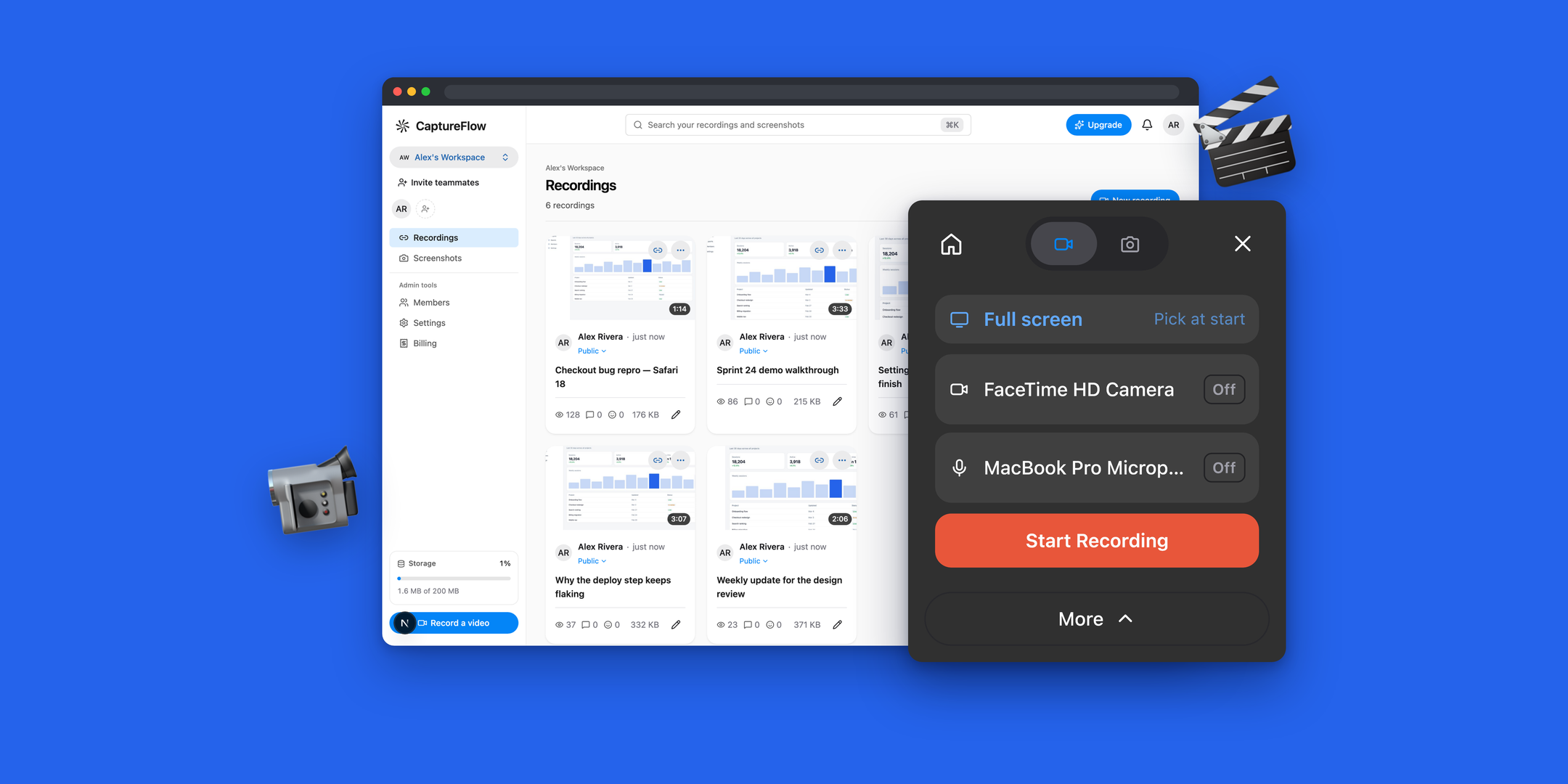
CaptureFlow records your screen and hands you a share link the moment you stop. It records from two places — an MV3 browser extension and a native macOS app — onto one Cloudflare-hosted backend that serves the dashboard, the recording and screenshot viewers, and the API. It's fully open source (AGPL-3.0) and self-hostable on your own Cloudflare account — every feature ships in the open-source build.
The upload runs while you record, so stopping is the last step: no export queue, no render wait. Screenshots come from the same panel and share the same links, dashboard, and retention rules as recordings.
Monorepo layout
apps/
  web/         Next.js 16 dashboard + recording/screenshot pages + API → Cloudflare Workers (OpenNext)
  extension/   Browser recorder (WXT, MV3) — popup/overlay panel, offscreen capture, in-page controls
  desktop/     Electron screen recorder (macOS)
  docs/        VitePress documentation site → its own Cloudflare Worker (assets-only)
packages/
  engine/      Capture engine shared by desktop + extension: macOS sidecars, record protocol, mux pipeline (MIT)
  shared/      Types & constants shared across the apps
  ui/          Theme tokens + the React components with no HeroUI equivalent
  quota/       Storage quota, limits & workspace logic
Apps depend on packages, never the reverse, and never on each other.
Requirements
- Node.js >= 24.13
- pnpm 10 (
corepack enable && corepack prepare pnpm@10.30.0 --activate) - A Cloudflare account for the web app (Workers + D1 + R2)
- Swift (Xcode command-line tools) only if you change the macOS capture sidecars — the built binaries are committed, so nothing else needs it
Develop
pnpm install
pnpm dev                                  # run everything
pnpm web                                  # just the dashboard
pnpm extension                            # just the browser extension
pnpm --filter @captureflow/desktop dev    # just the desktop recorder
Repo-wide checks:
pnpm typecheck
pnpm --filter @captureflow/web test
pnpm format
After editing the Swift sidecars, rebuild them — the app loads the committed binaries, not the sources:
packages/engine/scripts/build-native.sh              # arm64
packages/engine/scripts/build-native.sh --universal  # arm64 + x86_64
Load the extension
It isn't on the Chrome Web Store yet. pnpm extension launches a browser with
it loaded; for a persistent install, build it and load the folder unpacked:
pnpm extension:build # → apps/extension/.output/chrome-mv3
Then in chrome://extensions turn on Developer mode → Load unpacked →
pick apps/extension/.output/chrome-mv3.
Deploy the web app to Cloudflare
Or manually:
# one-time: create the bindings
wrangler d1 create captureflow
wrangler r2 bucket create captureflow-recordings
# paste the returned ids into apps/web/wrangler.jsonc, then:
pnpm --filter @captureflow/web db:apply:remote
pnpm --filter @captureflow/web cf:deploy
DEPLOY.md is the full runbook — secrets, auth providers, the
custom domain, and pointing the recorders at your own instance.
License
AGPL-3.0-only, with one exception: the reusable capture engine in
packages/engine is MIT-licensed.
Combined builds (the desktop app, the browser extension) are AGPL-3.0-only as a
whole.
Frequently asked about CaptureFlow
What is CaptureFlow?+
CaptureFlow is a self-hosted Loom alternative built on the Cloudflare developer platform. Self-hosted screen recordings and share links on Cloudflare.
What does CaptureFlow replace?+
CaptureFlow is listed as an alternative to Loom. Compare the features and tradeoffs before migrating.
What Cloudflare primitives does CaptureFlow use?+
CaptureFlow is built on D1, R2, Workers.
How much does CaptureFlow cost to run?+
Cloudflare Workers, D1 and R2 Standard have free allowances suitable for a small deployment only if its CPU, request, database and media usage fit those limits. A fresh zero-cost deployment has not been verified; paid usage may be needed. Check Worker CPU usage against the Free plan limit before claiming $0 hosting. Keep R2 Standard storage within 10 GB-month, Class A operations within 1 million per month and Class B operations within 10 million per month; quotas are shared with other account usage. Keep Worker dynamic requests, D1 reads/writes and storage within account free quotas. Disable optional billing and email integrations; custom domain registration is a separate cost. Create your own D1 database/R2 bucket and replace upstream domains and resource IDs. The upstream deployment uses a public R2 CDN; private deployments require a different media access design. Check current Cloudflare pricing before deploying.
Is CaptureFlow open source?+
The upstream repository declares the AGPL-3.0-only license. Read its terms at https://raw.githubusercontent.com/sardorml/captureflow/ade77a3ed3a29f05d8c74a984f245c50b2967d79/LICENSE. Source code and contributor credit are available at https://github.com/sardorml/captureflow.
Discussion · 0
sign in to comment →