alternatives
Loom alternatives for screen recording you own
CaptureFlow is the reviewed Cloudflare candidate for recording your screen and sharing a link. ShareX offers a Windows capture-and-upload workflow with documented R2 support. OBS and Cap solve different jobs; evaluate the recording, hosting and sharing layers separately.
By Cloudsteading · Sources checked 2026-10-01 · Independent guide
Choose the workflow before the product
The useful question is what happens after you stop recording. Do you need a shareable browser link, a file saved locally, a Windows upload shortcut, or a managed workspace with AI tools? These are different requirements. Our shortlist distinguishes the recorder from the server that stores and serves the result.
| Option | Recording and sharing workflow | Cloudflare fit | Main decision |
|---|---|---|---|
| CaptureFlow | Browser extension or macOS recorder, dashboard and share links | Reviewed Workers, D1 and R2 configuration | Own the app, authentication, media access and updates |
| ShareX | Windows capture and automated uploads | The author documents a Cloudflare R2 destination | A capture/upload utility rather than a complete collaborative video service |
| OBS Studio | Local recording and live streaming with scenes and audio mixing | The desktop recorder runs locally; sharing needs a separate destination | Useful for production control when instant browser sharing is secondary |
| Cap | Recorder with a separately self-hostable web service | Its documented stack needs its own infrastructure review | We have not established a Workers Free deployment for its full web app |
CaptureFlow: the Cloudflare application in this catalog
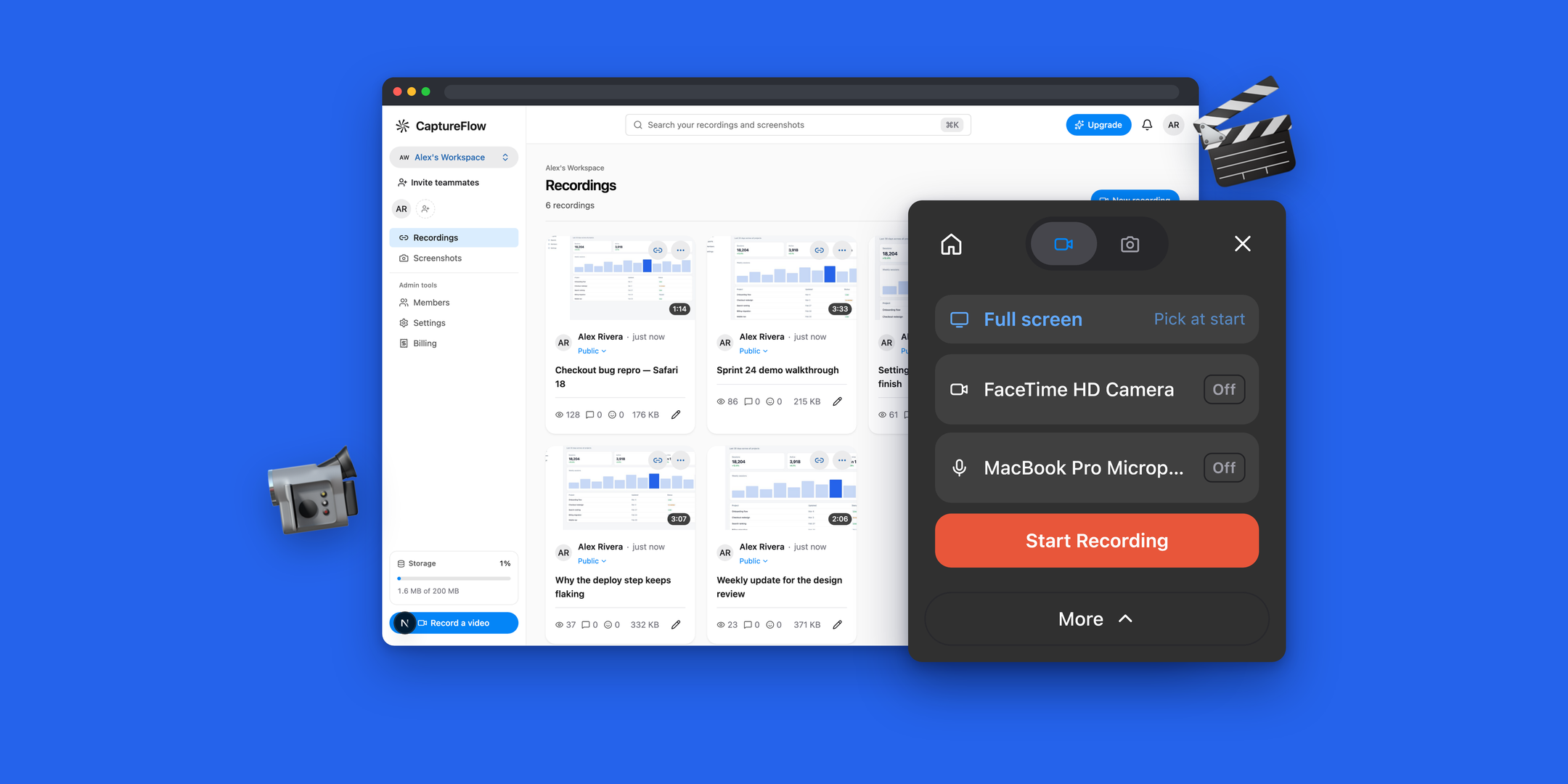
CaptureFlow’s project page includes the upstream product image, full README, license and pinned configuration. The reviewed app uses a Worker for its dashboard, viewers, authentication and API, D1 for records, and R2 for media. Hourly and daily cron triggers handle upload cleanup and retention.
That is a documented architecture, rather than proof that every team can run it for zero dollars. The upstream runbook assumes a public media CDN. If recordings must be private, review access to the underlying objects as well as access to the dashboard. Optional billing and email can be left unconfigured.
ShareX: a smaller Windows workflow
ShareX is worth evaluating when capturing a screen and uploading a file covers the job. Its R2 guide documents connecting Cloudflare storage. You still need to choose how people receive, view and access those files. Do not equate an upload destination with Loom’s full workspace experience.
OBS and Cap: different ownership choices
OBS is our candidate for recording control: scenes, multiple sources and an audio mixer. It does not itself establish a hosted share-link service. Cap’s self-hosting documentation is another route to investigate, but we have not reviewed it as a free Cloudflare-native catalog deployment.
When Loom is the better fit
Stay with managed hosting when your priority is immediate adoption, vendor-operated publishing or the specific editing, AI and enterprise features in your plan. If short occasional recordings are enough, check Starter before taking on a server. Our Loom pricing guide separates the free plan, paid users and annual billing.
Pilot one real recording
Make a representative recording, open its link on another device, seek through it, check audio and test the intended sharing permissions. Review retention and recovery before importing an archive. For the source-backed tradeoffs, read CaptureFlow vs Loom. The self-hosting guide covers the configuration checks to make before using your own account.
Common questions
What is a self-hosted Loom alternative on Cloudflare?
CaptureFlow documents a Workers web app backed by D1 and R2, with a browser extension and macOS recorder. Its reviewed configuration supports that deployment path; a fresh installation and complete Loom parity have not been verified.
Is a free Loom alternative actually free to host?
It may fit small-workload Cloudflare allowances. R2 storage and operations, dynamic Worker requests, CPU, domains and optional services can introduce costs. Free source code does not make every workload free.
Can I keep using Loom for free?
Loom has a Starter plan. The reviewed pricing page lists 25 recordings per person and a five-minute screen-recording limit, with meeting recordings described separately.
Sources and review
- CaptureFlow pinned README ↗
- CaptureFlow deployment runbook ↗
- Loom pricing and feature comparison ↗
- Available Loom plans ↗
- Cloudflare R2 billing and free allowances ↗
- ShareX Cloudflare R2 setup ↗
- OBS Studio capabilities ↗
- Cap self-hosting documentation ↗
Recommendations are Cloudsteading’s editorial assessment. Repository review establishes documented capabilities; it does not prove a fresh deployment or complete feature parity. Prices and platform limits can change.